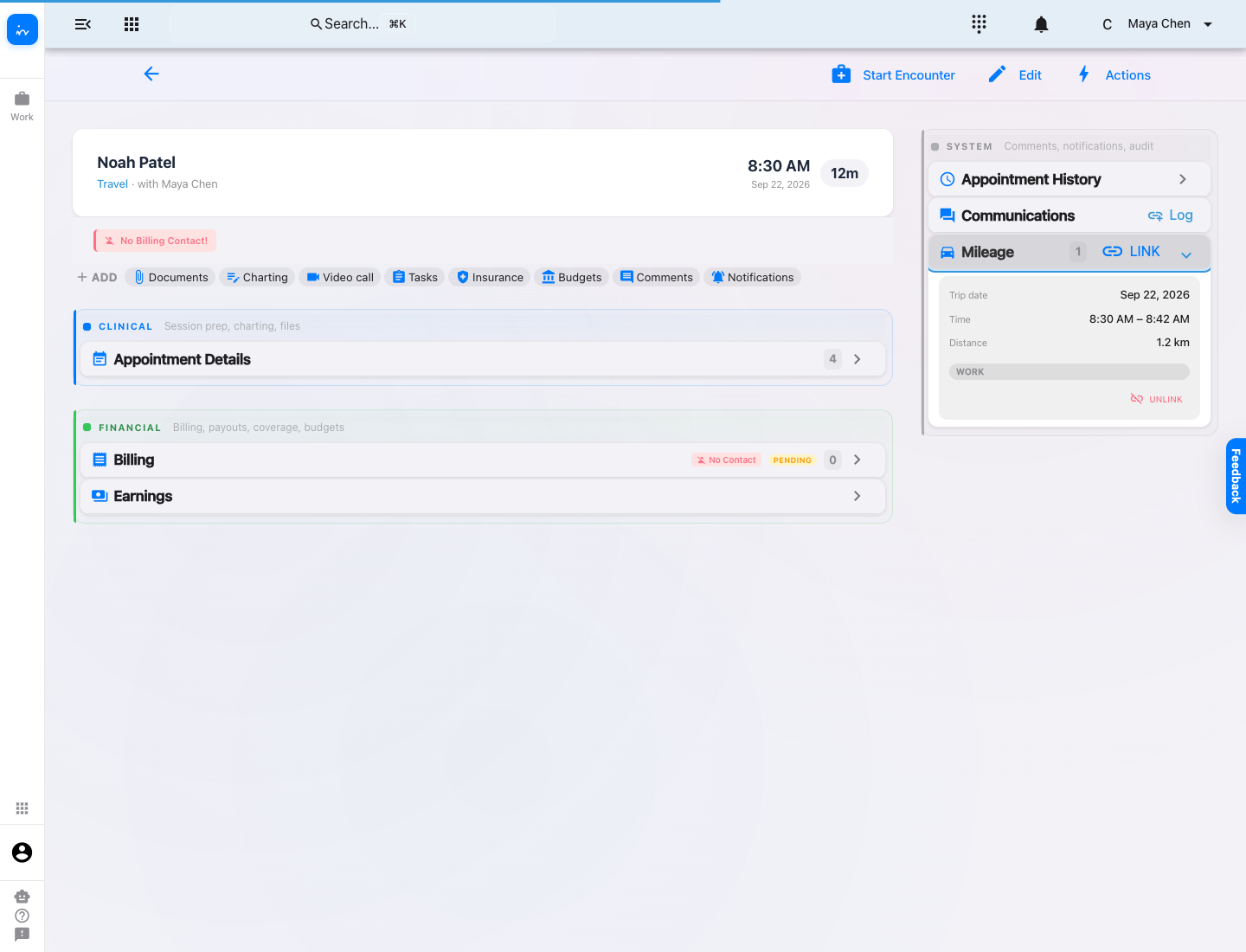
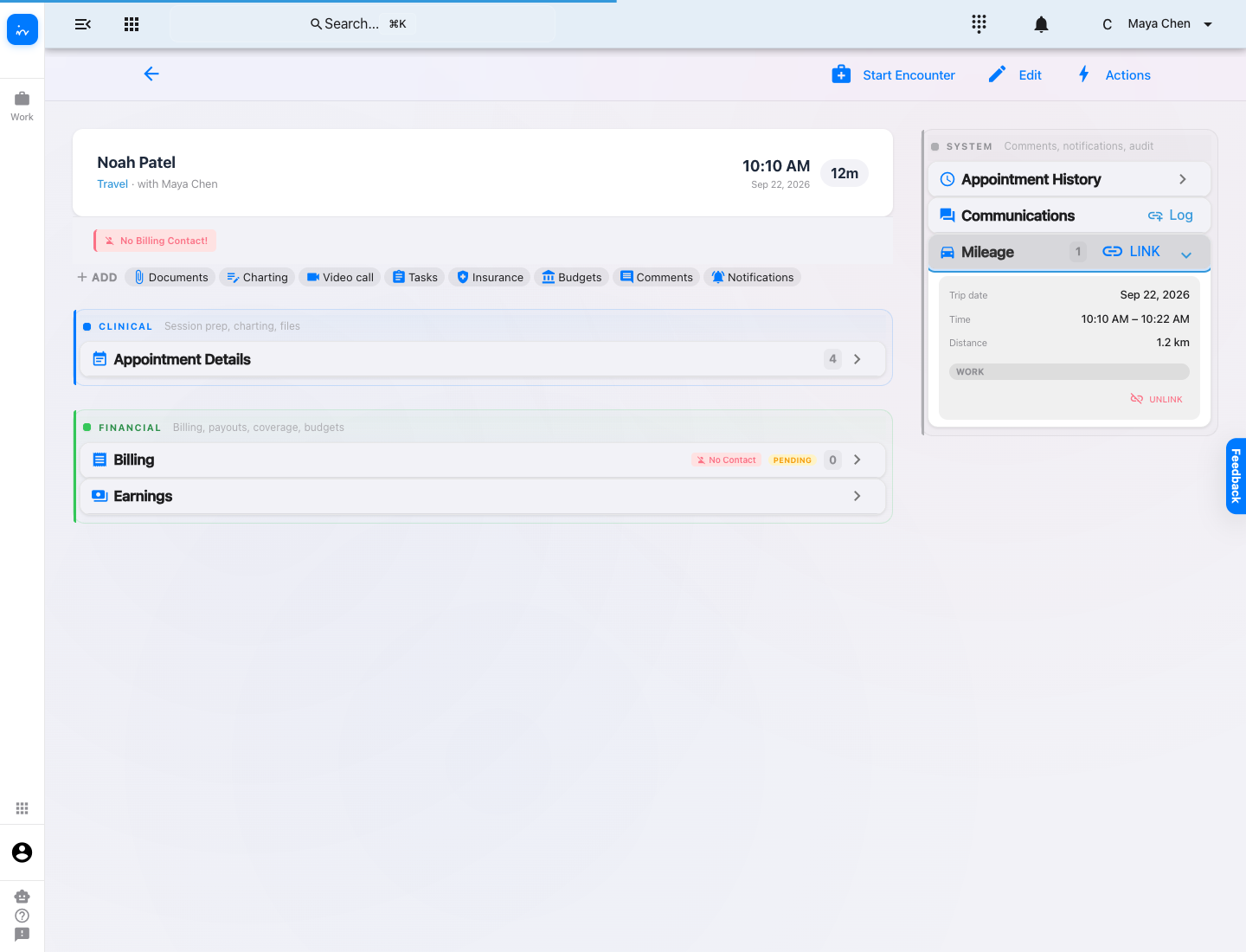
The iOS or Android app auto-tracks outbound and return drives.
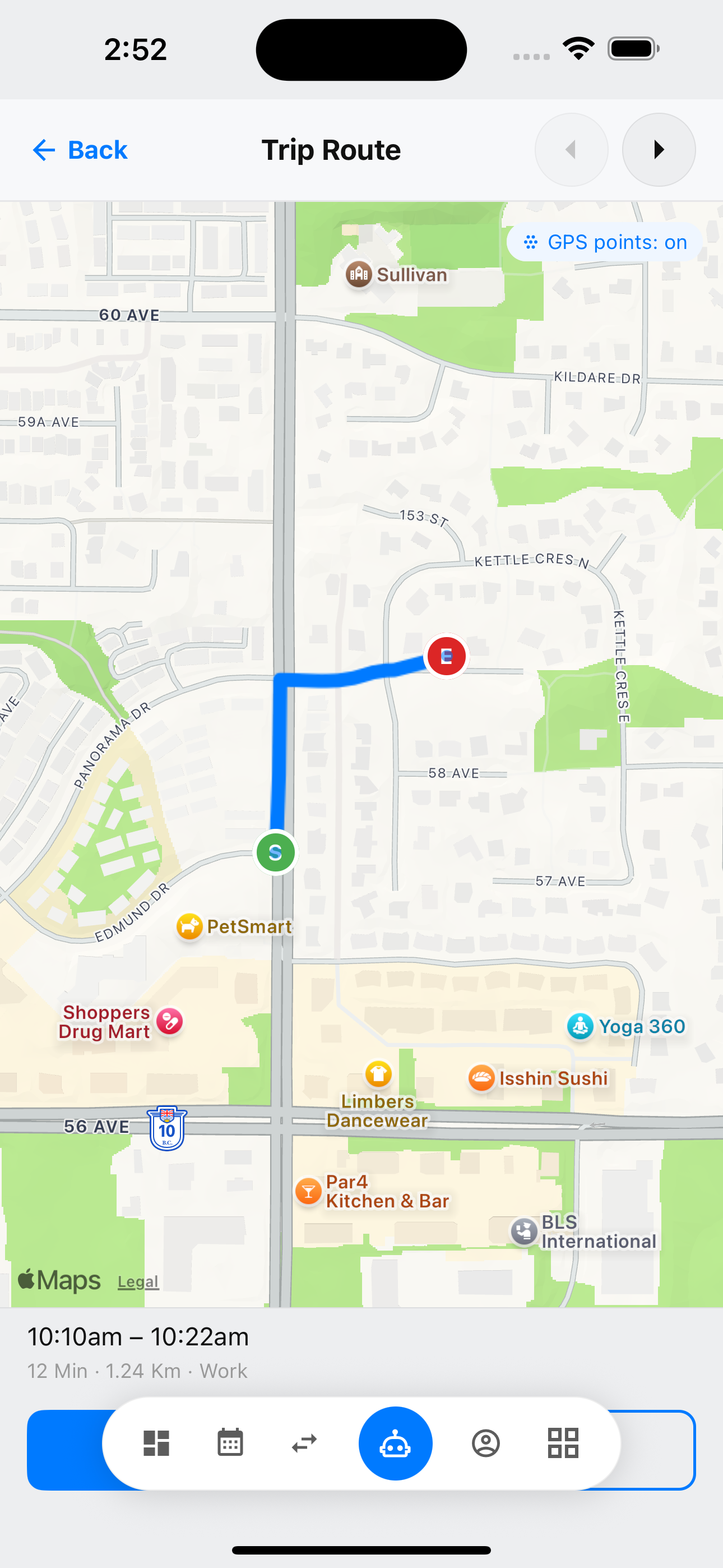
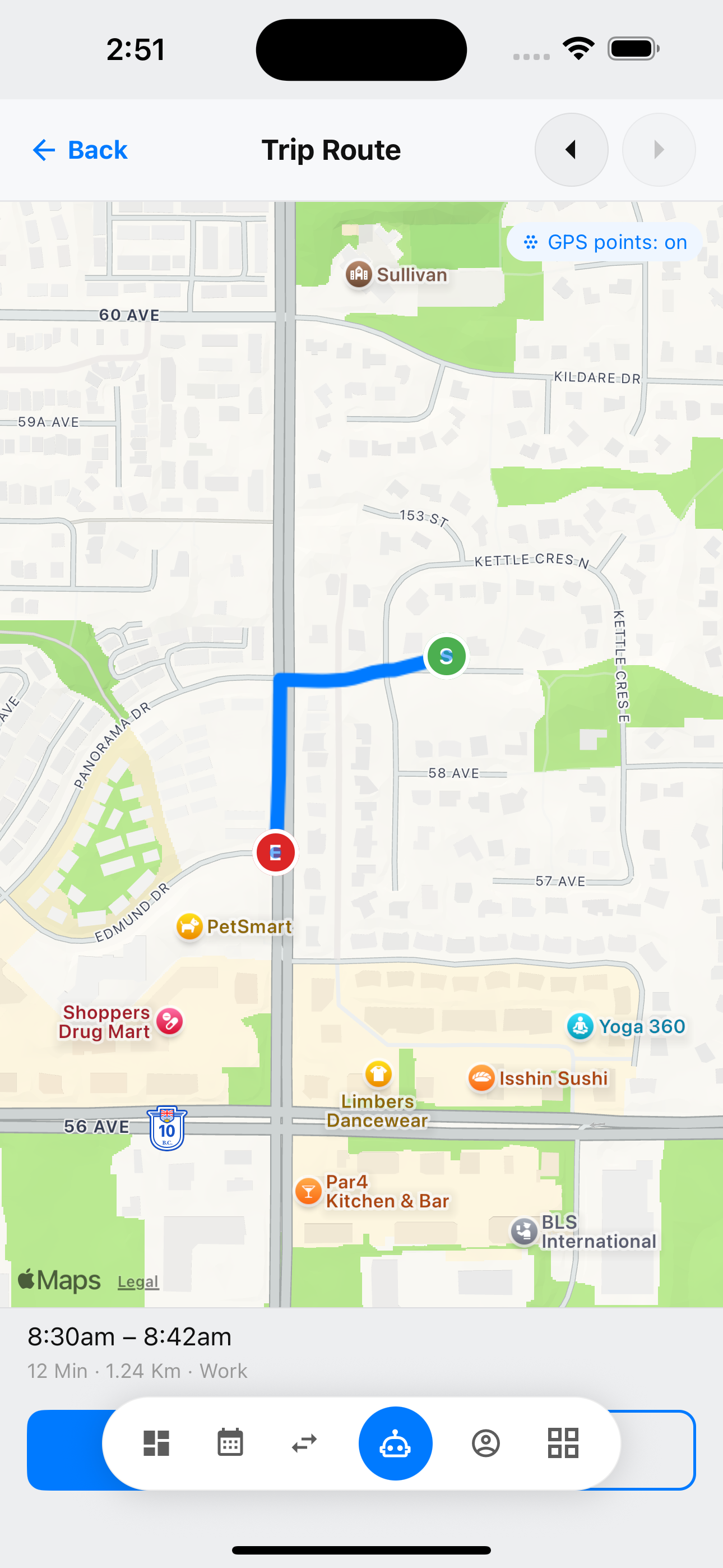
Route, time, distance, and map points remain visible.
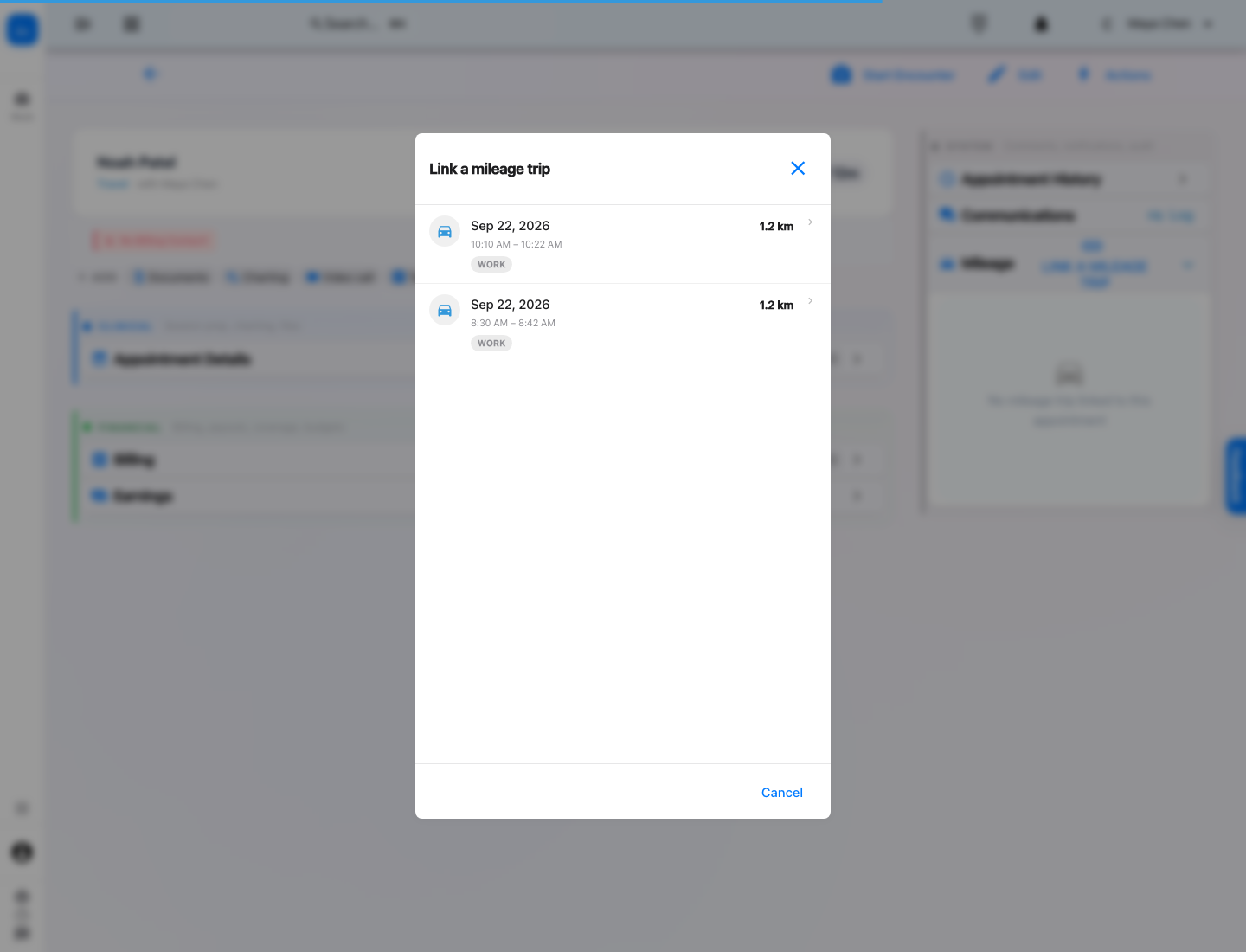
The web appointment offers eligible trips through one short action.
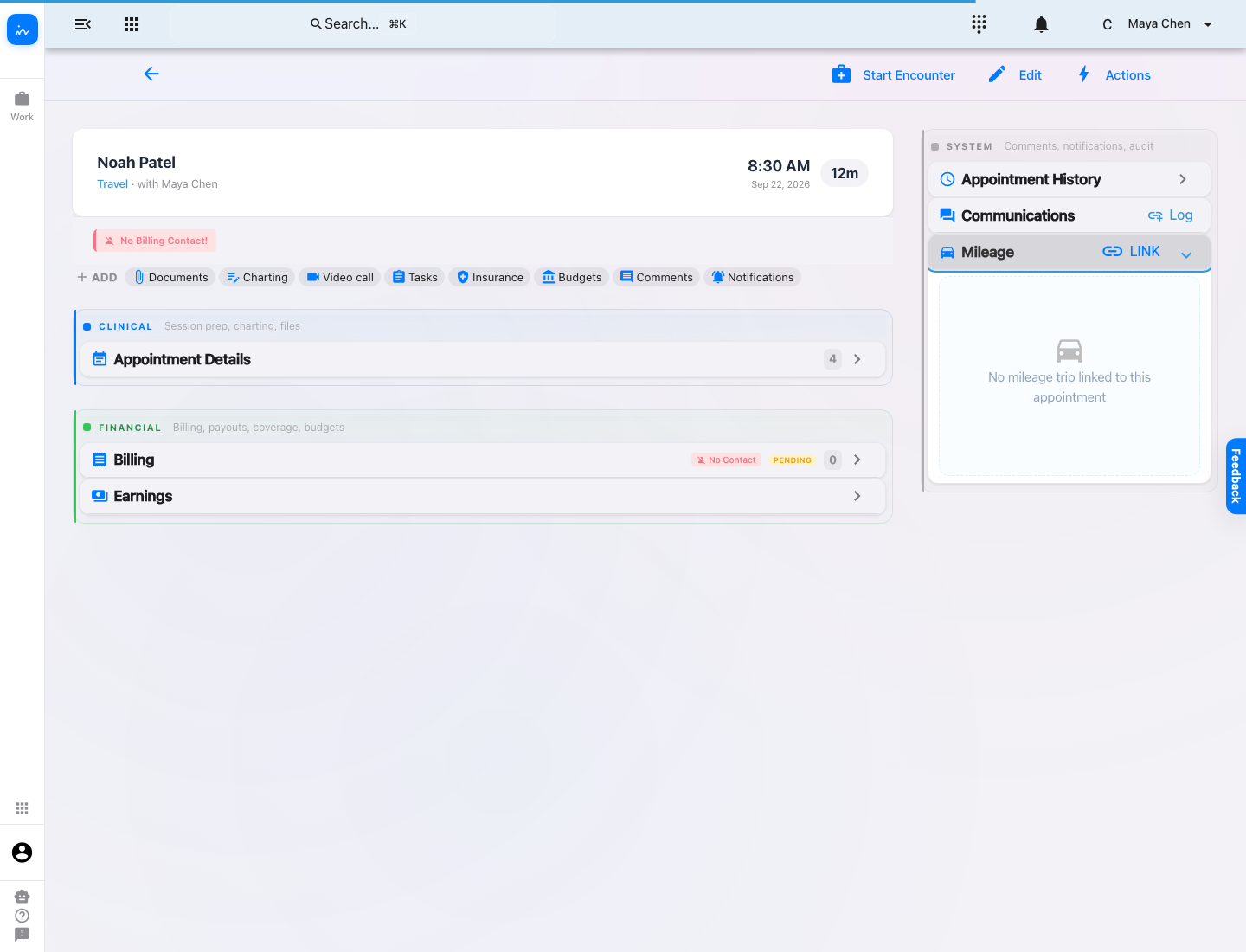
Each travel appointment displays its linked mileage record.
Mileage workflow
Use the InToday iOS or Android app to automatically track drives, then connect each trip to the correct travel appointment. Kilometres and travel time can also be entered manually in the web app.
The iOS or Android app auto-tracks outbound and return drives.
Route, time, distance, and map points remain visible.
The web appointment offers eligible trips through one short action.
Each travel appointment displays its linked mileage record.
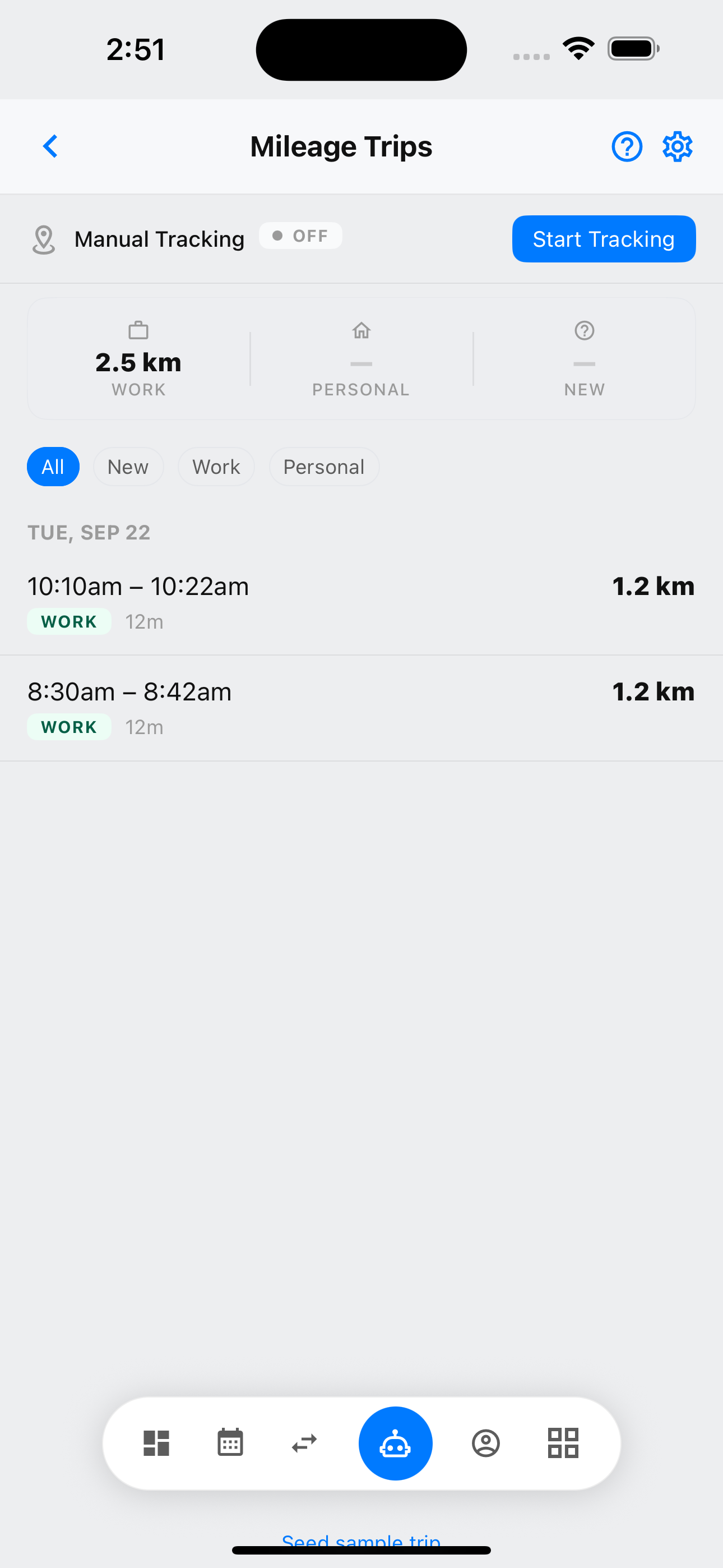
Automatic tracking requires the InToday iOS or Android app. Mileage Tracker shows the outbound trip at 8:30 AM and the return trip at 10:10 AM as Work trips.

The trip detail preserves the start and end points, the driven route, time, and distance for the visit.

The second detected drive follows the reverse route after the client session, providing a separate mileage record for the return travel.

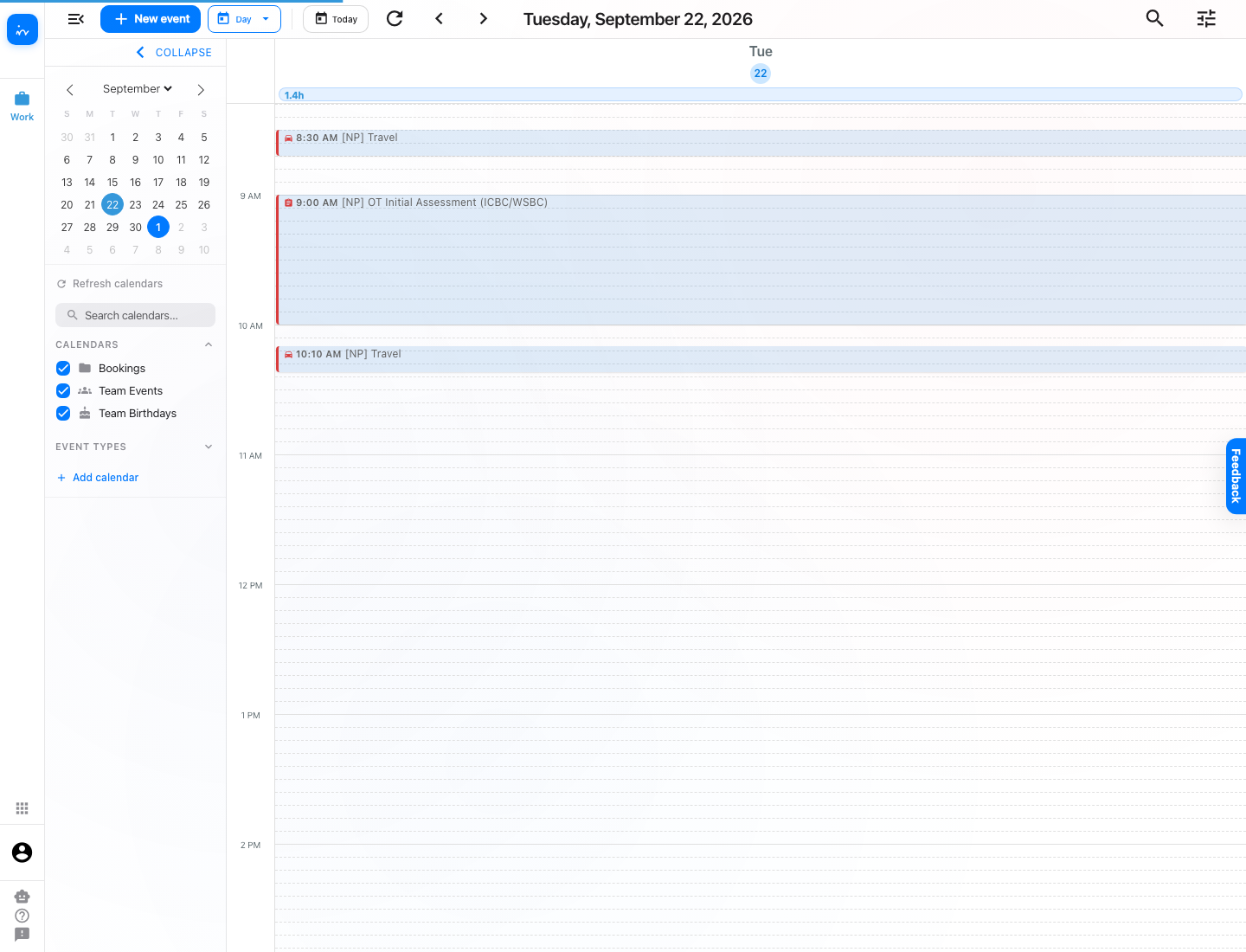
The calendar shows the real sequence: travel to the client, the ICBC OT assessment, then OT travel time back.

For an auto-tracked drive, expand Mileage and choose Link. When no mobile trip is available, kilometres and travel time can still be entered manually in the web appointment.

The Link a mileage trip picker lists eligible Work trips with their date, time, and distance. Choose the drive that belongs to this travel appointment.

The appointment now displays the 8:30 AM mileage trip, making the supporting drive visible directly from the travel booking.

Repeat the same process on the return travel appointment and select the 10:10 AM trip. The clinical session itself does not receive a mileage link.

Complete workflow
Two trips, two travel appointments.
Outbound and return mileage remain distinct.
The clinical session stays separate.
Mileage is linked to the travel bookings it supports.
The saved route remains reviewable.
Staff can return to the saved map, time, and distance.
Manual entry remains available.
Staff can enter kilometres and travel time in the web app when an auto-tracked trip is not available.
Bring scheduling, client care, travel, billing, and team workflows together in one platform.
Assignment flexibility: Clinics can let therapists choose from referral opportunities, have coordinators select and assign, or enable rule-based auto-assignment using configured availability and capacity. The clinic chooses the strategy, and it can be tailored.
This applies to referral assignment, not mileage tracking or appointment linking.
Visit ntdy.io →