✓ InToday Workflow Guide

Workflow overview

Review and compare referral candidates

Compare candidate response, travel, priority, and map context before choosing who should manage a referral. This guide shows the manual workflow; referral automation can alternatively handle selection, assignment, and reminders.

1 · Open

Find the active referral that needs a provider.

2 · Compare

Review all invited candidates in one summary.

3 · Inspect

Use expanded cards to see travel and map context.

4 · Decide

Use the response and operational details together.
1

Open the referral that needs coverage

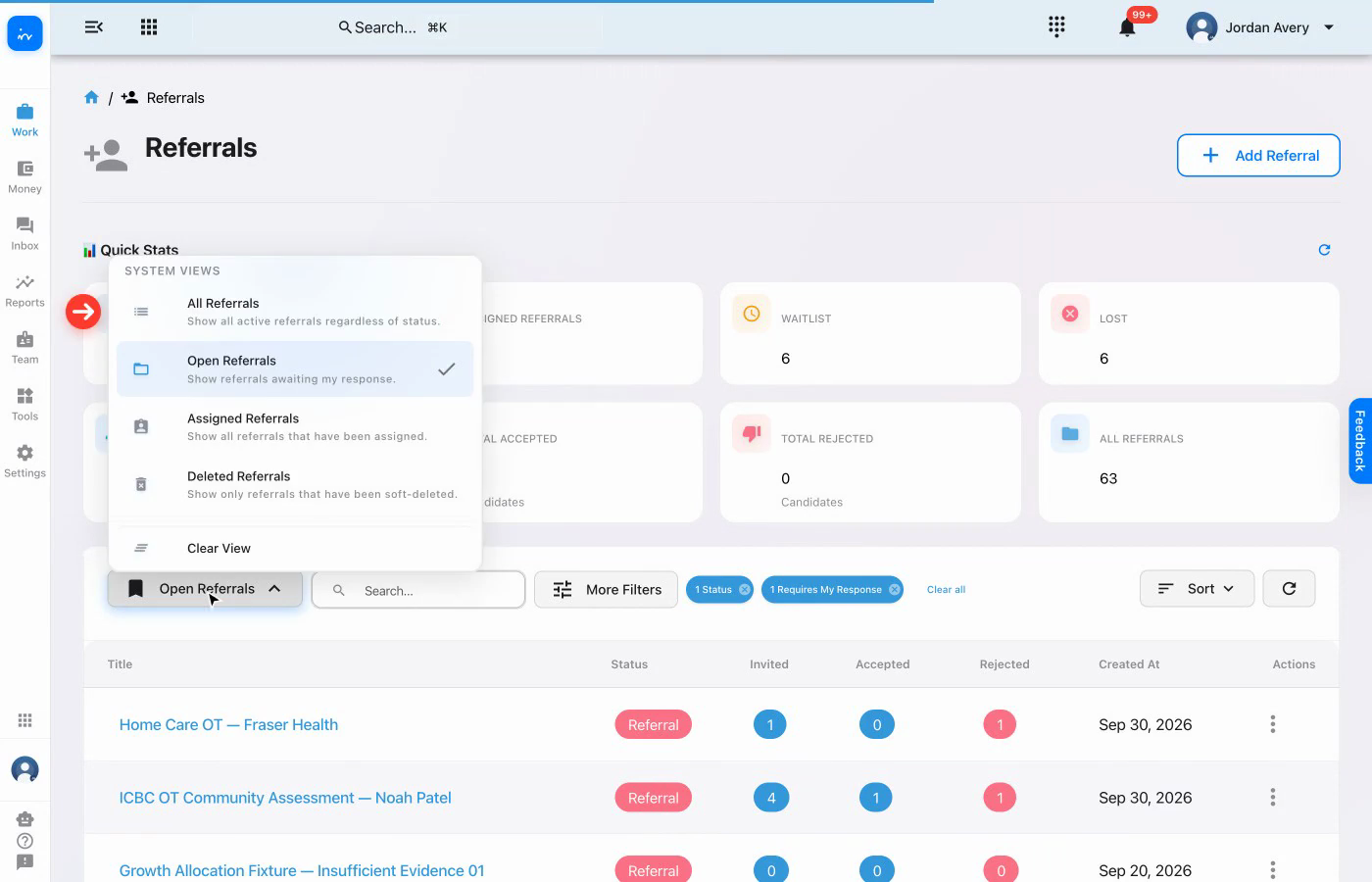
Start in Referrals, keep the Open Referrals view selected, and open Noah Patel's ICBC OT Community Assessment.

Open referrals list with Noah Patel referral
Web app · ReferralsOpen referrals
2

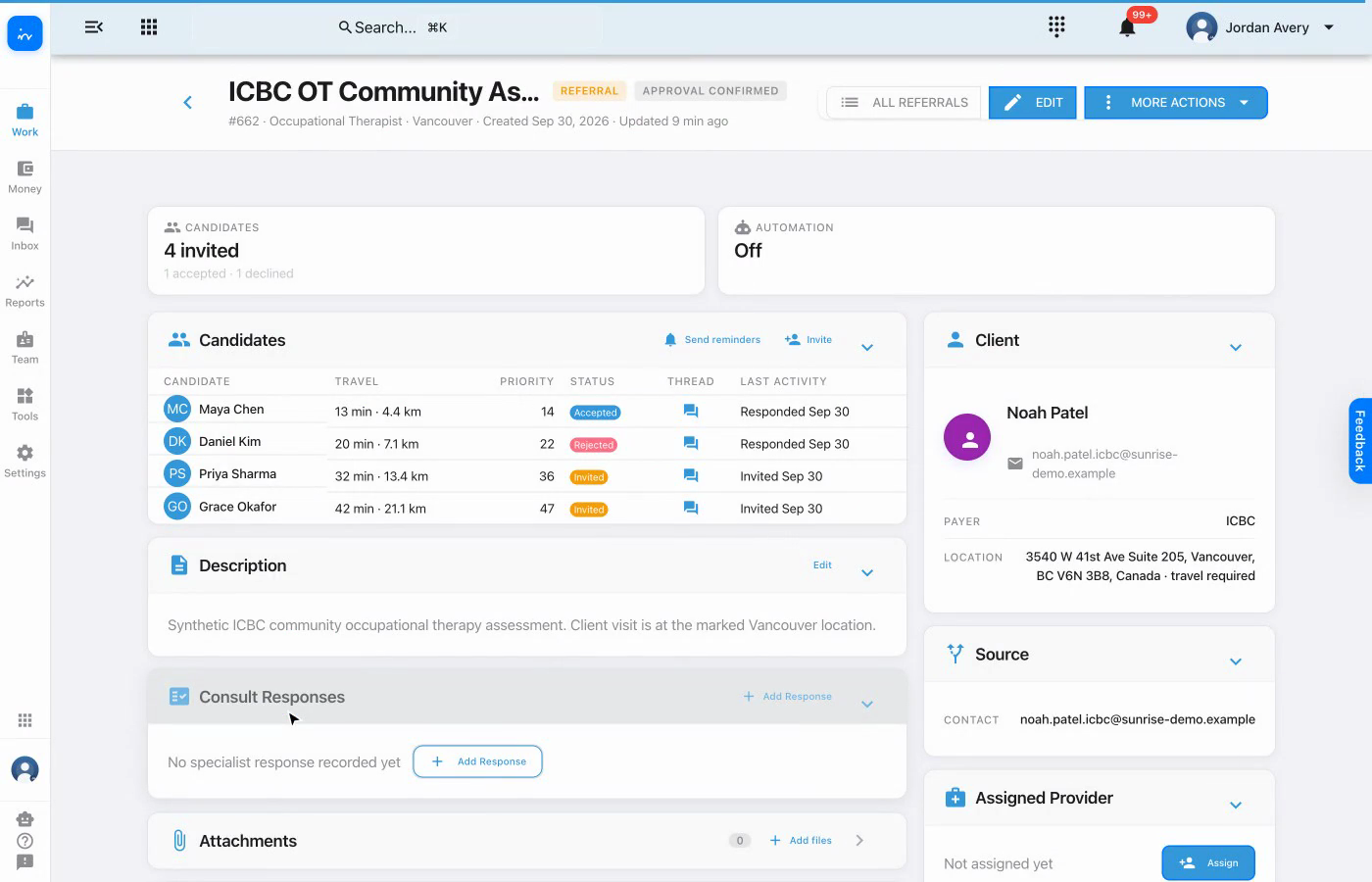
Review the four-person candidate summary

The referral brings the invited candidates together with travel time, distance, priority, response status, message thread, and latest activity.

Referral overview with four candidates
Web app · ReferralFour invited candidates
3

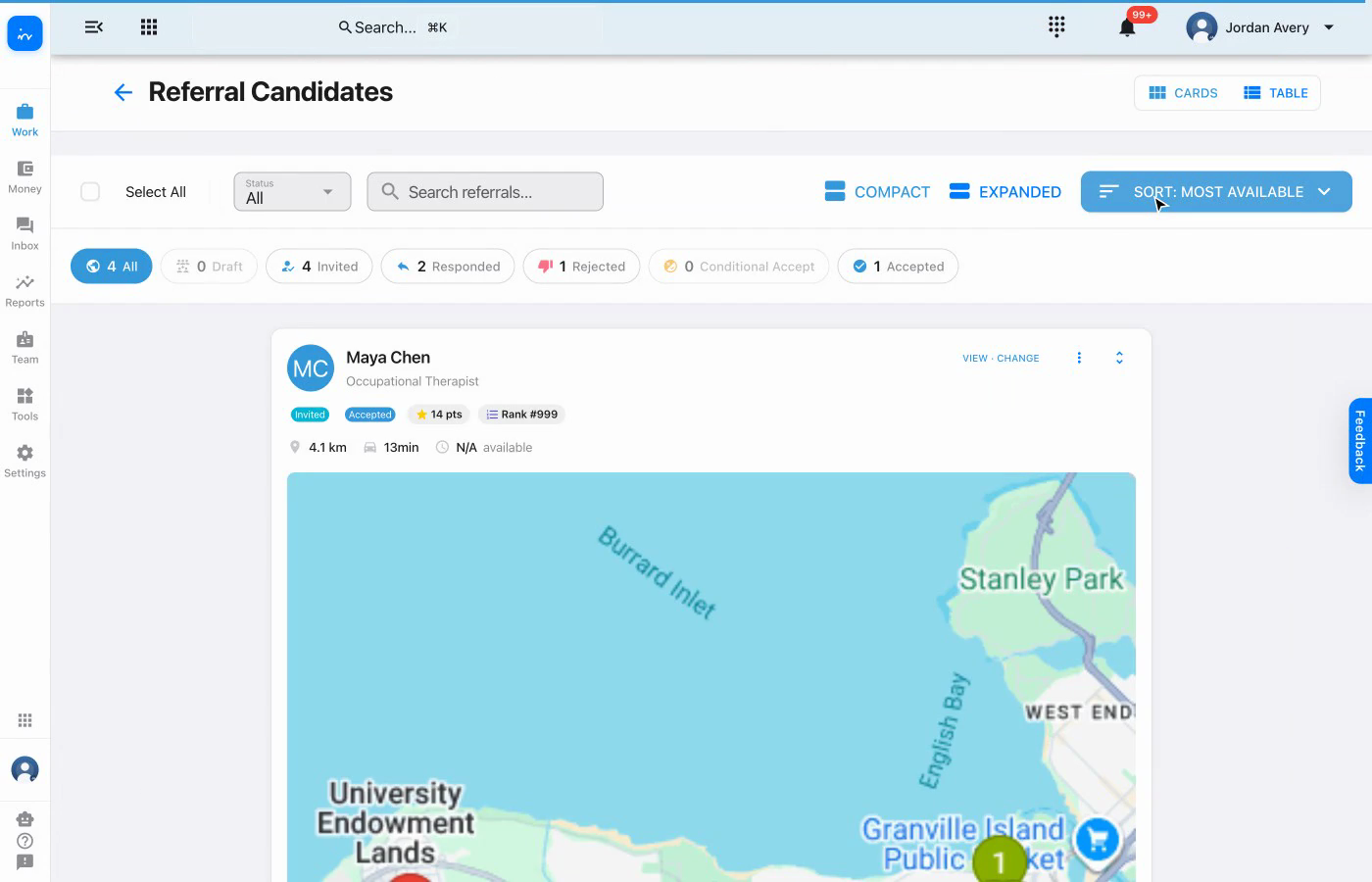
Inspect Maya Chen's expanded card

Maya's card keeps her accepted response, priority score, travel estimate, and map visible together. The map shows the client location alongside candidate markers.

Expanded candidate card for Maya Chen
Referral Candidates · ExpandedMaya Chen
4

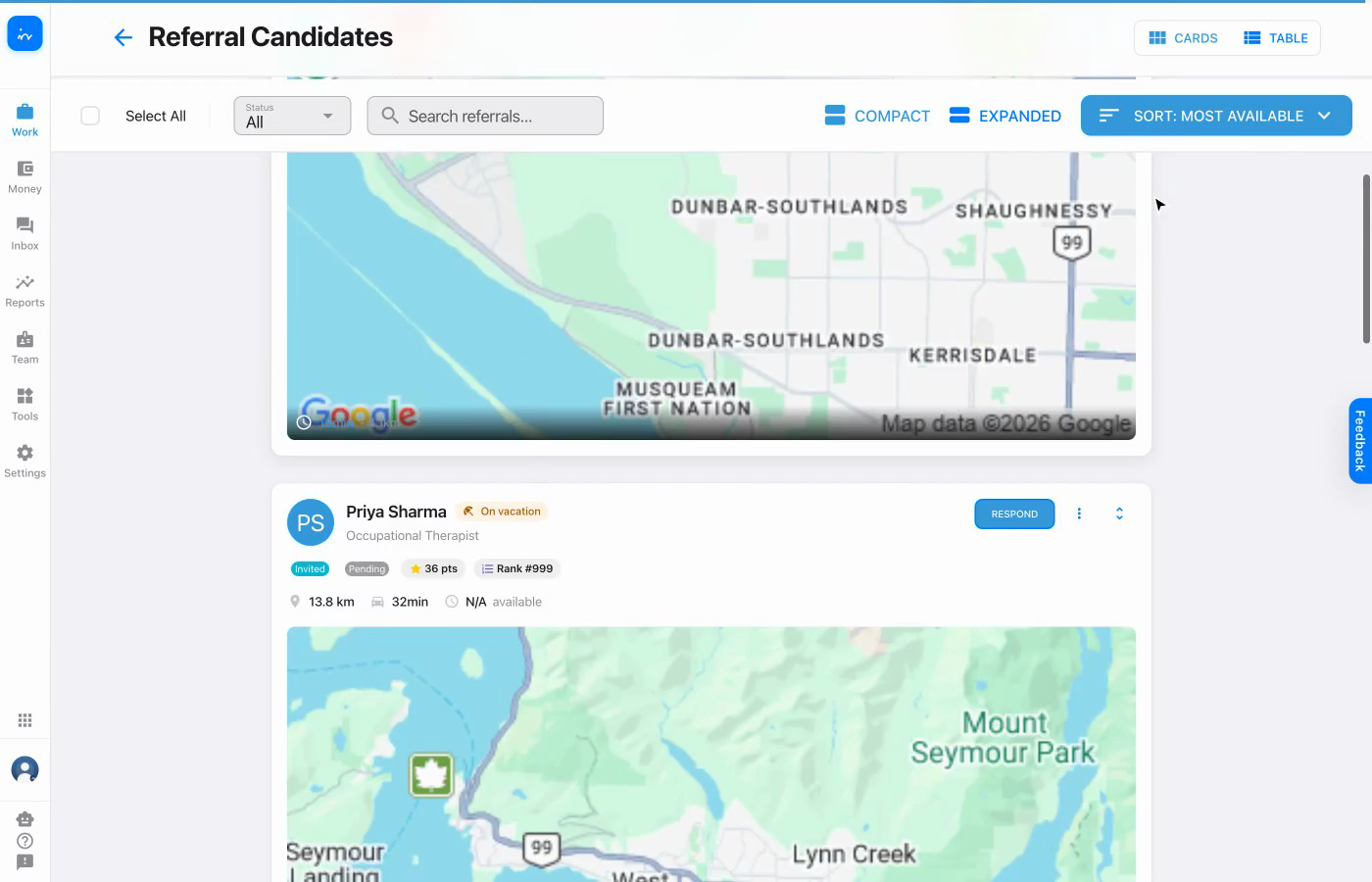
Continue through Priya Sharma's map

Scroll slowly through the expanded cards so the geographic relationship remains readable. Priya's map provides the same location context for a direct comparison.

Expanded candidate map for Priya Sharma
Referral Candidates · ExpandedPriya Sharma
5

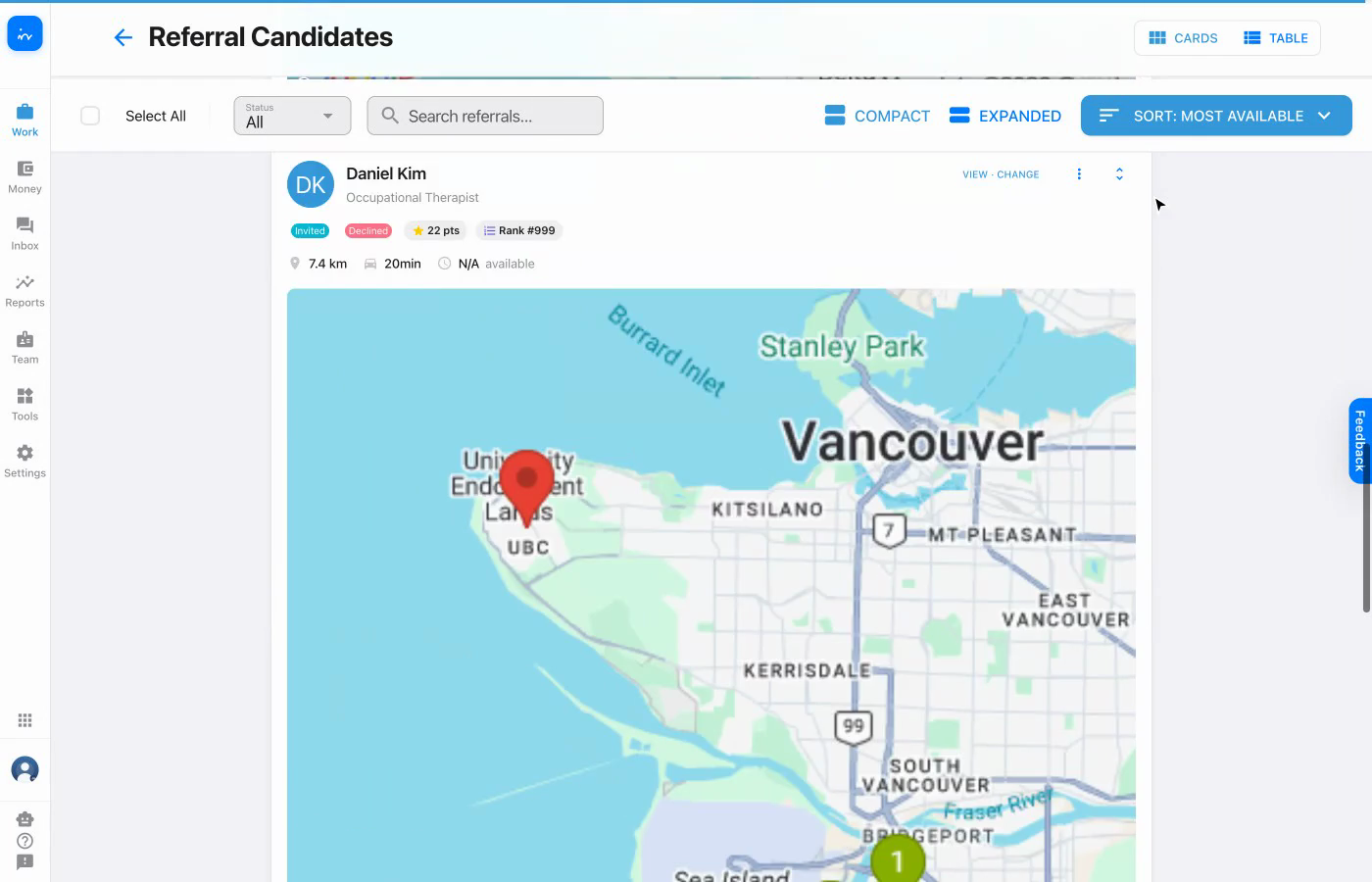
Review Daniel Kim's map in context

Daniel's response is already recorded as rejected, while the expanded view still preserves the travel and map information that informed the comparison.

Expanded candidate map for Daniel Kim
Referral Candidates · ExpandedDaniel Kim
6

Finish with Grace Okafor

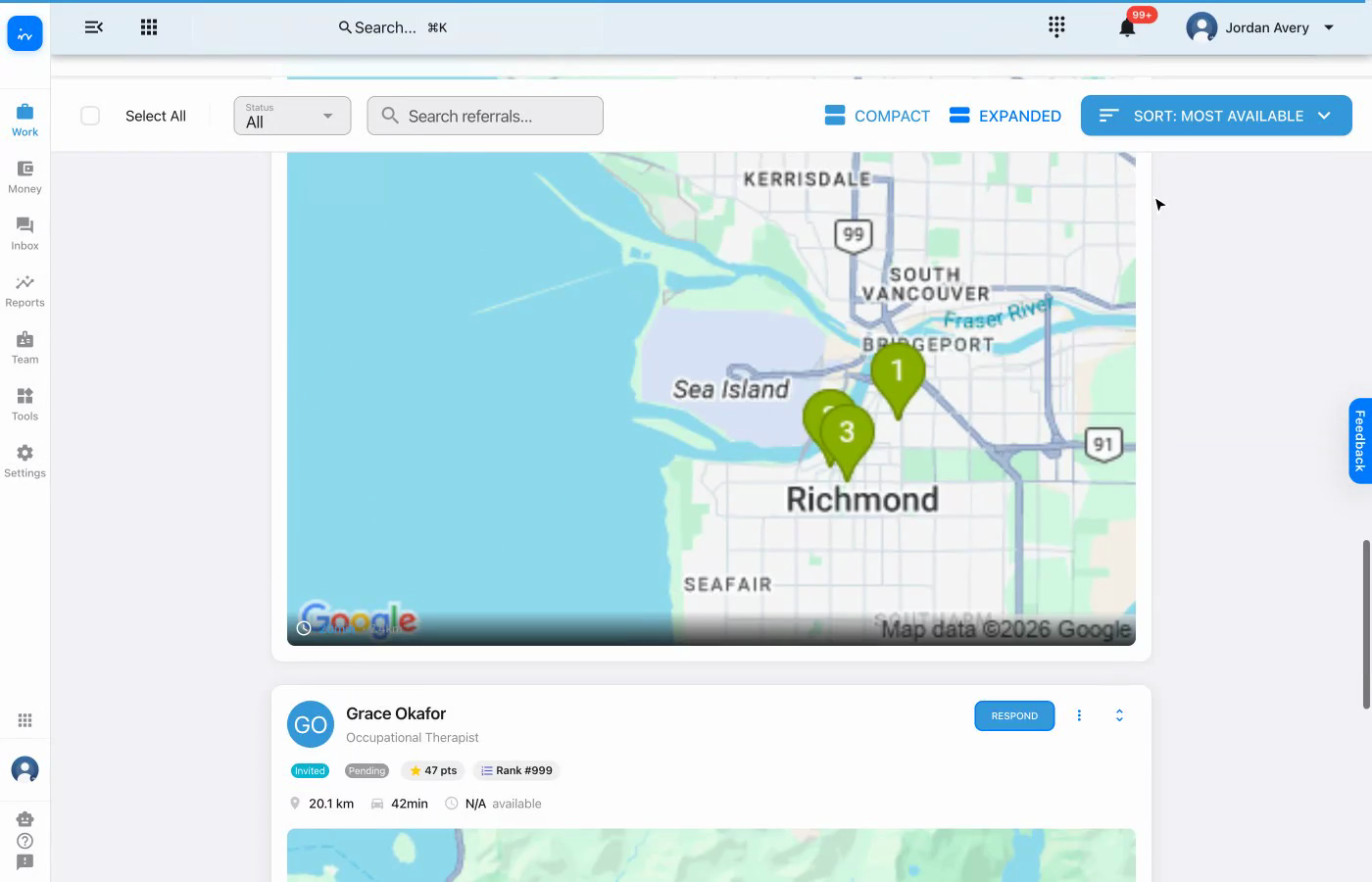
Grace's card shows that her response is still pending, along with her priority, travel estimate, and map. At this point every candidate has been reviewed using the same details.

Expanded candidate card for Grace Okafor
Referral Candidates · ExpandedGrace Okafor

Complete workflow

A consistent comparison before assignment

✓

All candidates use the same view.
Response, priority, travel, and map context remain comparable.

✓

The maps stay readable.
Expanded cards can be reviewed one at a time as the coordinator scrolls.

✓

Manual choice remains available.
The coordinator can review the details and decide who to assign.

✓

Automation is an alternative.
Referral automation can perform selection, assignment, and reminders instead.

Explore InToday

Bring referral intake, candidate comparison, assignment, reminders, and client care together in one platform.

Assignment flexibility: Clinics can let therapists choose from referral opportunities, have coordinators select and assign, or enable rule-based auto-assignment using configured availability and capacity. The clinic chooses the strategy, and it can be tailored.

Visit ntdy.io →
InToday Workflow Guidentdy.io