Independent-Contractor Compensation & Performance Reporting
How a practitioner reviews their own booked earnings, and how an administrator compares provider production, invoiced sales, and appointment-based pay.
Start with the right number
Booked appointment earnings
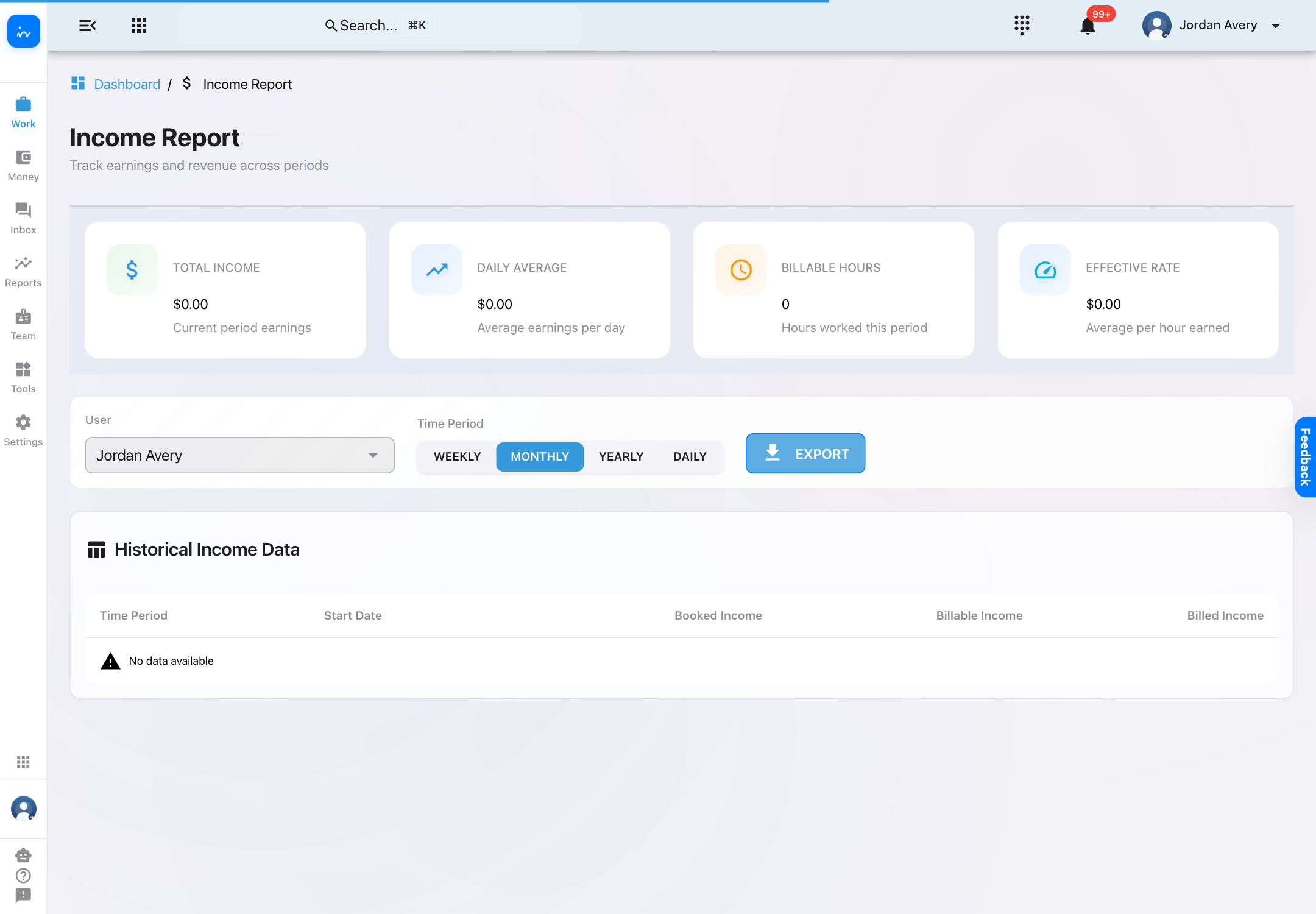
Use Dashboard → My Income Report. It presents one practitioner’s period-based earnings and a history with Booked Income, Billable Income, and Billed Income.
Invoiced clinic sales
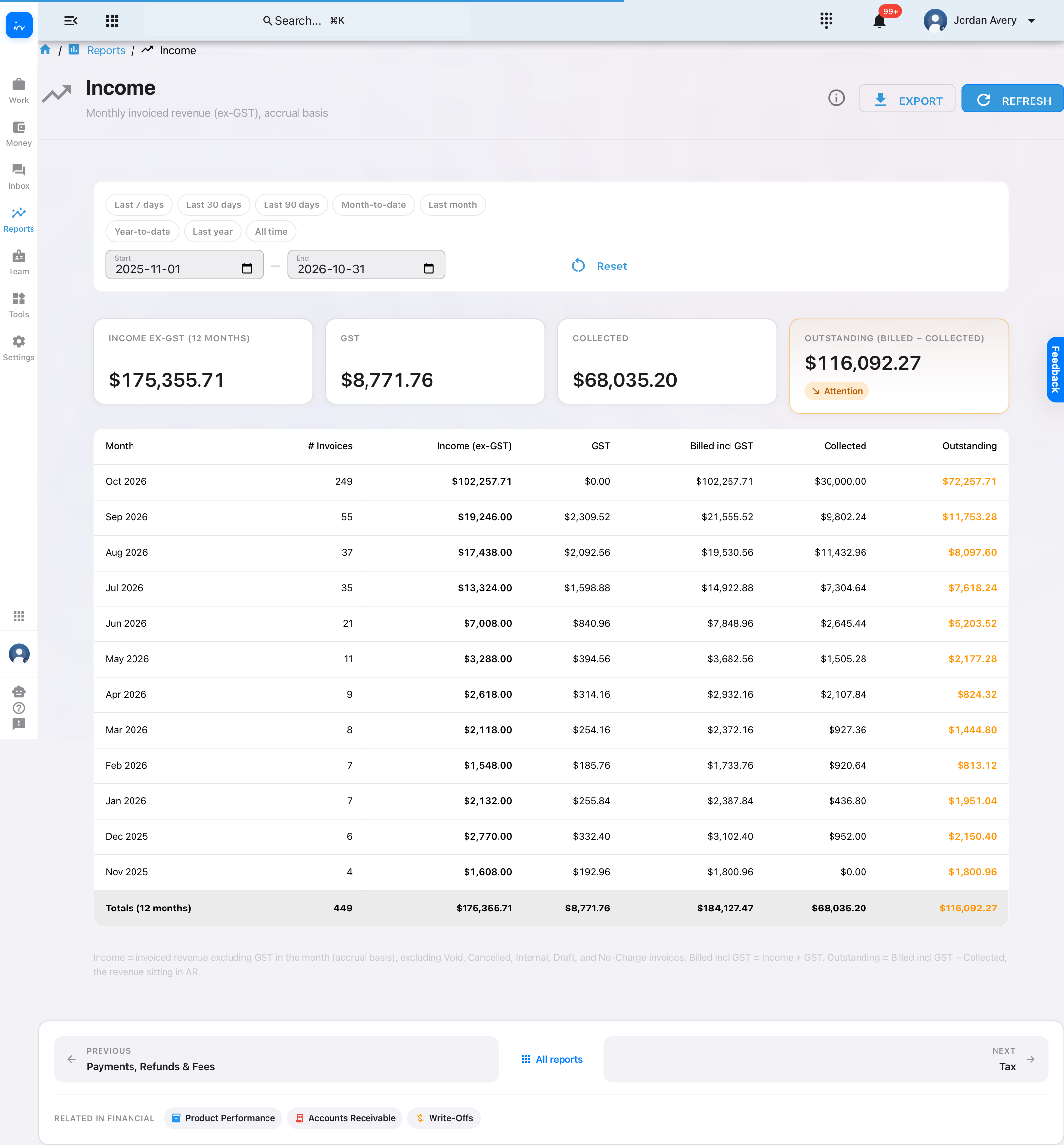
Use Reports → Income. It is an accrual-basis, clinic-wide report of invoiced revenue, GST, collected amounts, and outstanding balances.
Practitioner view: personal earnings only
In My Income Report, a practitioner sees the period selector and their own historical income without a team-member picker.
Admin analytics: compare performance over time
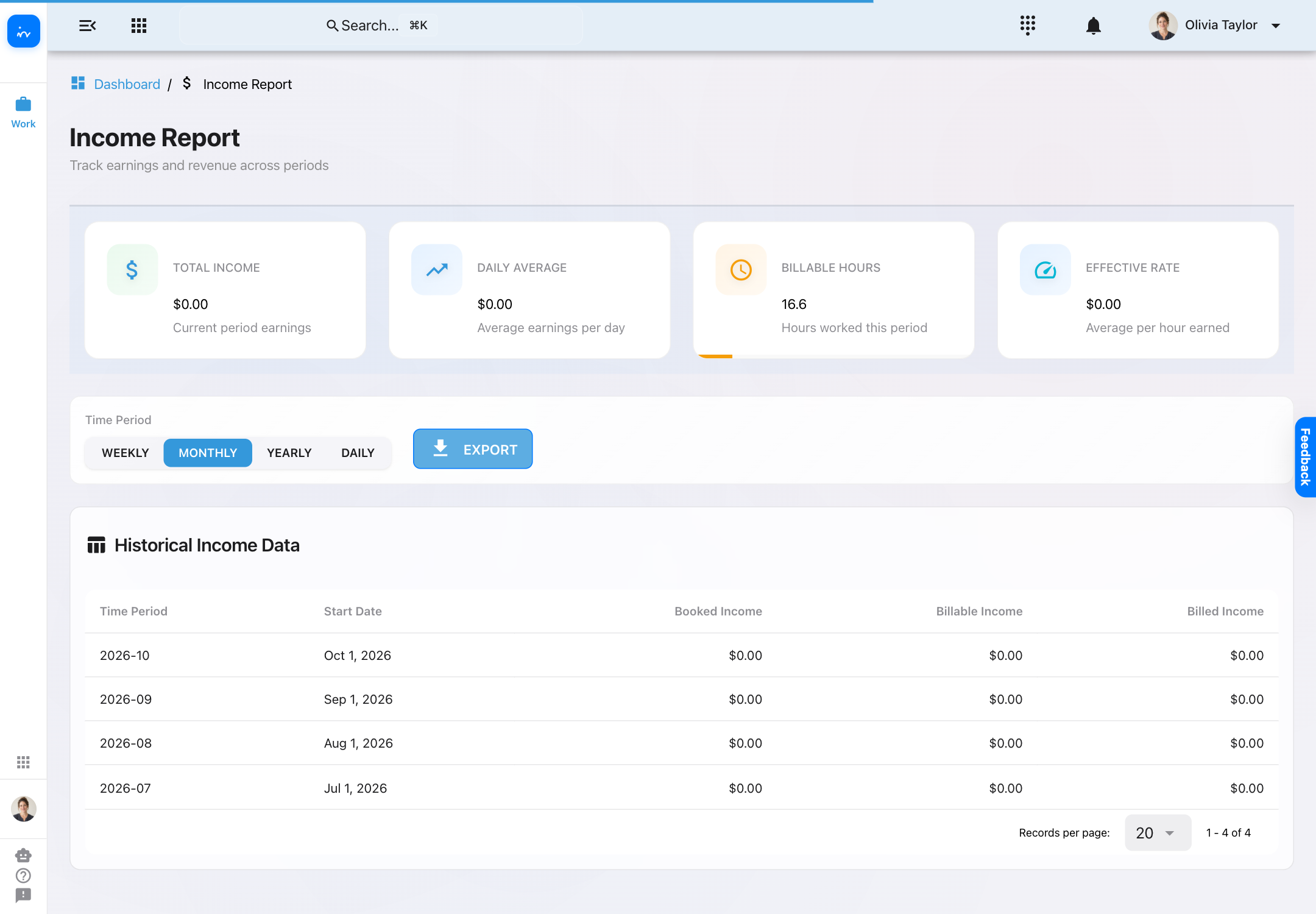
Open Dashboard → Analytics. The Individual Performance tab supplies three filters—User, Period, and Go Back—and metric toggles for Earnings, Revenue, Clients, Hours, and $/Client.
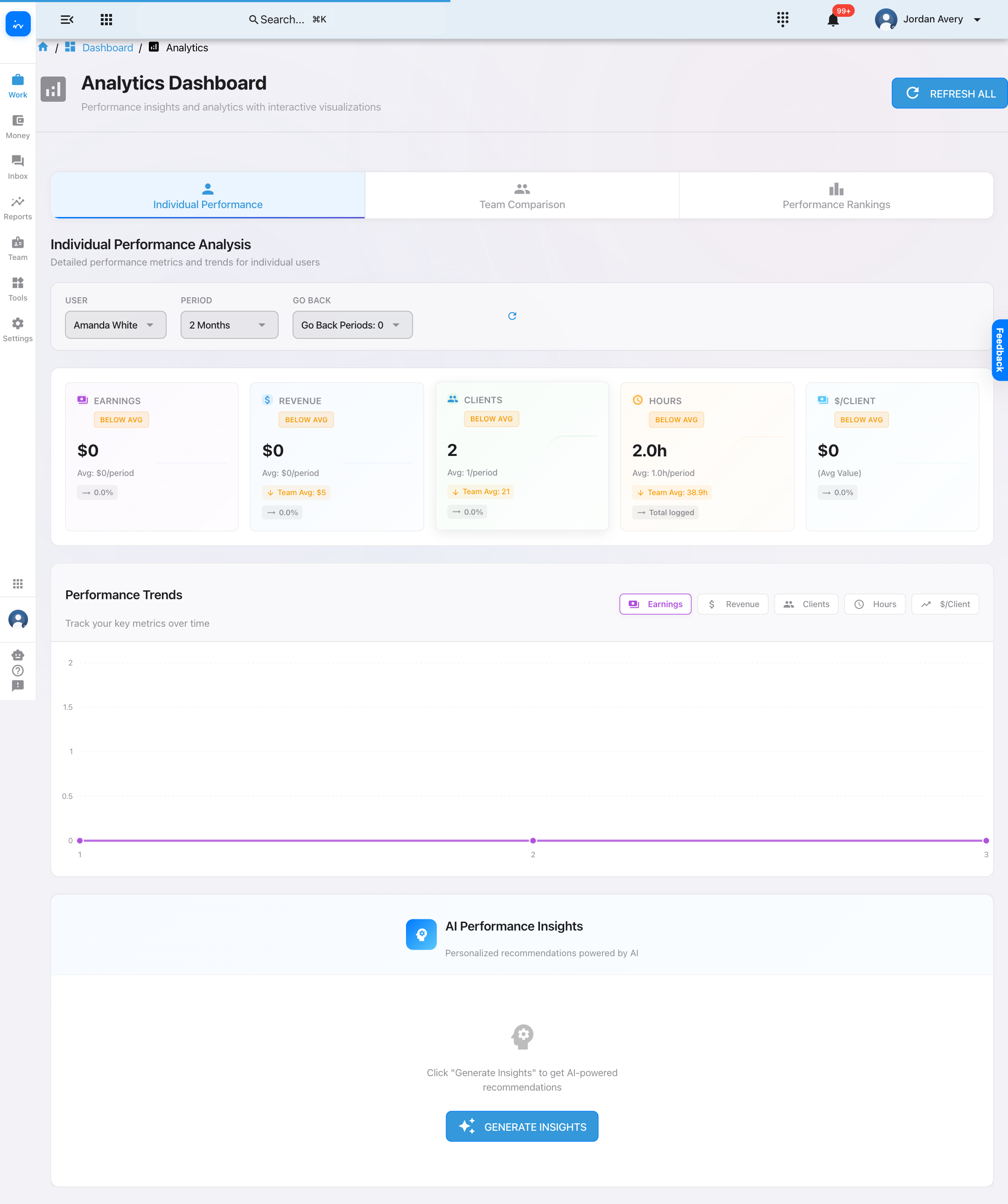
The Team Comparison tab lets an administrator select providers and a lookback period, then compares revenue, hours, revenue per hour, median difference, and rank.
Admin compensation: pay components versus invoiced revenue
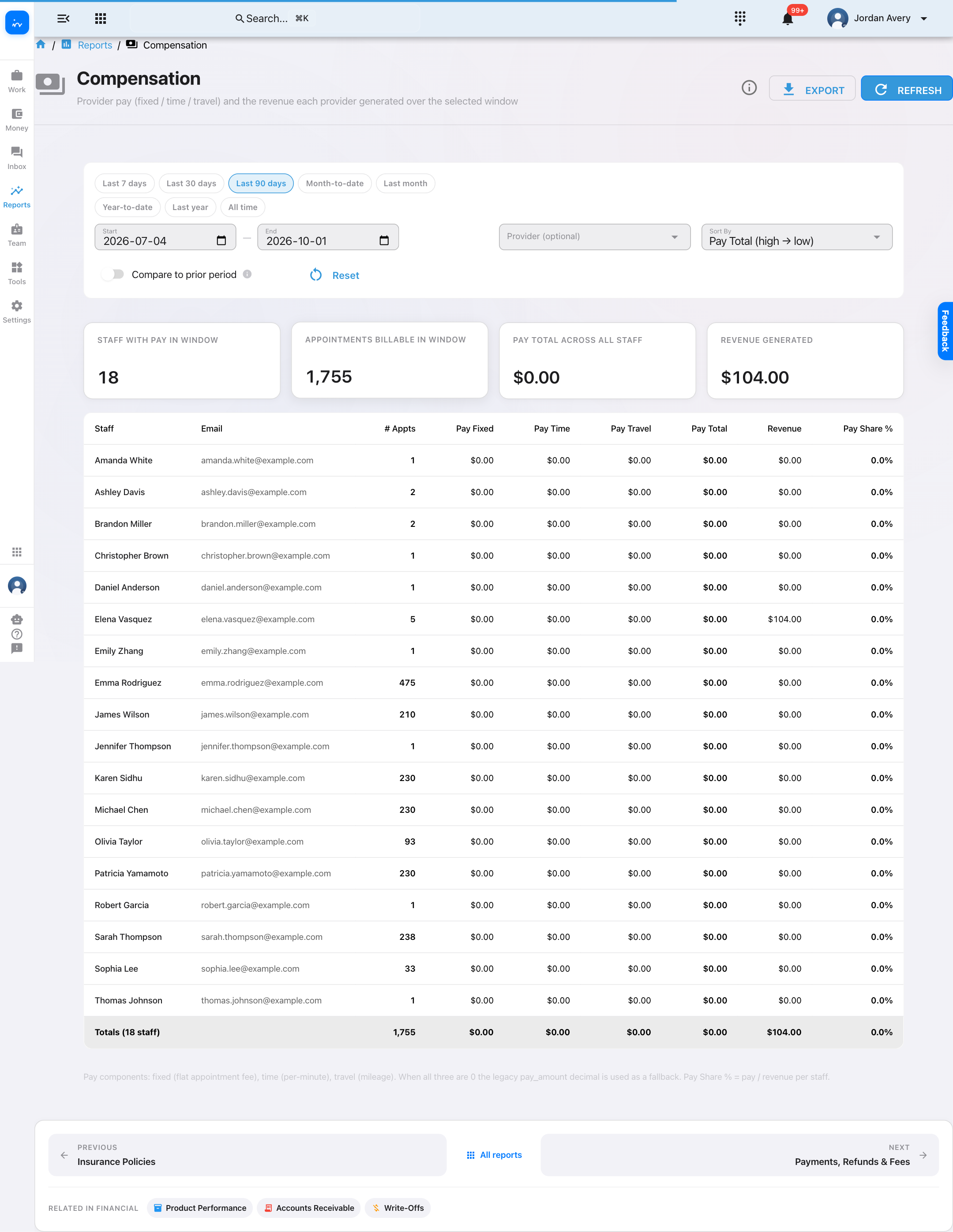
Open Reports → Compensation. The report compares appointment pay components—fixed, time, and travel—with pre-tax invoiced revenue attached to those appointments.
Pay Share %
Calculated as provider pay ÷ invoiced revenue for the report window. This is a profitability signal, not proof of a contractual percentage fee split.
Independent contractors
Use this screen to review appointment-linked pay and revenue. It does not prove a contractor payout has been approved, transferred, or cleared by a bank.
Available filters: date presets, Start/End pair, optional Provider, Sort By, compare-to-prior-period, Reset, and Refresh.
Clinic income: invoiced sales, collections, and outstanding
Open Reports → Income when the question is “what did the clinic invoice?” The report is monthly and accrual-based; it shows income excluding GST, GST, billed including GST, collected, and outstanding.
Export compensation data
The Compensation report can download a CSV with Staff, Email, # Appts, Pay Fixed, Pay Time, Pay Travel, Pay Total, Revenue, and Pay Share %.
Use compensation reports responsibly
- Reports summarize earnings, pay components, and invoiced revenue; payroll approval and bank transfers remain separate processes.
- Invoiced and collected values describe clinic accounting and do not identify the payment or payroll provider.
- Pay Share % is a comparison of provider pay and invoiced revenue, not a substitute for the contractor agreement.
- Confirm the reporting period, provider, and clinic compensation policy before acting on the numbers.