Bonus Plans & Progress Tracking
Review configured plans, period trackers, and the personal Bonus Report—kept separate from ordinary booked earnings and invoiced sales.
Two records, two purposes
Bonus plan
Defines the assigned person, rate/pay type, target, frequency, and date range.
Bonus tracker
Represents one plan period and records progress, whether the target was met, payout due, and status.
Administrator: review the plan list
Open Bonus Plans. The list shows User, Description, Bonus Rate, Target, Frequency, and Date Range, with Search, More Filters, bookmark/lens, sorting, and refresh controls.
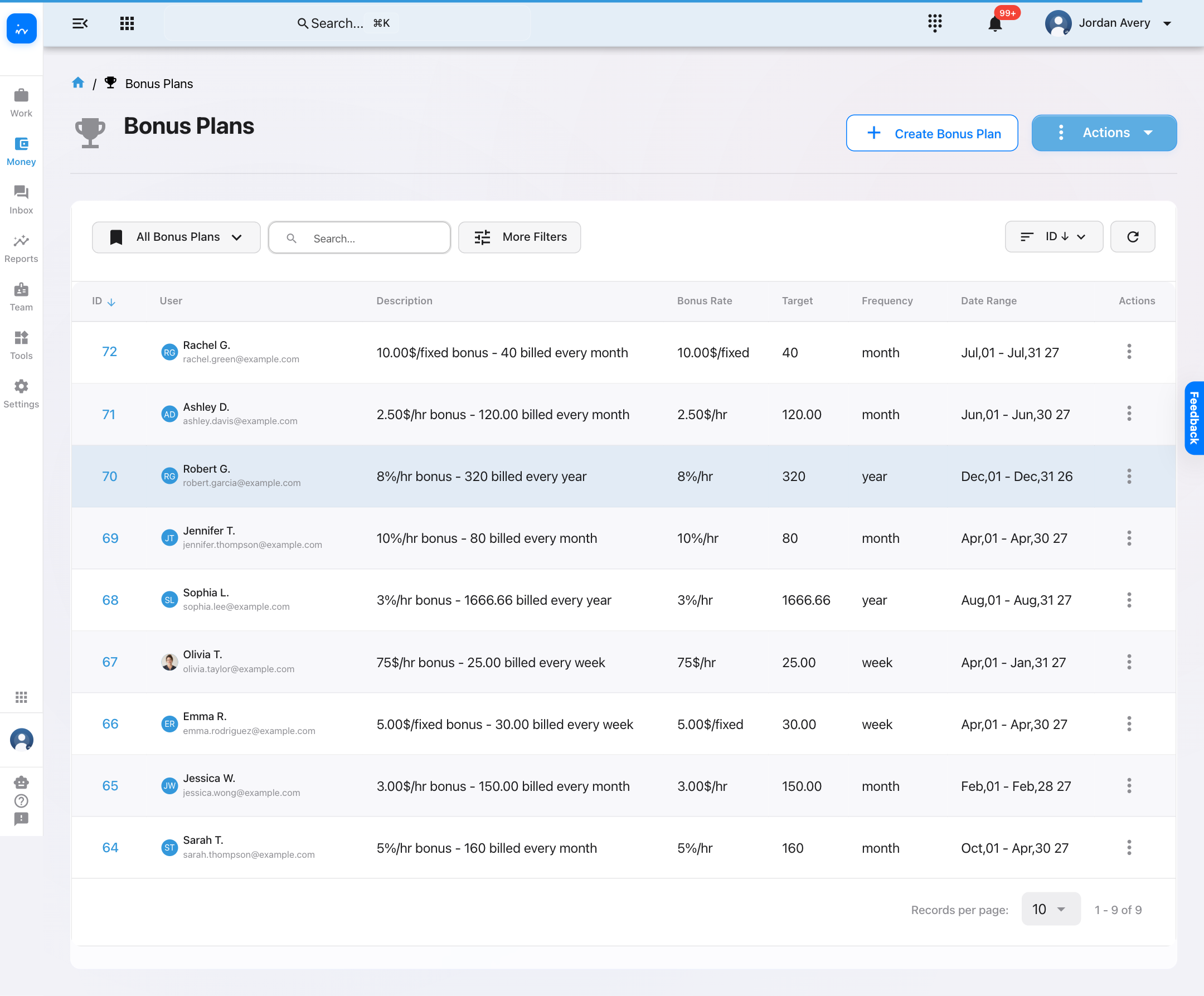
Use the list to review existing plans. Creating or editing a plan changes compensation terms, so confirm the details before saving.
Open one plan and read its tracker periods
The plan detail displays a $75/hour plan, a 25-hour weekly target, its active date range, and weekly trackers.
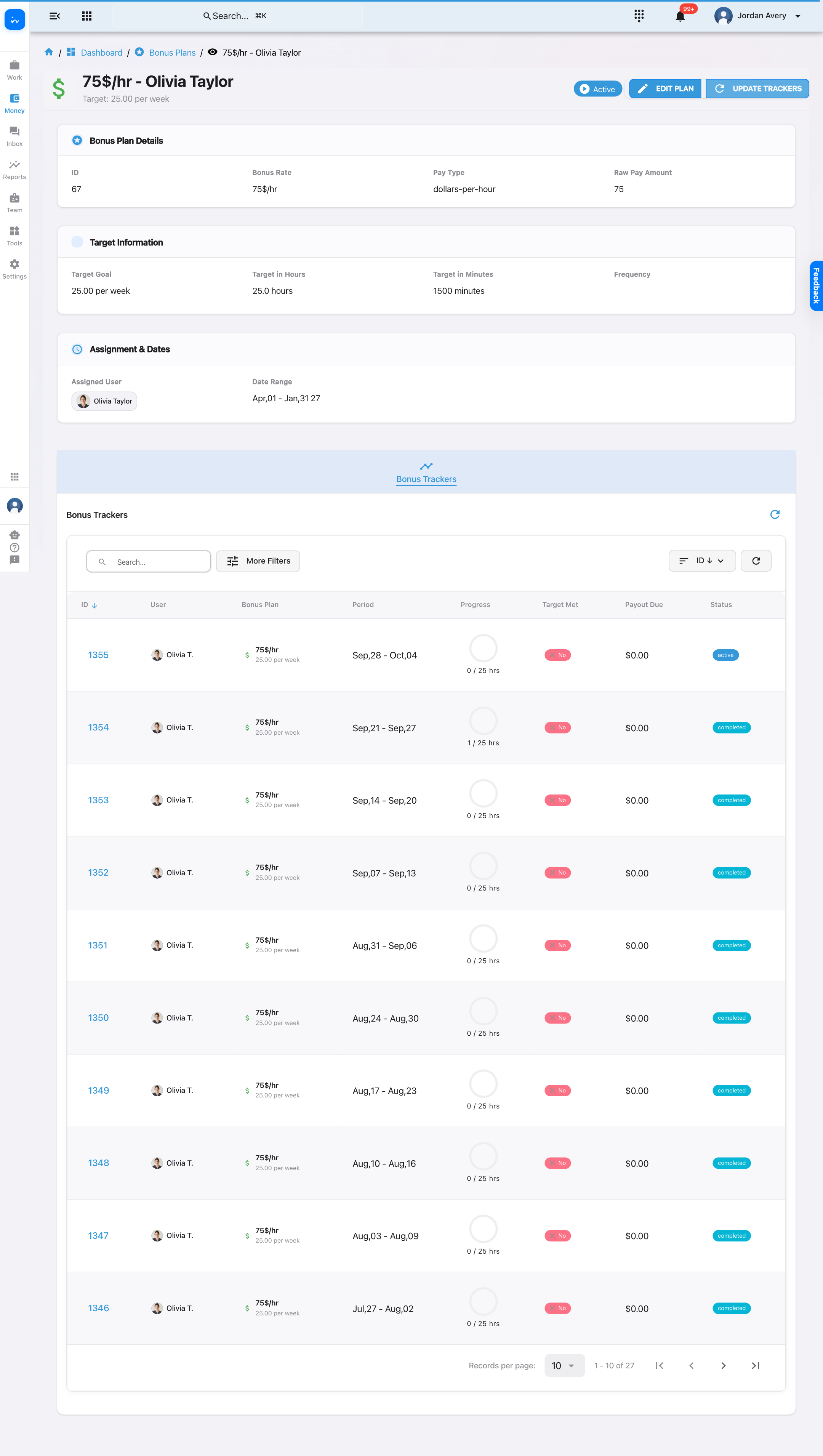
- Confirm the assigned person and date range.
- Read Bonus Rate together with Pay Type and Raw Pay Amount.
- Confirm Target Goal, converted hours/minutes, and frequency.
- Read each tracker’s period, progress, Target Met, Payout Due, and Status as one row.
Bonus Report: personal progress and admin selection
Open Dashboard → My Bonus Report. In the admin view, a Select User control changes whose active plans and trackers are displayed.
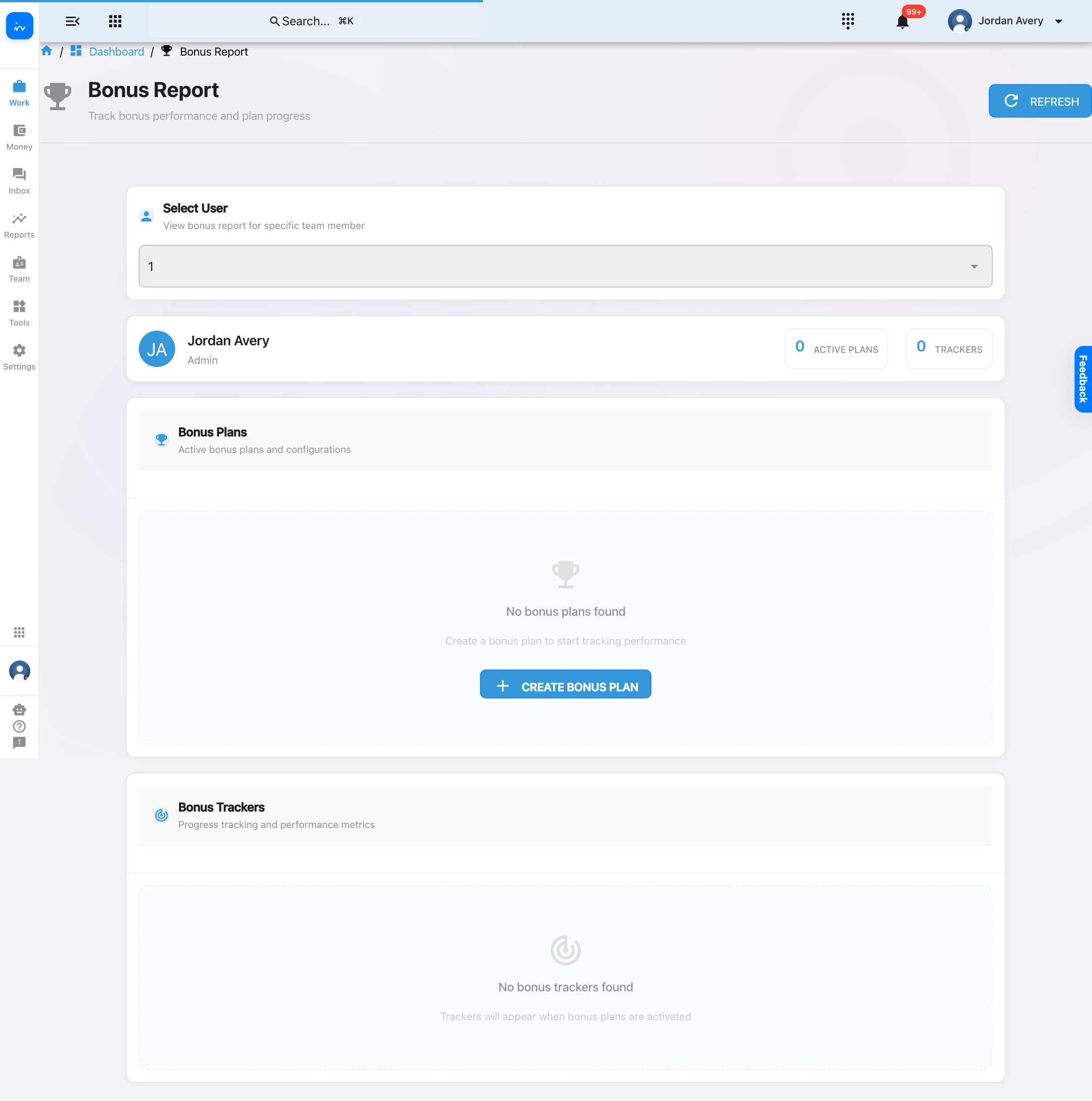
Administrator view
Select User changes whose active plans and trackers are displayed.
Personal view
The personal report keeps one person’s bonus plans and tracker progress together.
Use bonus information responsibly
- Confirm the assigned person, period, rate, units, and target before changing a plan.
- A tracker shows progress and payout due; it is not a payroll approval or payment confirmation.
- Bonus reporting is separate from ordinary booked earnings and clinic-wide invoiced sales.
- Follow your clinic’s compensation and payroll policy when a bonus becomes payable.