✓ InToday Workflow Guide

ICBC referral response

Review and respond to an ICBC OT referral invitation

Maya Chen reviews Noah Patel’s community assessment referral, considers travel and response choices, shares her availability, and confirms acceptance.

1 · Review

Open the invitation and check its deadline and travel estimate.

2 · Assess

Review the service location, route context, and program details.

3 · Respond

Choose accept, conditional, backup, or decline.

4 · Confirm

Enter availability and submit the selected response.
1

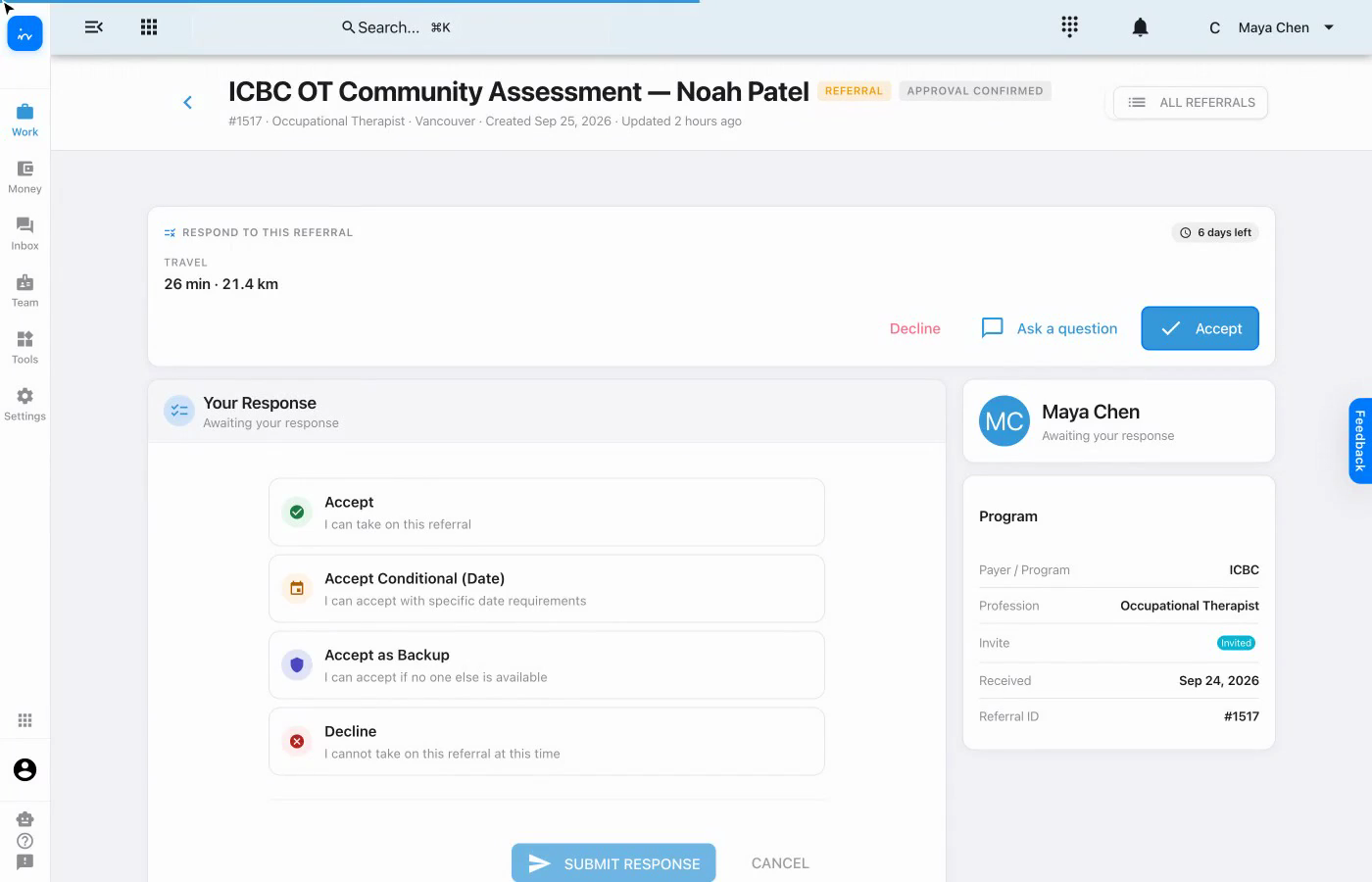
Open the invitation

The referral identifies Noah Patel’s ICBC OT community assessment, shows the estimated travel of 26 minutes and 21.4 km, and keeps the response deadline visible.

ICBC OT referral invitation for Noah Patel
InToday web appReferral · Response overview
2

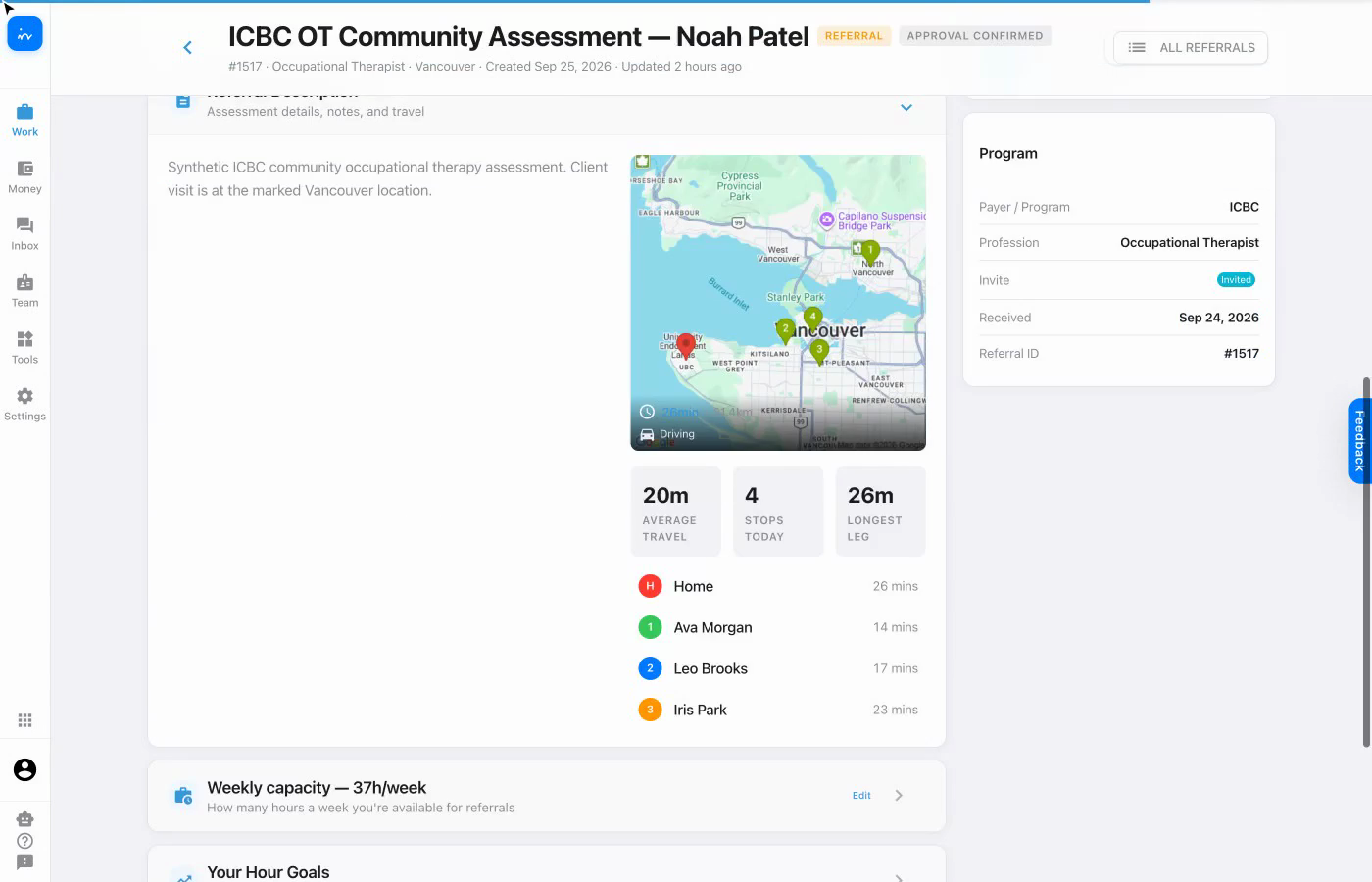
Review the location and travel context

The referral description shows the client visit on the map alongside recent travel context. The program card identifies ICBC and the required profession as Occupational Therapist.

Referral description with map and travel context
InToday web appReferral · Description and program
3

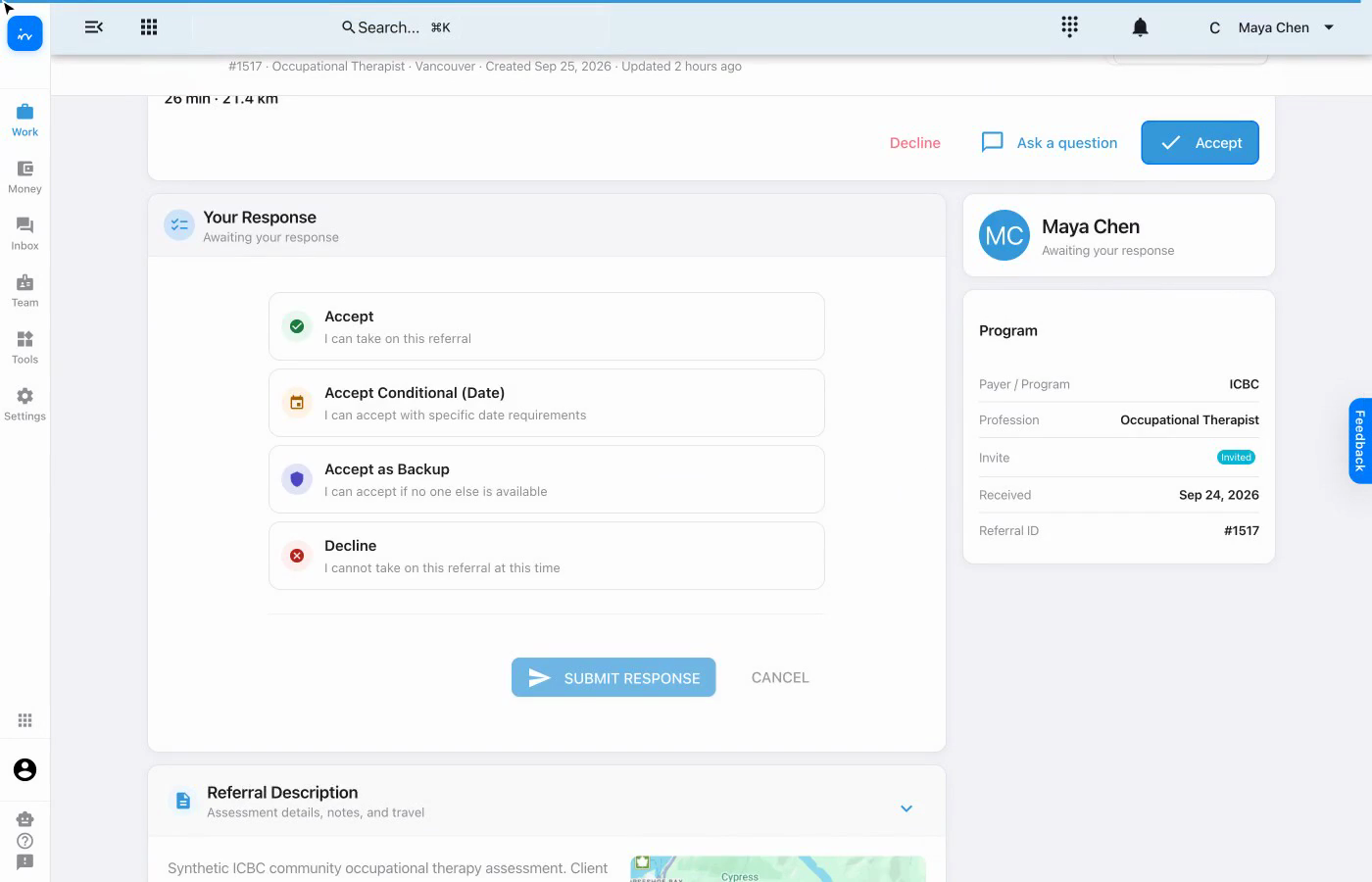
Compare the available responses

Maya can accept, accept with date conditions, offer to serve as backup, or decline. The selected choice determines what additional information is requested.

Four referral response options
InToday web appReferral · Your Response
4

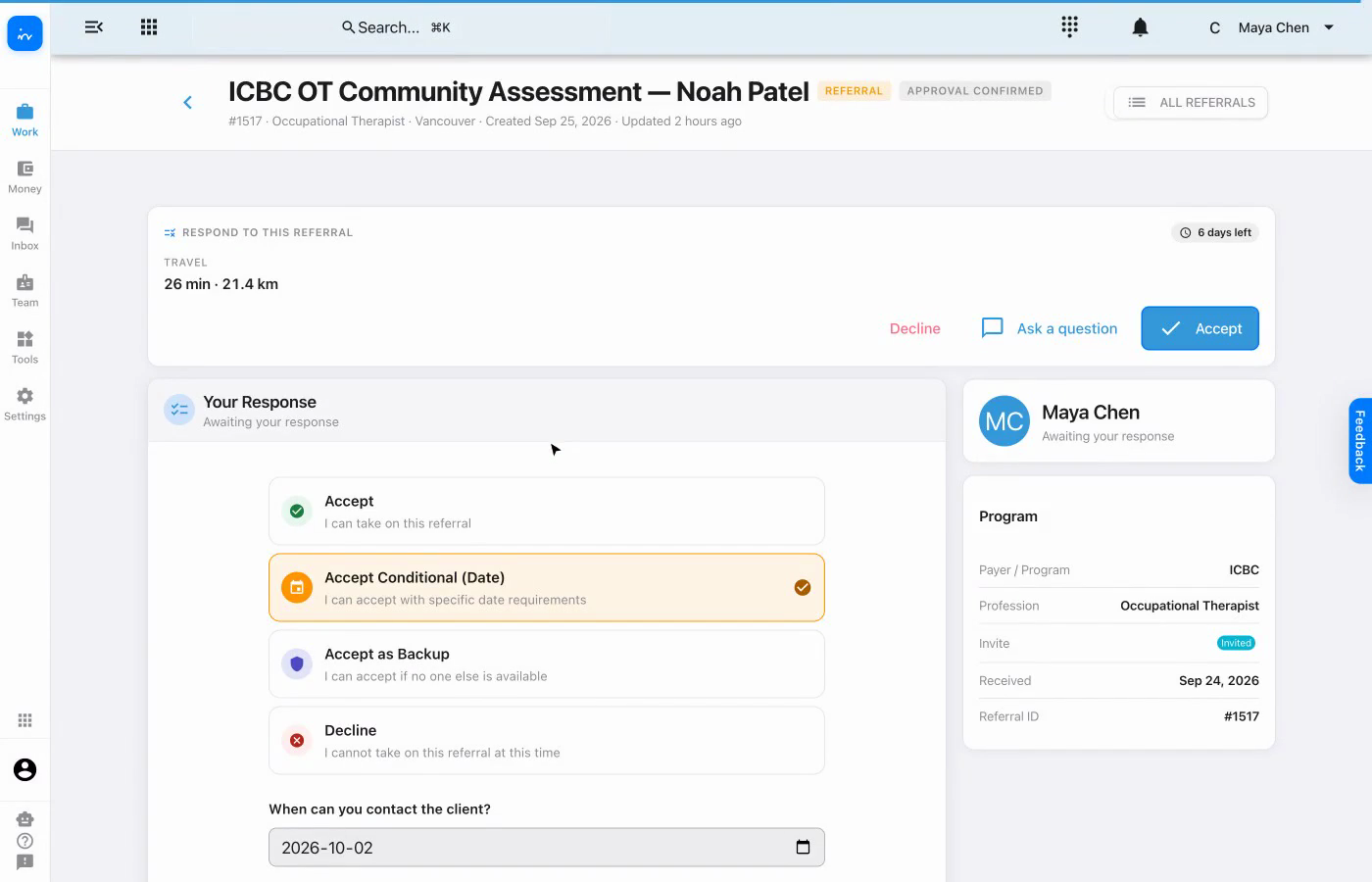
Use a conditional response when dates matter

Accept Conditional (Date) opens date requirements so Maya can state when she can contact the client and when she can complete the first session.

Conditional acceptance with date requirements
InToday web appReferral · Conditional response
5

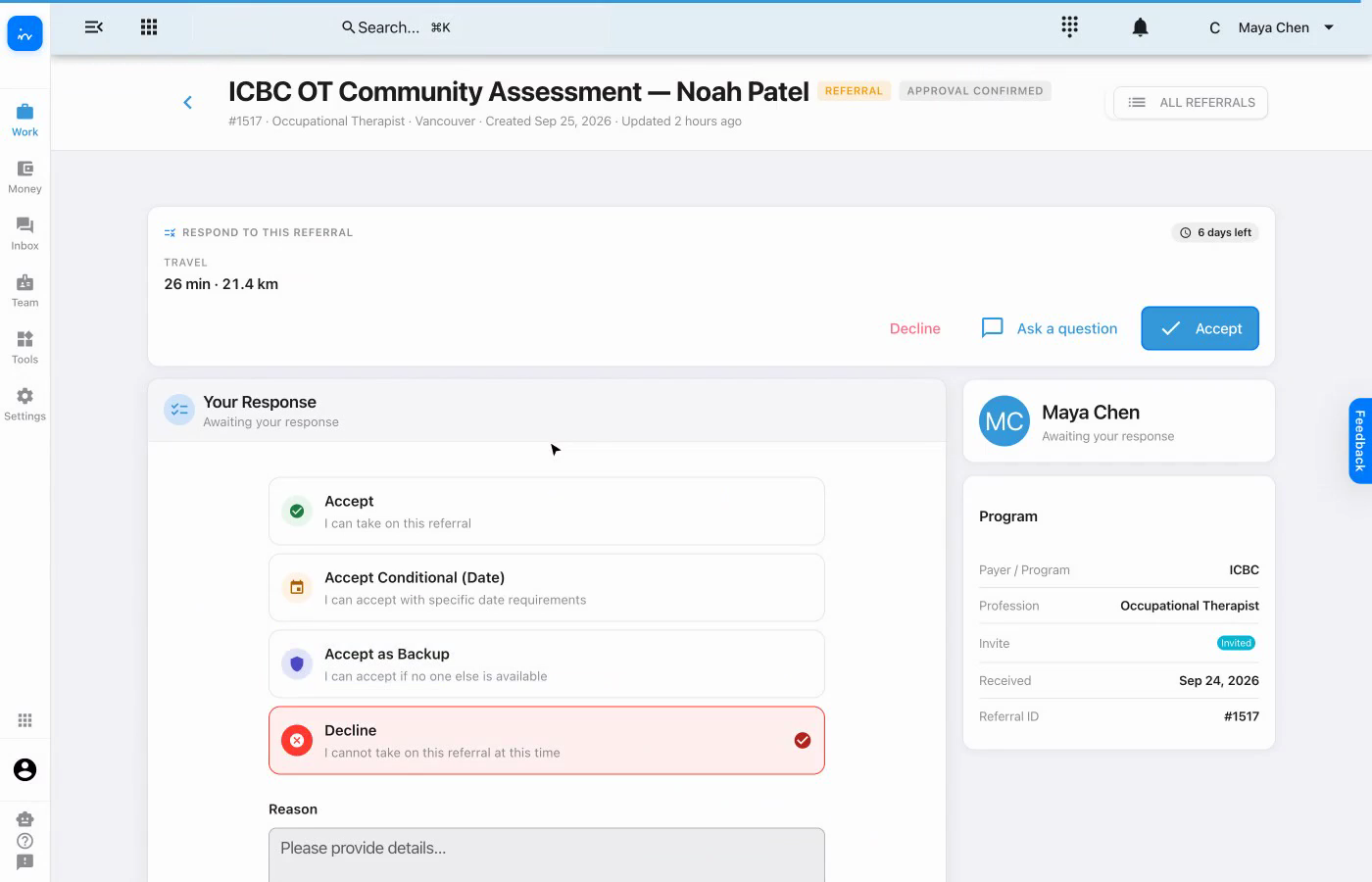
Provide context when declining

Selecting Decline reveals a reason field. This lets Maya explain why she cannot take the referral before submitting that response.

Decline response with reason field
InToday web appReferral · Decline option
6

Enter availability for acceptance

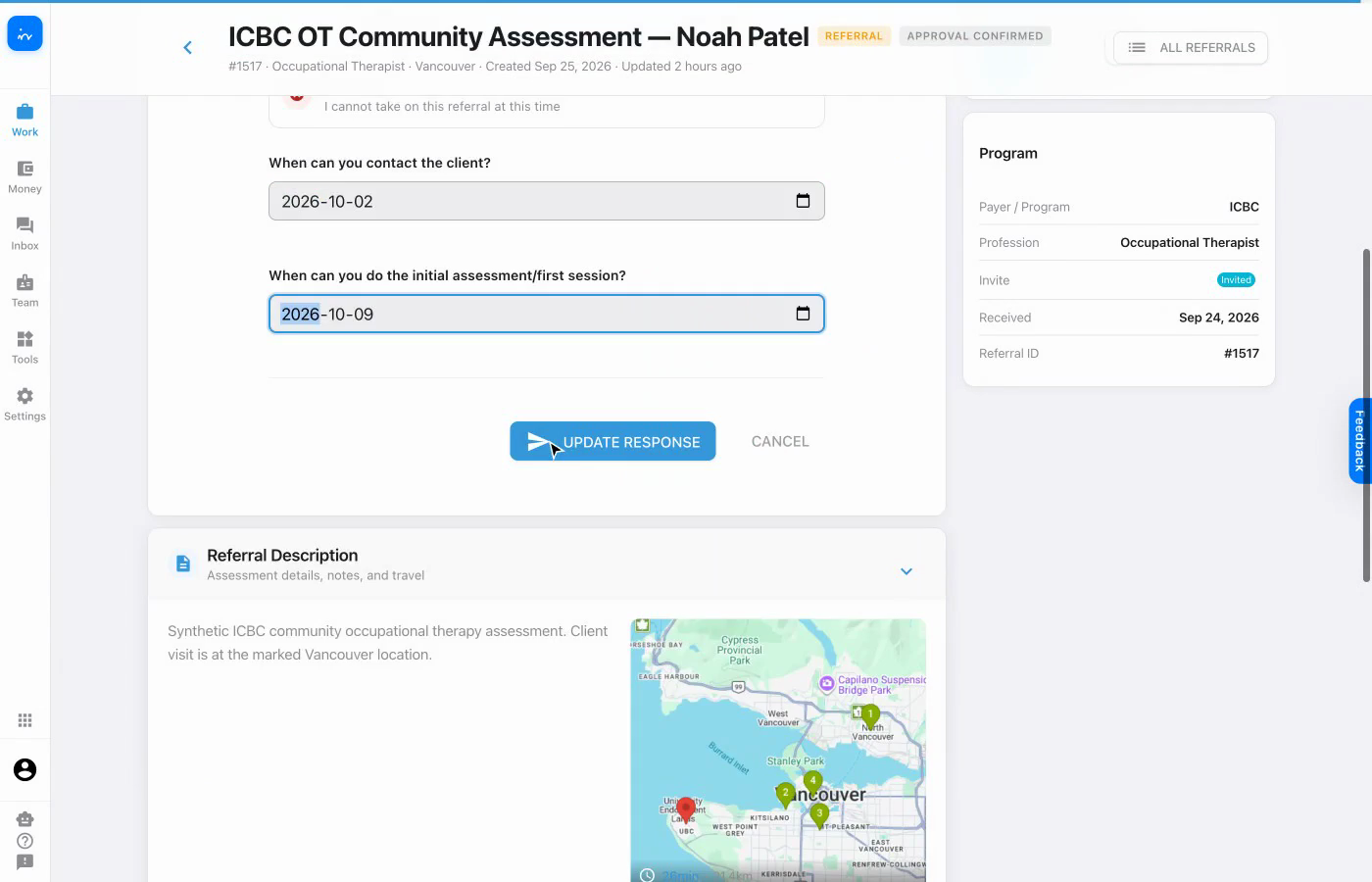
For the accepted referral, Maya provides a client-contact date and an initial-assessment date, then submits the response.

Contact and initial assessment availability dates
InToday web appReferral · Availability
7

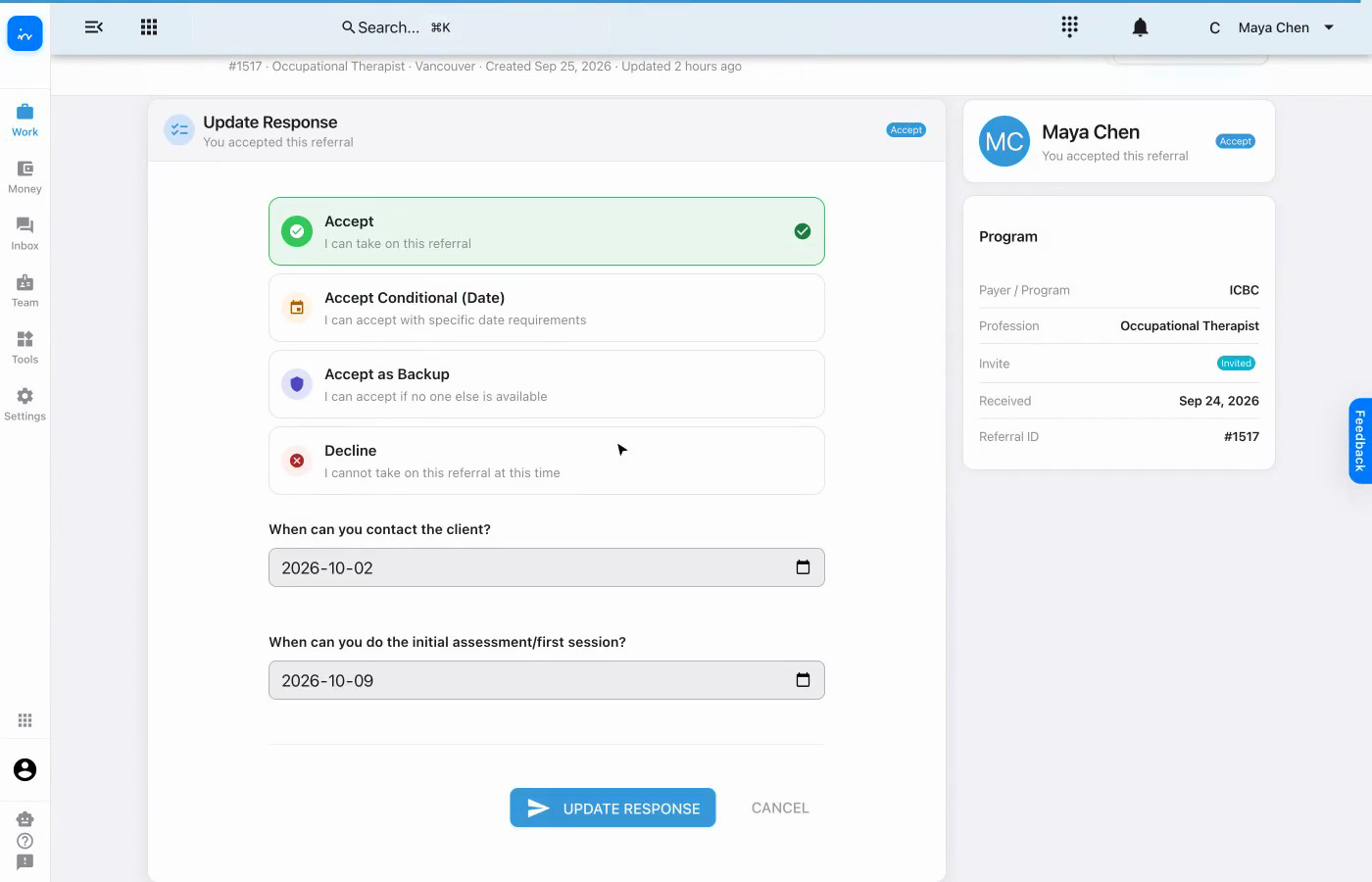
Confirm the referral is accepted

The response card and Maya’s status both show Accept. The saved availability dates remain visible if the response needs to be reviewed or updated.

Accepted referral response confirmation
InToday web appReferral · Accepted

Complete workflow

A clear response backed by travel and availability

✓

The referral is reviewed before responding.
Service details, program, travel, and deadline stay together.

✓

Response choices fit different circumstances.
Accept, conditional, backup, and decline are all visible.

✓

Availability is recorded.
Contact and initial-assessment dates accompany the acceptance.

✓

The final status is clear.
Maya’s accepted response remains visible on the referral.

Explore InToday

Bring referrals, travel context, team responses, client care, and scheduling together in one platform.

Assignment flexibility: Clinics can let therapists choose from referral opportunities, have coordinators select and assign, or enable rule-based auto-assignment using configured availability and capacity. The clinic chooses the strategy, and it can be tailored.

Visit ntdy.io →
InToday Workflow Guidentdy.io