✓ InToday Workflow Guide

Client intake and forms

From a client-type checklist to completed answers

See how a clinic can track required intake, let a client complete a form without signing in, and review the finished answers from the booking.

1 · Track

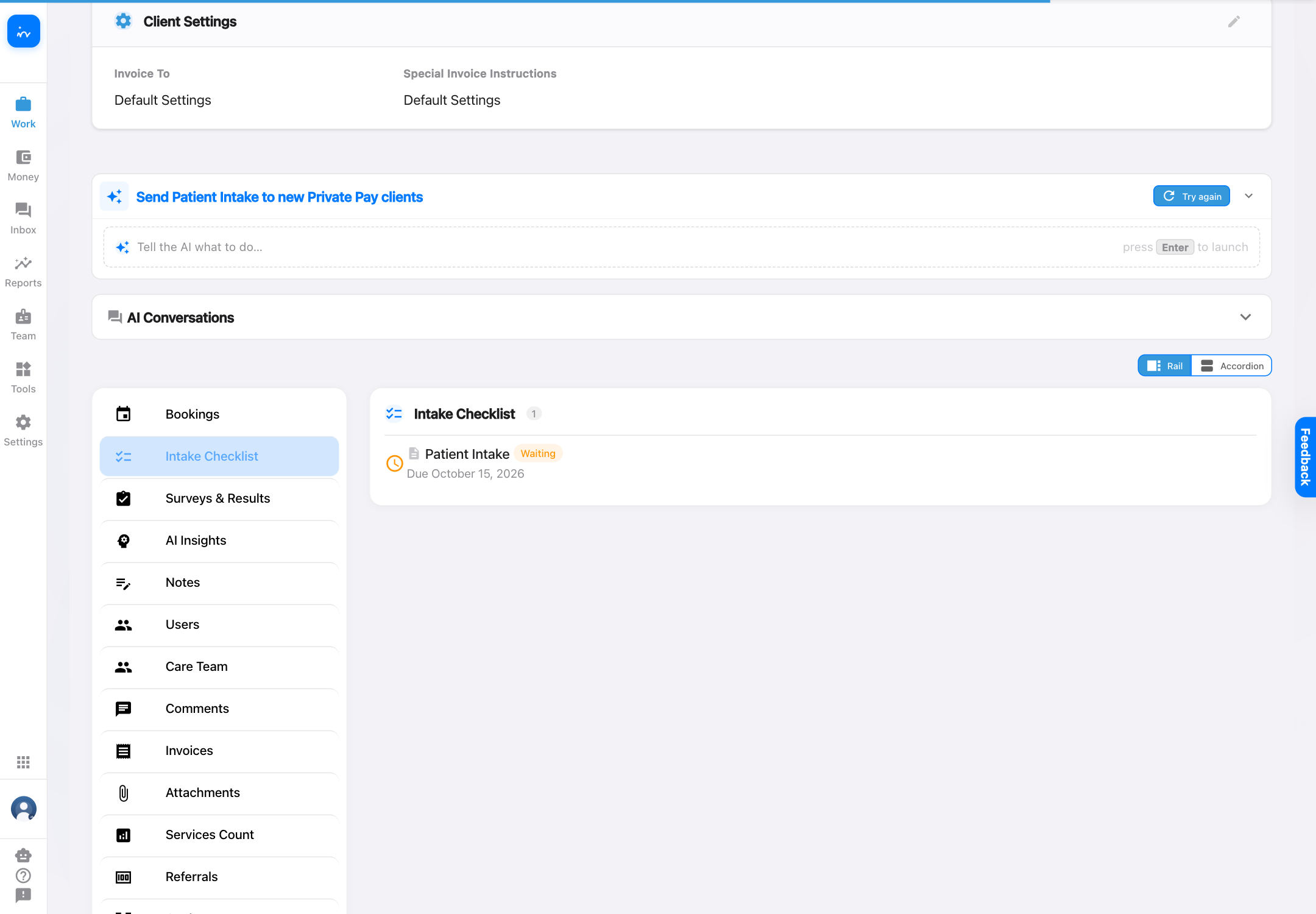
The client profile shows the intake requirement and its current status.

2 · Complete

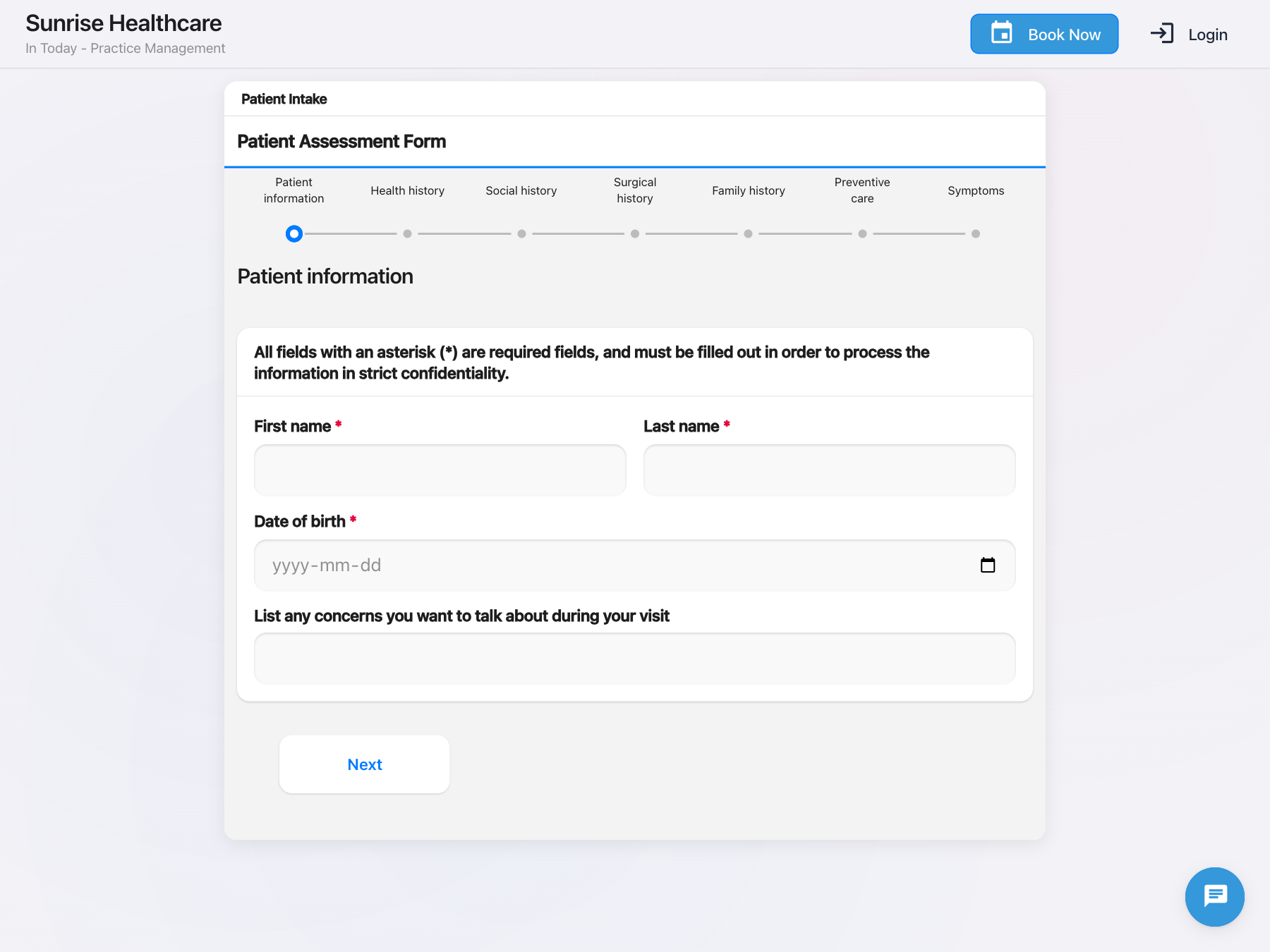
The client opens the secure link and fills the form in a browser.

3 · Confirm

The client receives an immediate submission confirmation.

4 · Review

Staff see the completed assessment on the booking and open its answers.

This guide begins after the client exists. Email, phone, SMS, and online-booking intake can create the original inquiry or client. This workflow covers the structured forms and checklist that follow.

1
Client profile

See the intake requirement and its status

Grace is a Private Pay client, so her profile includes the Patient Intake step. The checklist shows it as Waiting and includes the due date. Depending on progress, checklist items can appear as Pending, Waiting, Done, or Failed.

Grace Okafor client profile showing Patient Intake waiting in the Intake Checklist
InToday client profileClient-type intake checklist
2
Client experience

Open the intake form without signing in

The secure form link opens directly in the clinic’s branded client experience. The progress indicator shows each section, while required fields are clearly marked before the client continues.

Public Patient Intake form open without a client login
InToday client formNo-login secure link
3
Client experience

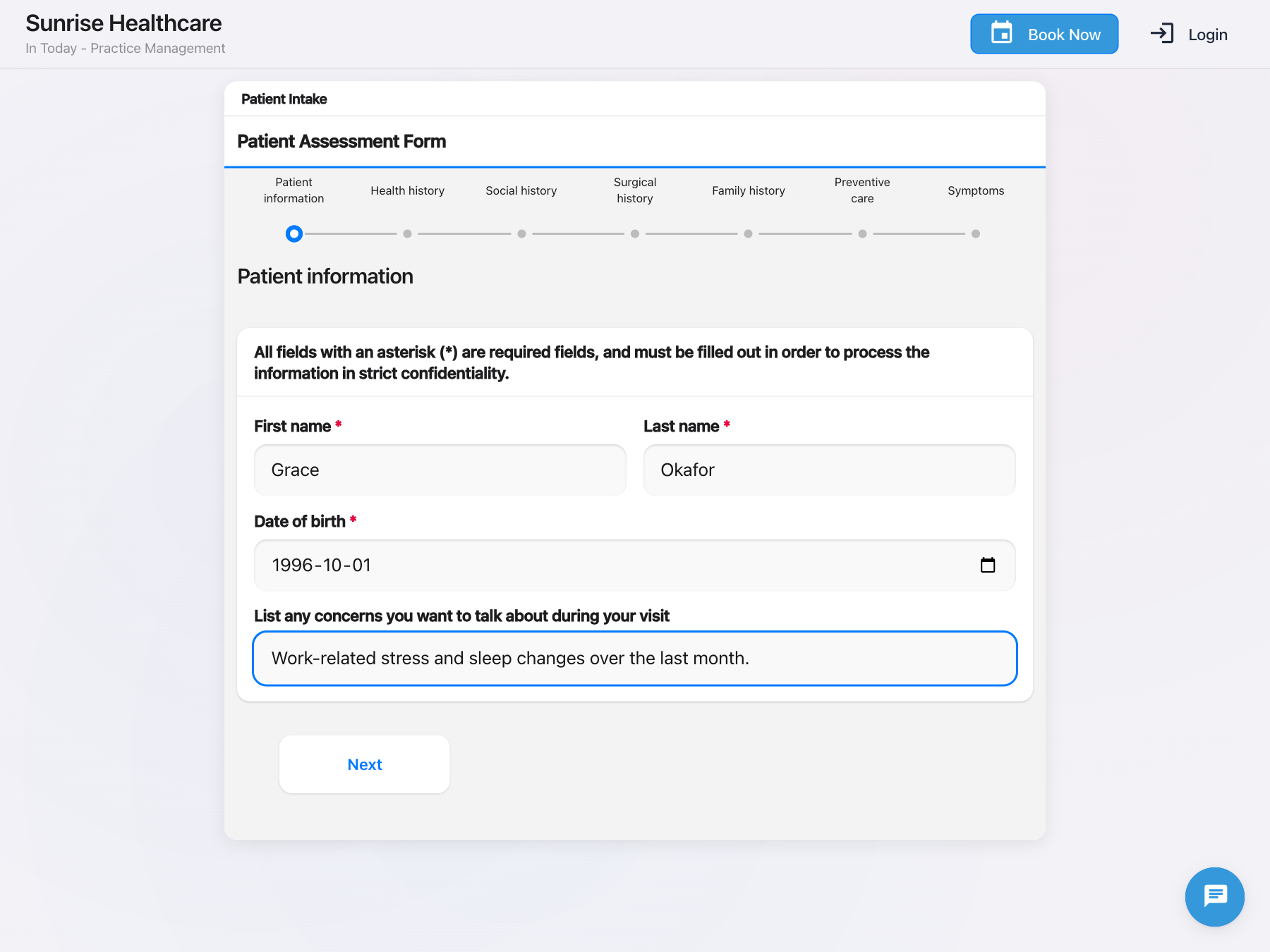
Complete the required details and visit concern

The client enters the information the clinic needs before the visit. The form can include identity details, health history, symptoms, and other assessment questions configured by the clinic.

Patient Intake form completed with Grace Okafor details and visit concern
InToday client formStructured intake questions
4
Client experience

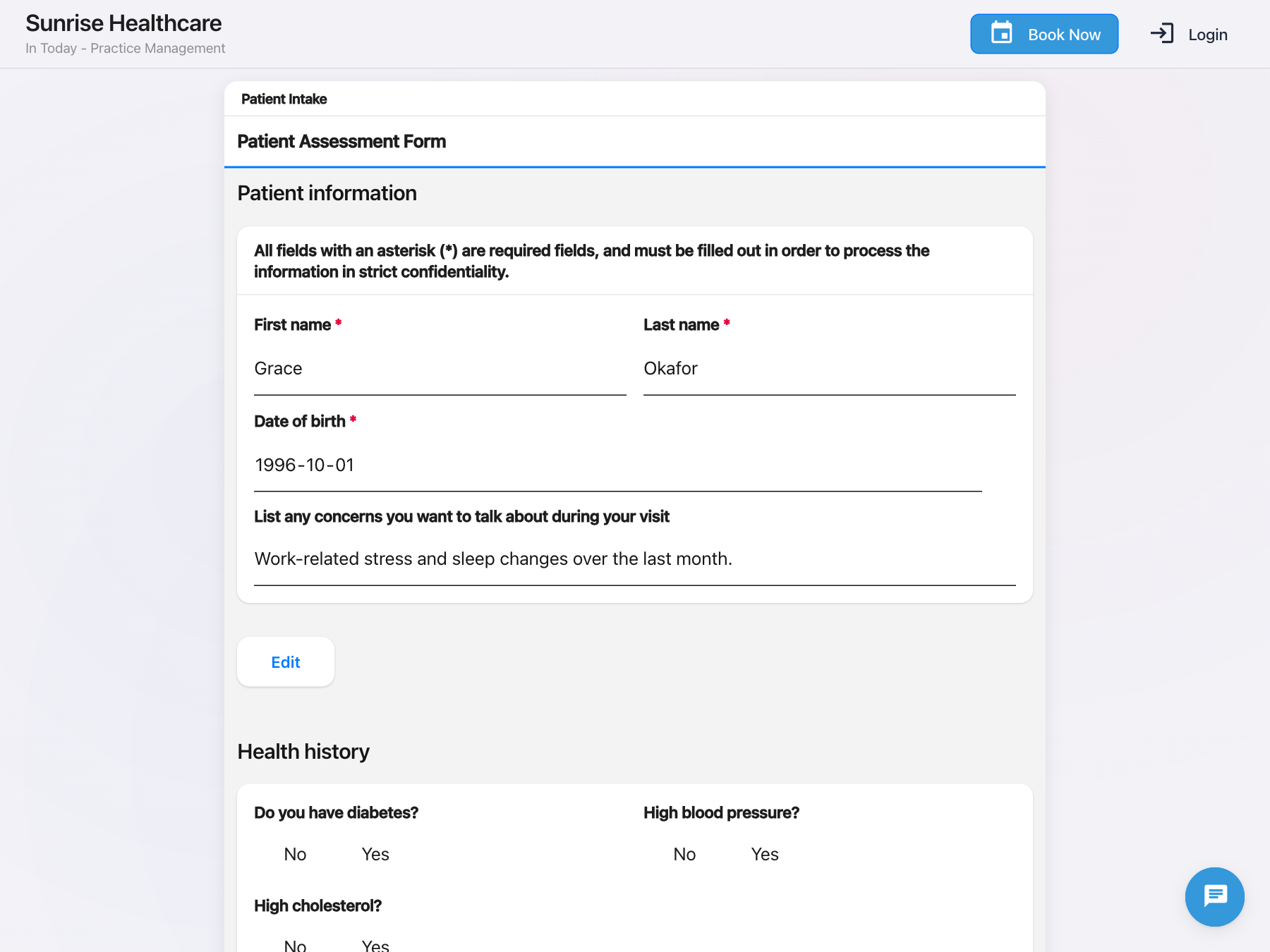
Review the answers before submitting

Before the final submission, the client can review what they entered and return to any section to make a correction.

Patient Intake review screen showing the answers before submission
InToday client formReview before submit
5
Client experience

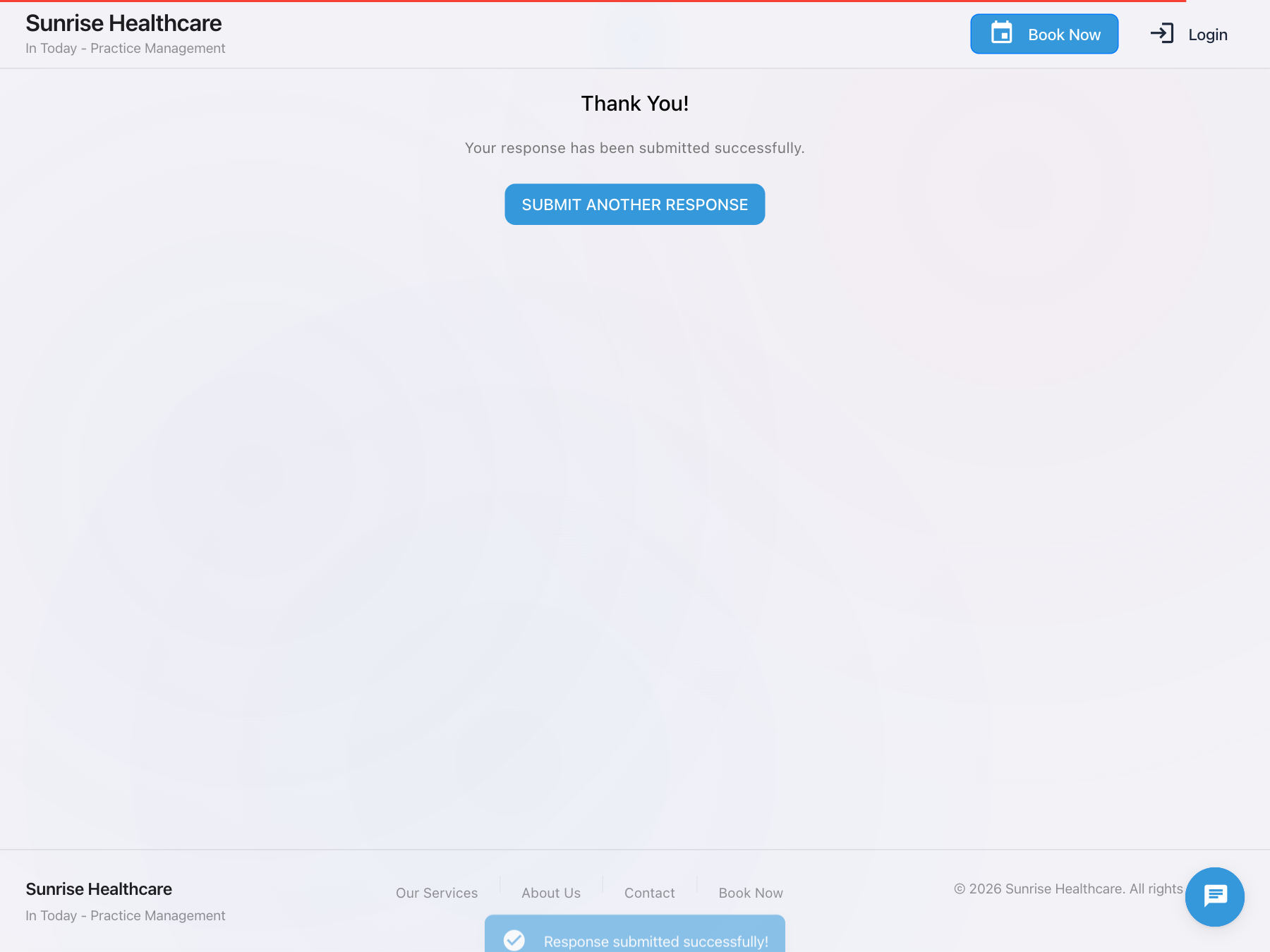
Receive an immediate confirmation

After submission, the client sees a clear success message. No staff login or separate portal navigation is required to complete this intake form.

Patient Intake confirmation showing the response was submitted successfully
InToday client formSubmission confirmed
6
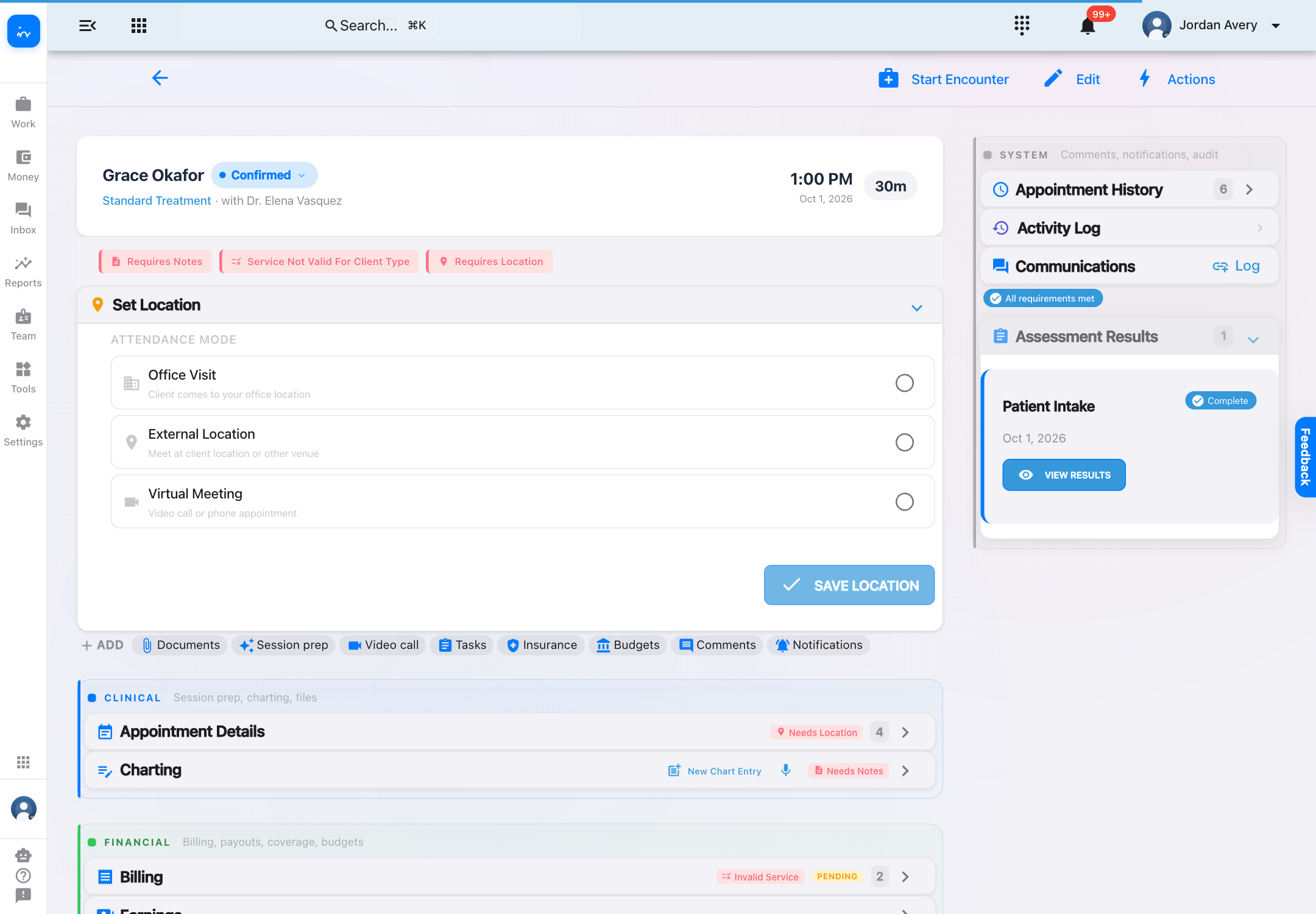
Staff booking

See the completed assessment on the booking

The same booking now shows Patient Intake under Assessment Results with a Complete status. Staff can open the response without searching through a separate inbox or matching it manually.

Grace Okafor booking showing Patient Intake complete under Assessment Results
InToday bookingCompleted assessment
7
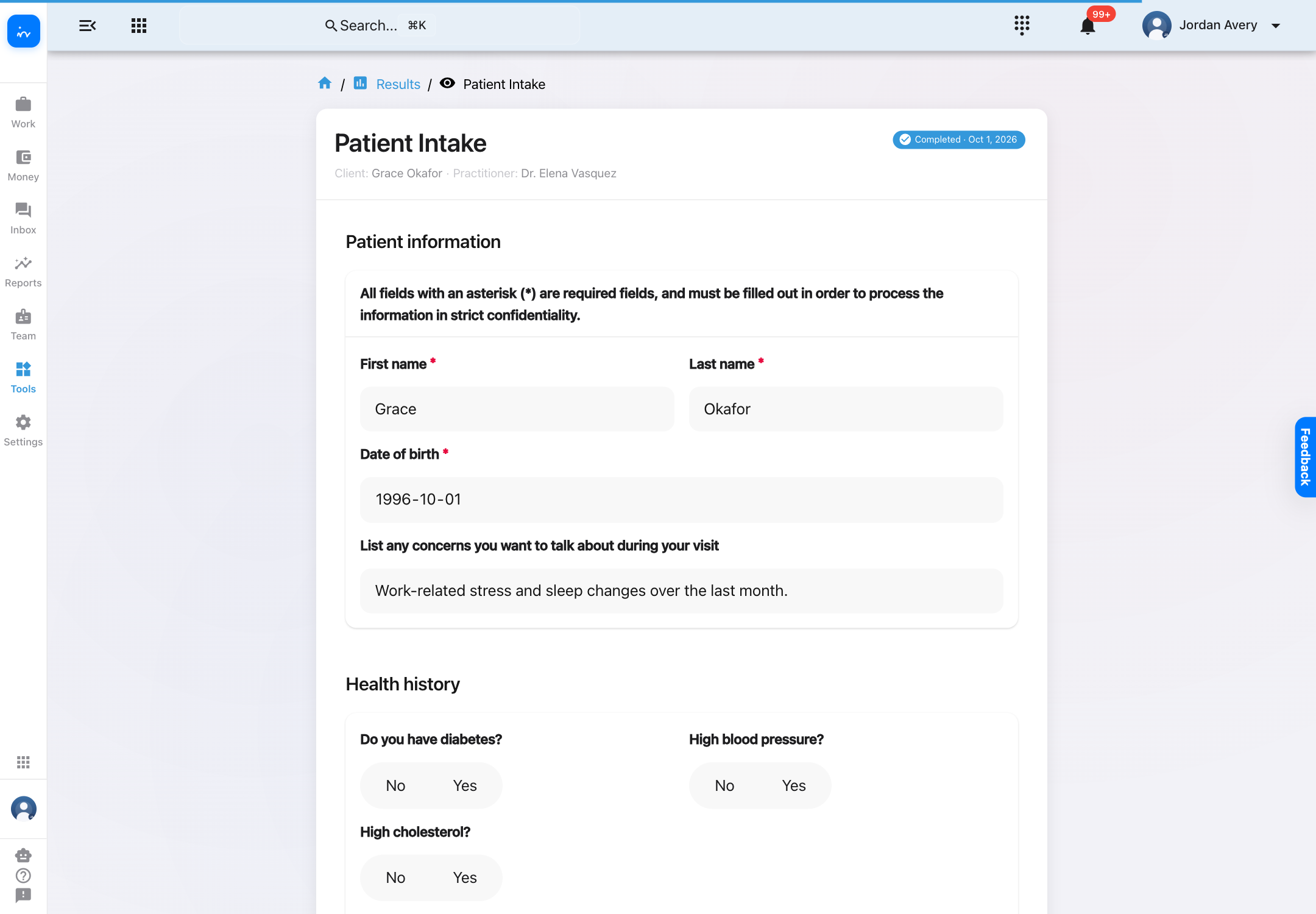
Staff review

Open the answers in a readable staff view

The completed result keeps the client, practitioner, completion status, and submitted answers together. Staff can review the form before or during the appointment.

Staff result view showing Grace Okafor Patient Intake answers
InToday resultsCompleted answers
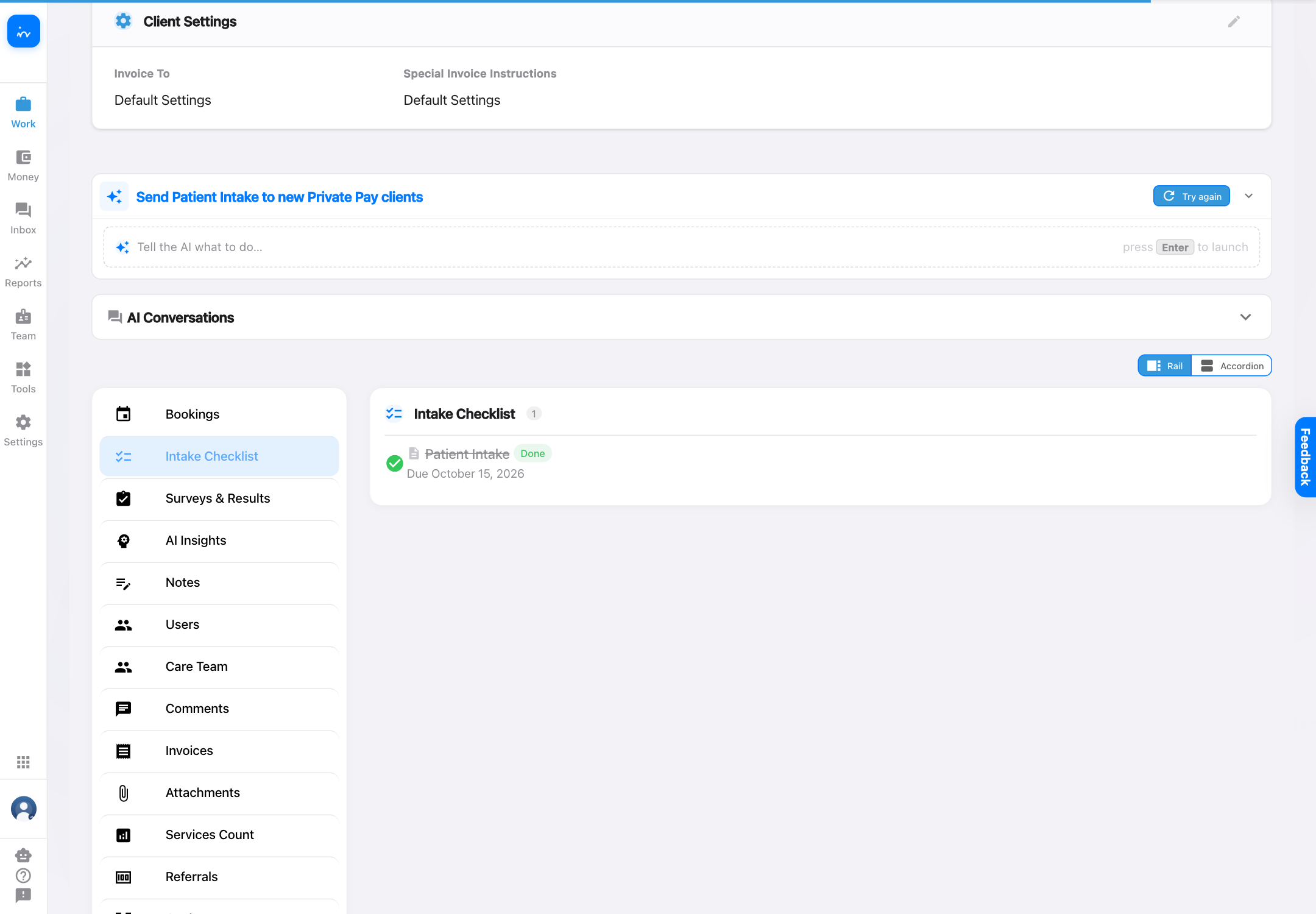
8
Checklist outcome

The intake checklist closes the loop

Returning to the client profile shows Patient Intake as Done. The checklist gives the team one place to confirm that required intake has moved from waiting to completed.

Grace Okafor client profile showing Patient Intake done
InToday client profileChecklist complete

Complete client intake workflow

One connected path for clients and staff

✓

Requirements follow the client.
Client-type intake rules can surface the right checklist for the team.

✓

Clients can complete forms without an account login.
The secure link opens the clinic-branded form directly.

✓

Bookings hold the completed result.
Staff see the assessment in the context of the visit and open the answers in one click.

✓

Status updates are visible.
The client profile moves from Waiting to Done when the linked intake is submitted.

Explore InToday

Bring client intake, assessments, booking context, charting, communications, and billing together in one platform.

This workflow complements—rather than replaces—the email, phone, SMS, and online-booking intake paths used to create the original inquiry.

Visit ntdy.io →
InToday Workflow Guidentdy.io