1 · Ask
Describe the client, service, visit address, and preferred day in AI chat.
2 · Review
Compare a proposed visit with its travel time and surrounding schedule.
3 · Book
Open the appointment form, review the details, and choose Save.
Community care, with room for the journey
Help a client find the right visit while considering the practitioner’s availability, existing appointments, and travel to and from the client.
Describe the client, service, visit address, and preferred day in AI chat.
Compare a proposed visit with its travel time and surrounding schedule.
Open the appointment form, review the details, and choose Save.
Wherever the conversation starts
Staff can use AI chat while speaking with a client or reviewing a request that arrived by email or text.
Confirm the service, visit address, and preferred dates together. Ask AI to check a community appointment option while you speak.
Review the intake and client record, confirm missing details, then use the same scheduling check for a visit at the client’s location.
Confirm the client and visit details from the conversation, then review an appointment option before booking.
Use the same community scheduling workflow wherever the conversation starts. The email and phone/SMS intake guides cover the preceding intake steps.
AI checks the eligible practitioners and proposes Alex’s 12:10–1:10 p.m. visit, with 10 minutes of travel before and after. The surrounding gap still has 40 minutes to spare.
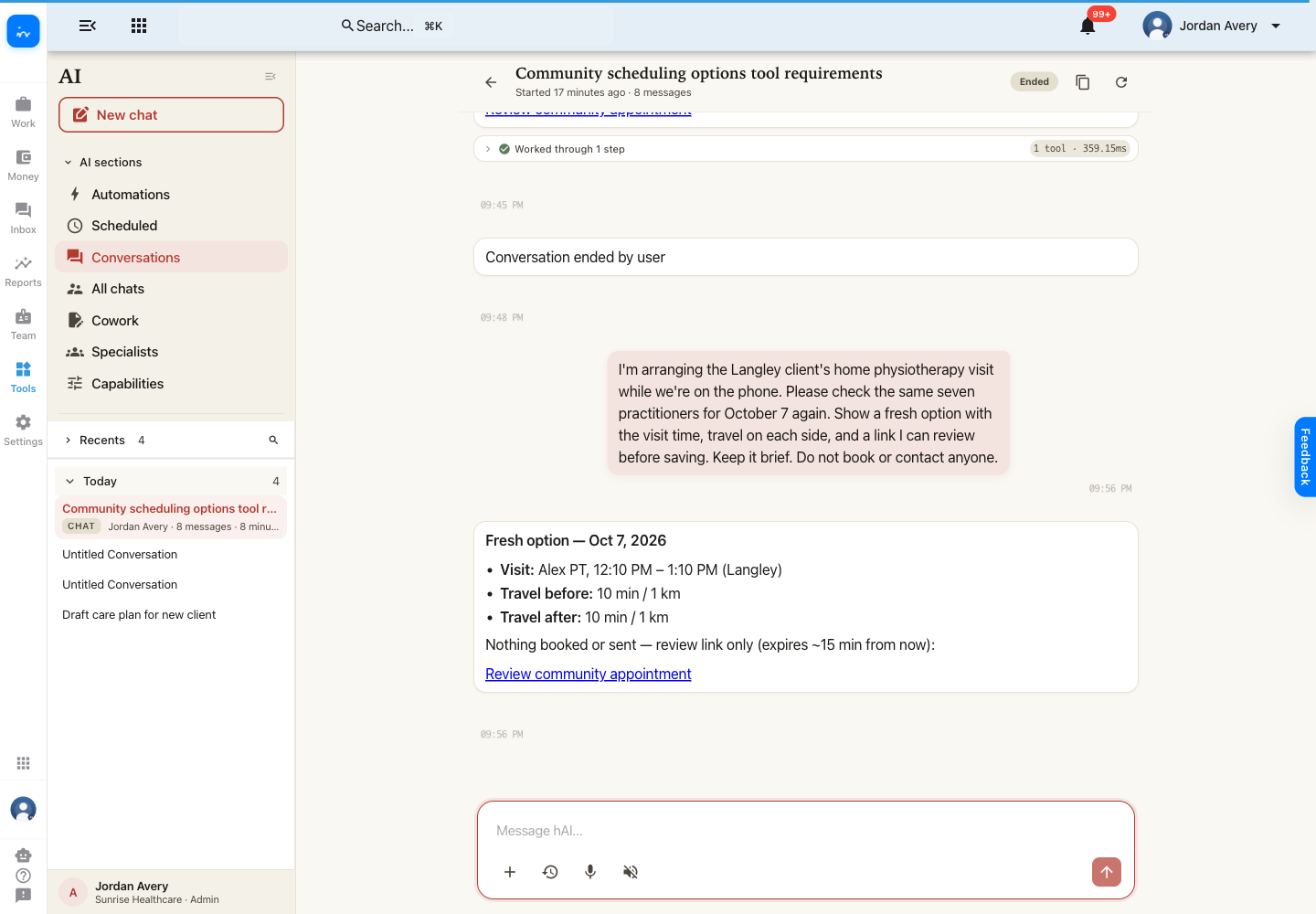
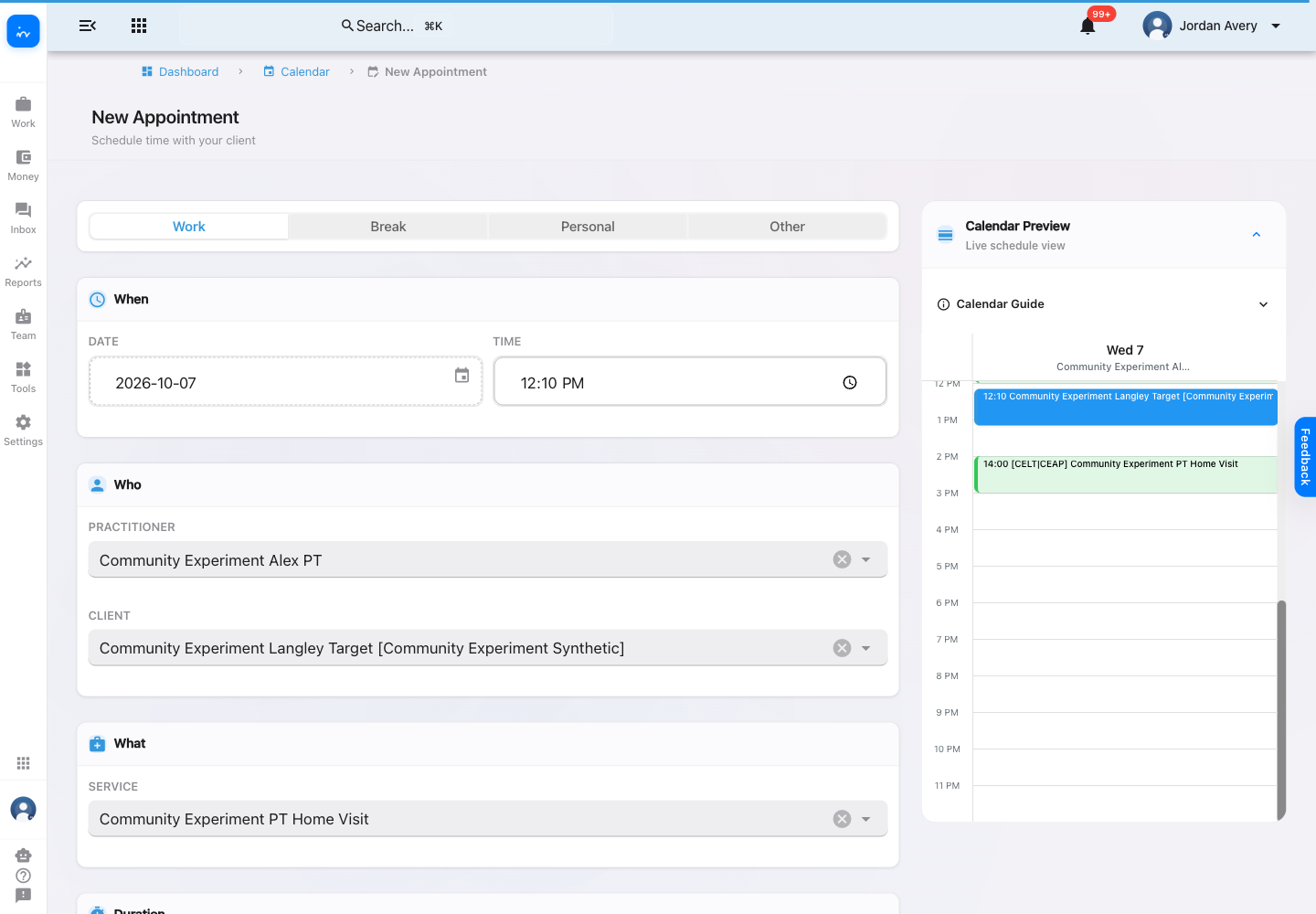
The review link opens the existing appointment form with the client, practitioner, service, date, and duration selected. The calendar preview lets staff see the visit alongside the rest of the day.
Confirm the visit address and both travel allowances. Review the visit address and recorded travel allowance, and confirm current travel conditions when needed.
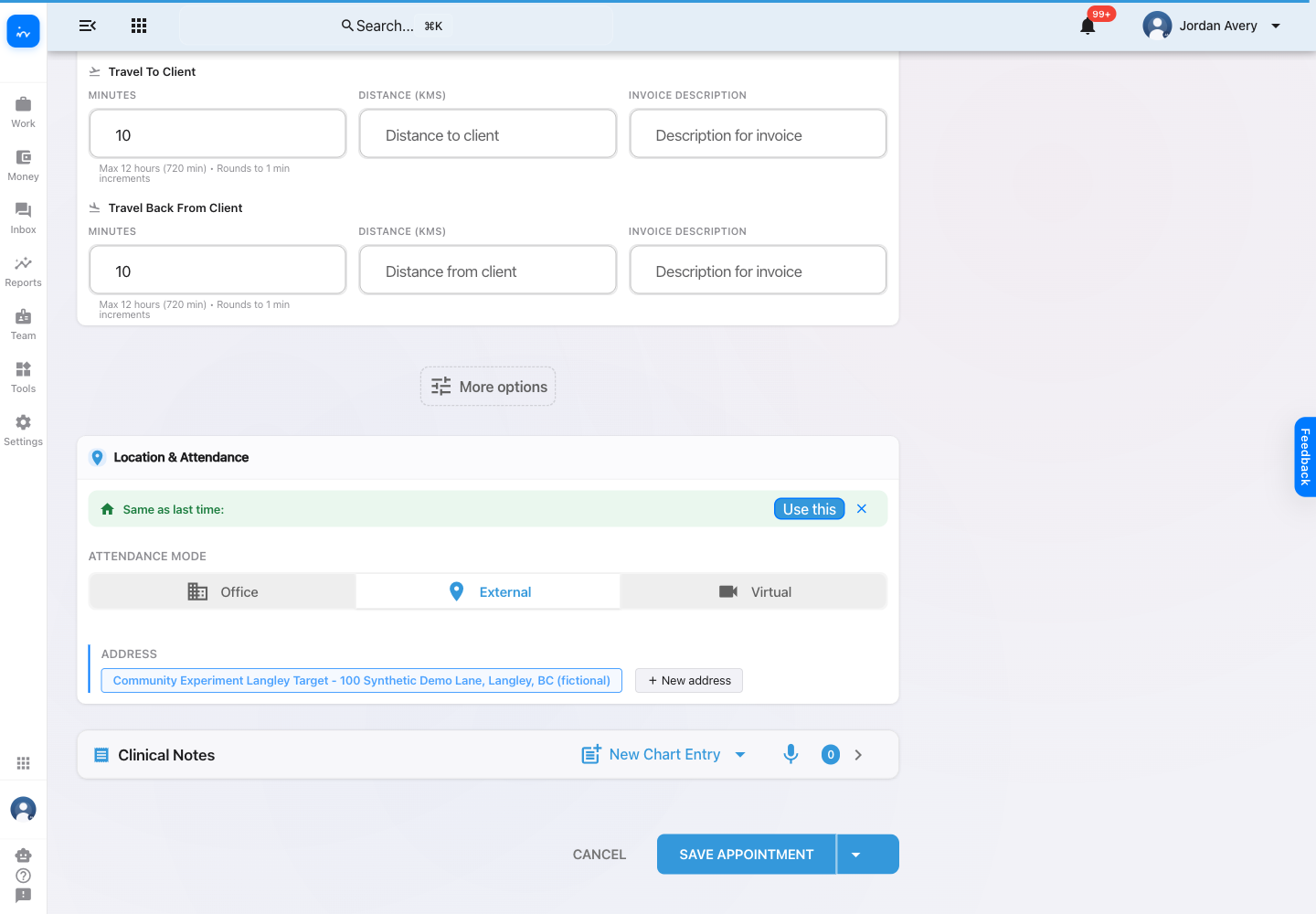
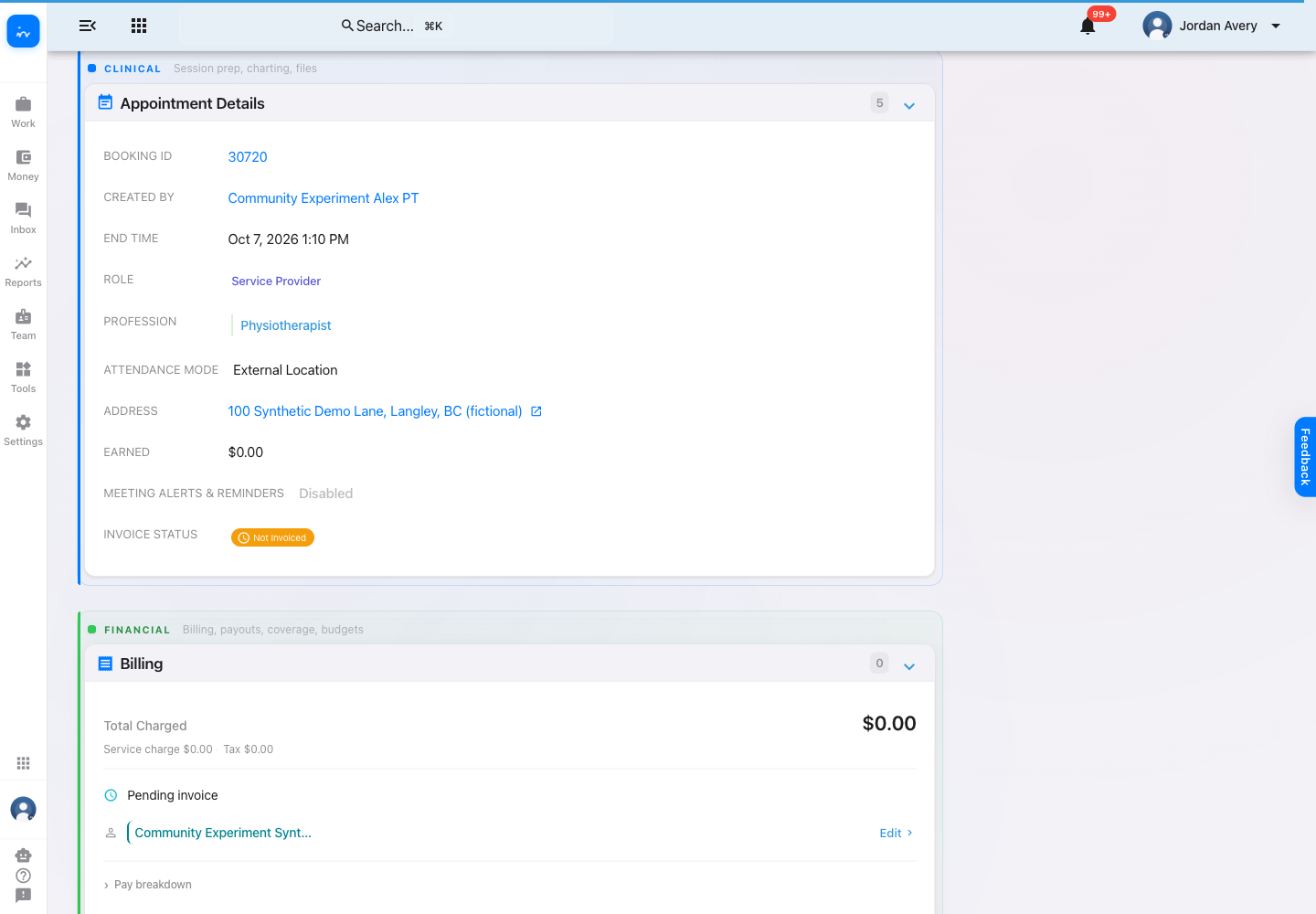
Staff choose Save Appointment after reviewing the details. The proposal is checked again against the current schedule and recorded travel before the appointment is created.
Calendar availability
Community bookings work best when the visit and its travel time are reviewed alongside the practitioner’s existing commitments.
Review booked visits before and after the proposed community appointment.
Confirm the proposed visit falls within the practitioner’s working hours and does not overlap leave.
Keep recorded travel before and after the visit visible while choosing the final time.
A practical first step
A connected workflow: find a community appointment with AI, open its booking details, and save the visit to the calendar.
Careful recommendations: service eligibility, working hours, leave, occupied time, and known travel all affect whether a visit fits.
Travel-aware scheduling: consider surrounding appointments and recorded travel, and confirm any missing route details. An option does not reserve a slot.
A confirmed result: the saved visit appears on the practitioner’s calendar with its community location and travel details.
Use the conversation to find an option, then review the appointment before committing it to the calendar.
Confirm the final appointment details with the client according to your clinic’s booking policy.