✓ InToday Workflow Guide
Workflow overview
Phone and SMS intake automation
See how an AI-assisted phone call and a text-message conversation become structured client and referral records that staff can review and continue.
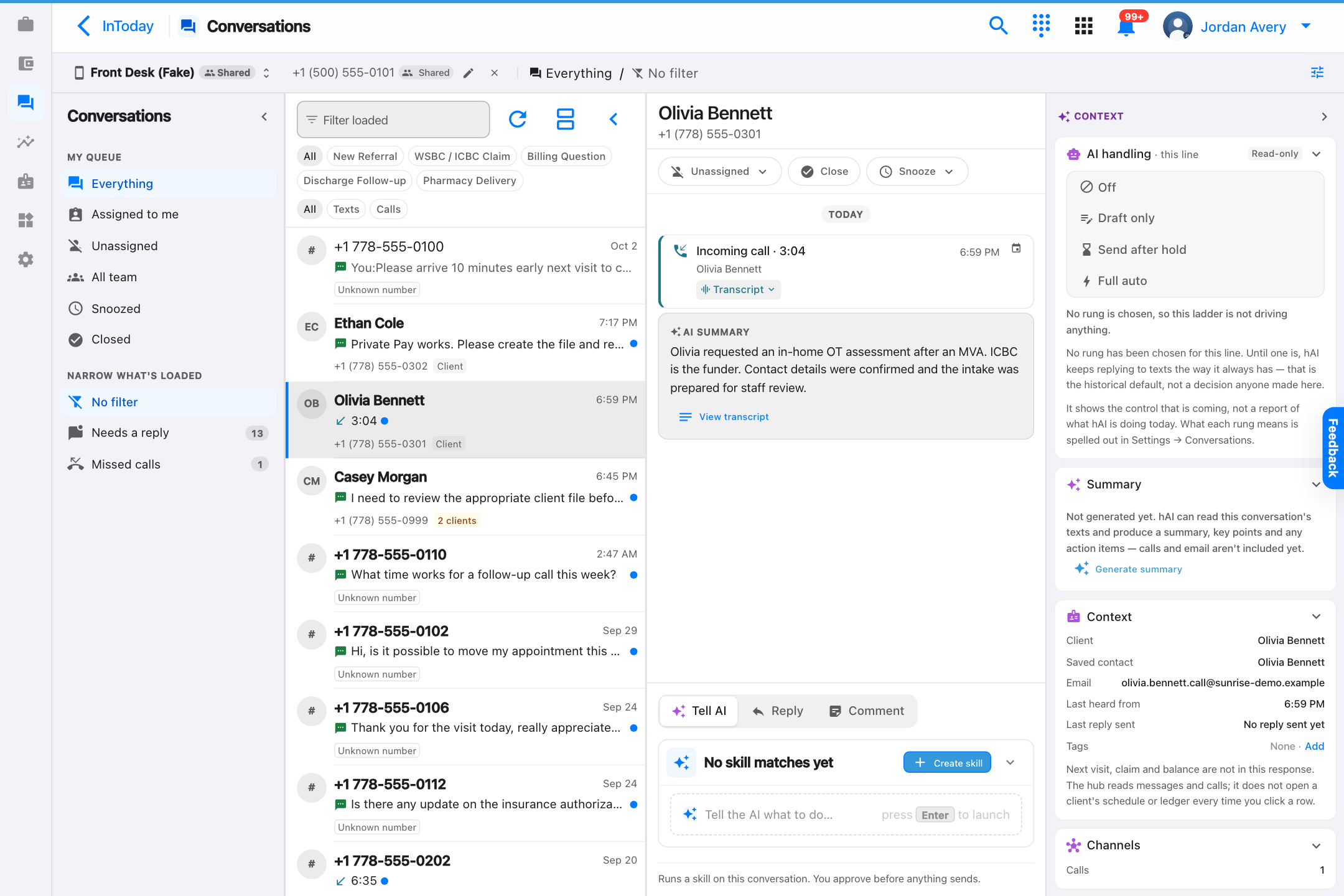
1 · ConverseA prospective client calls or texts the clinic using the channel that works for them.
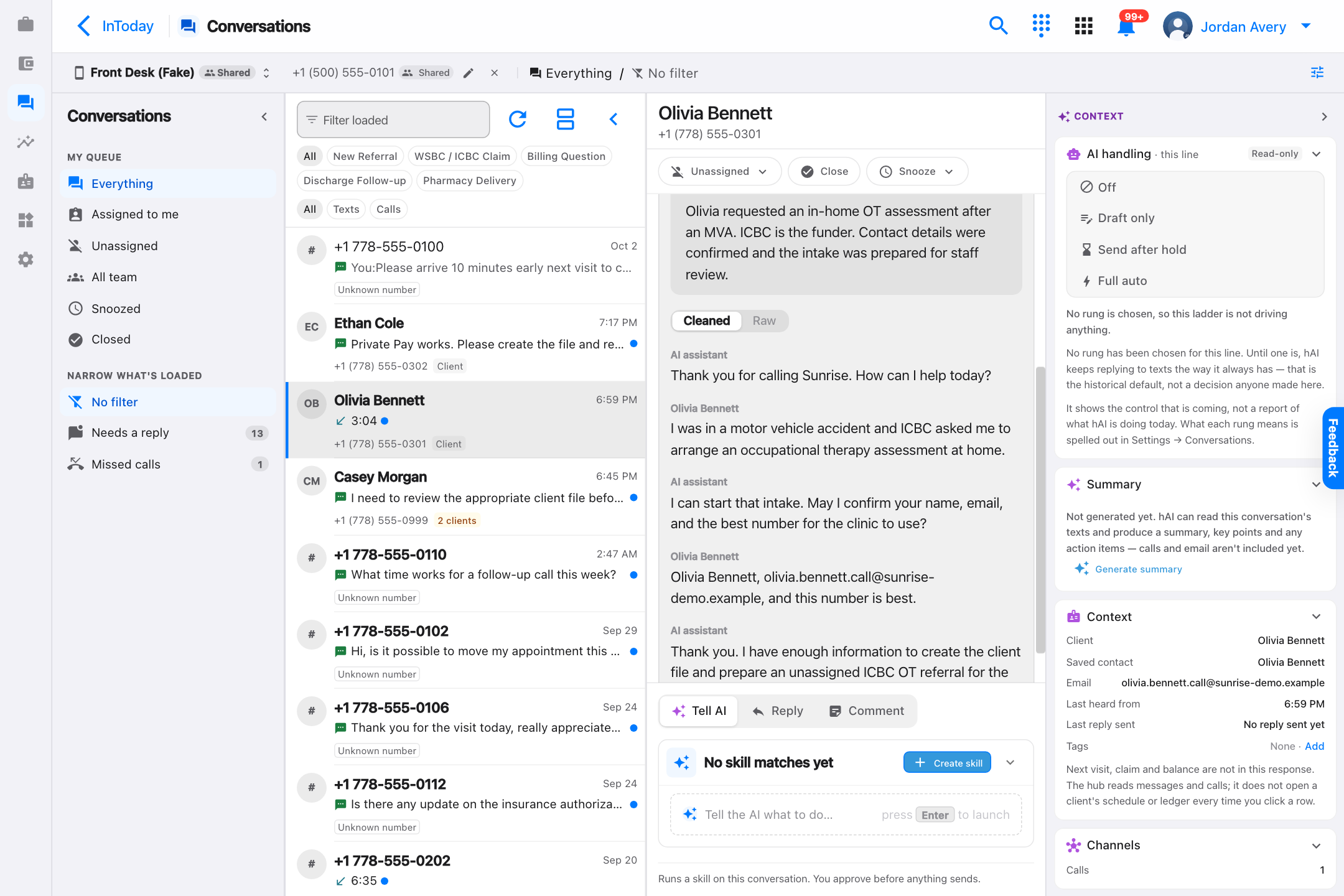
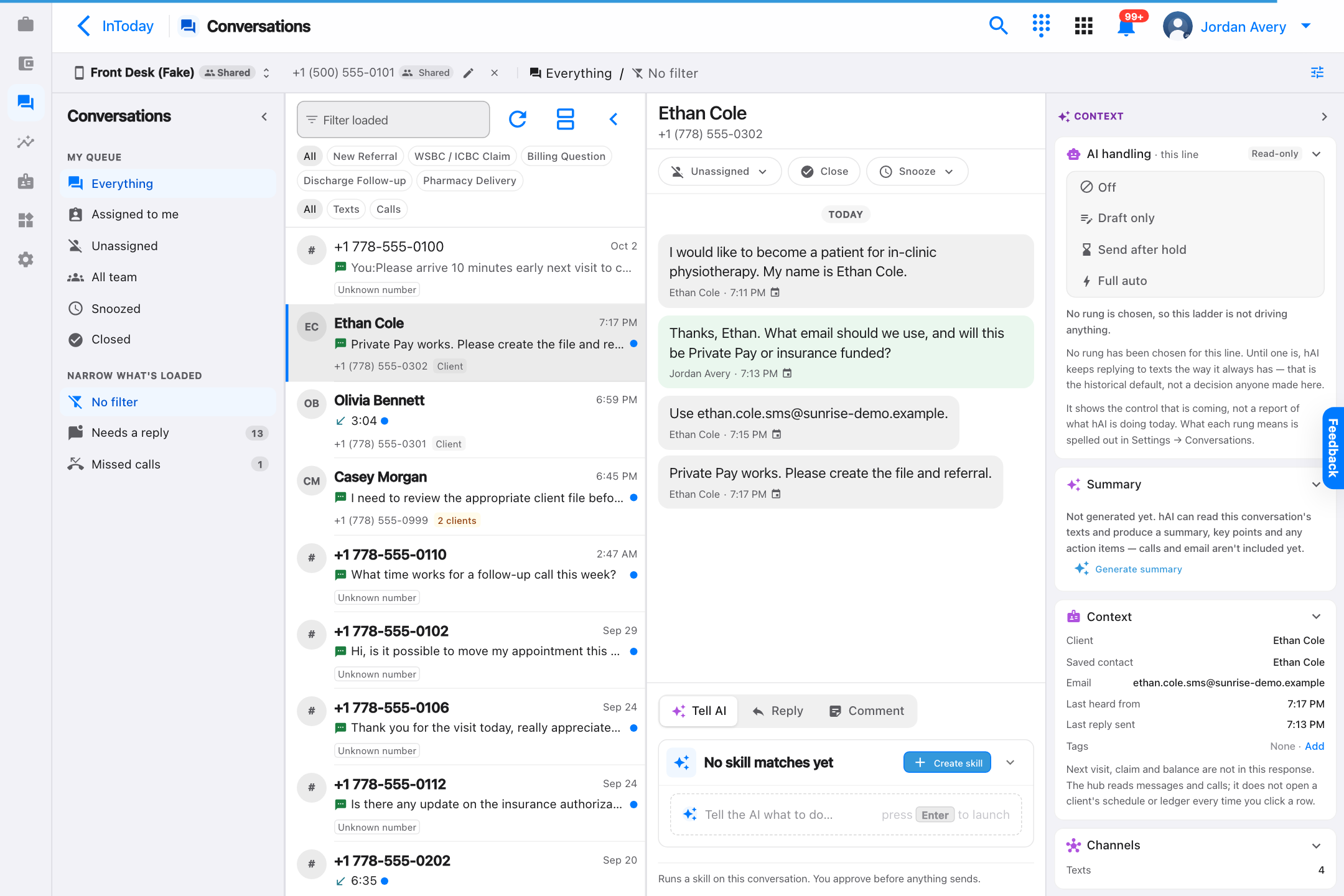
2 · CaptureThe transcript or message thread keeps the original intake details visible.
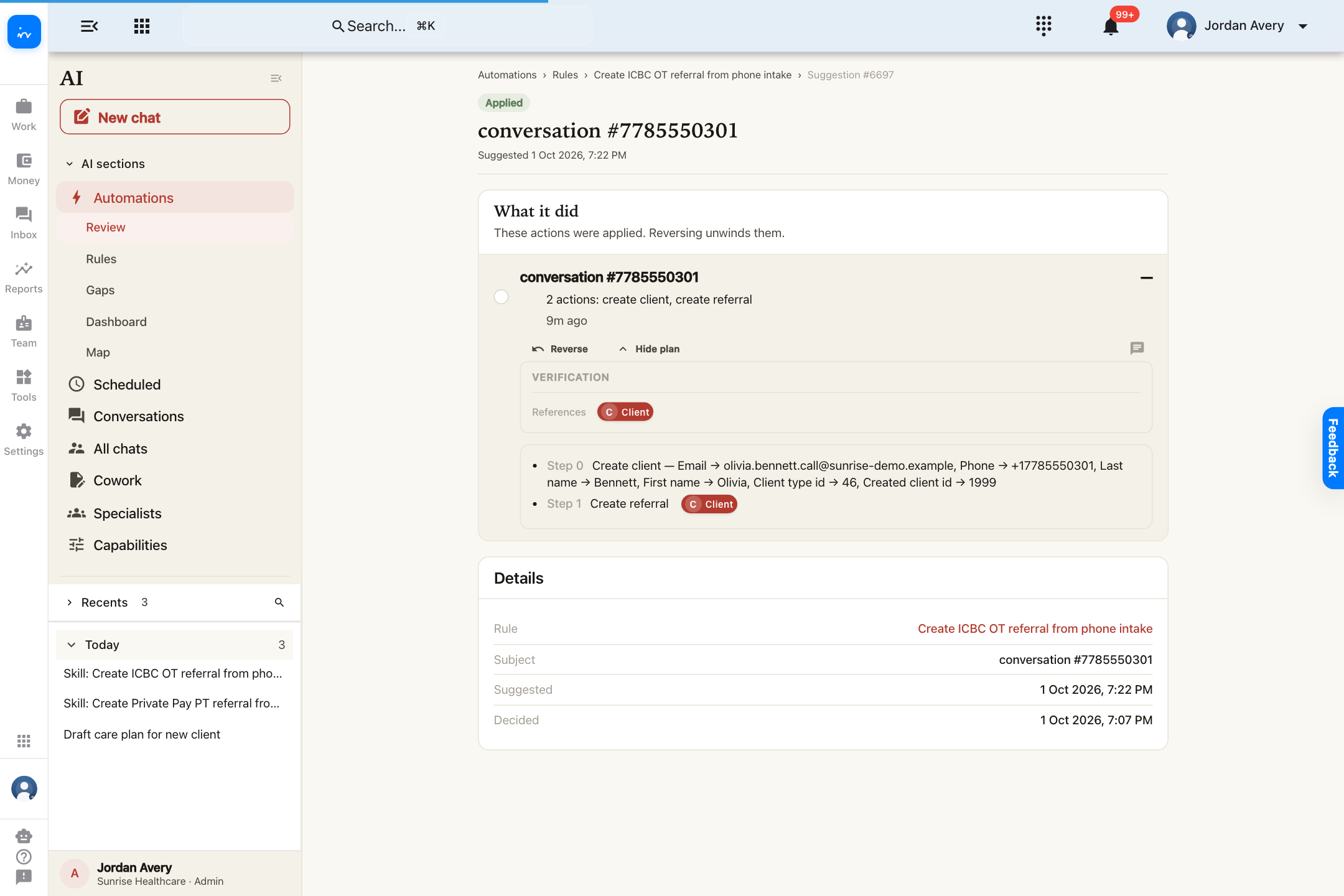
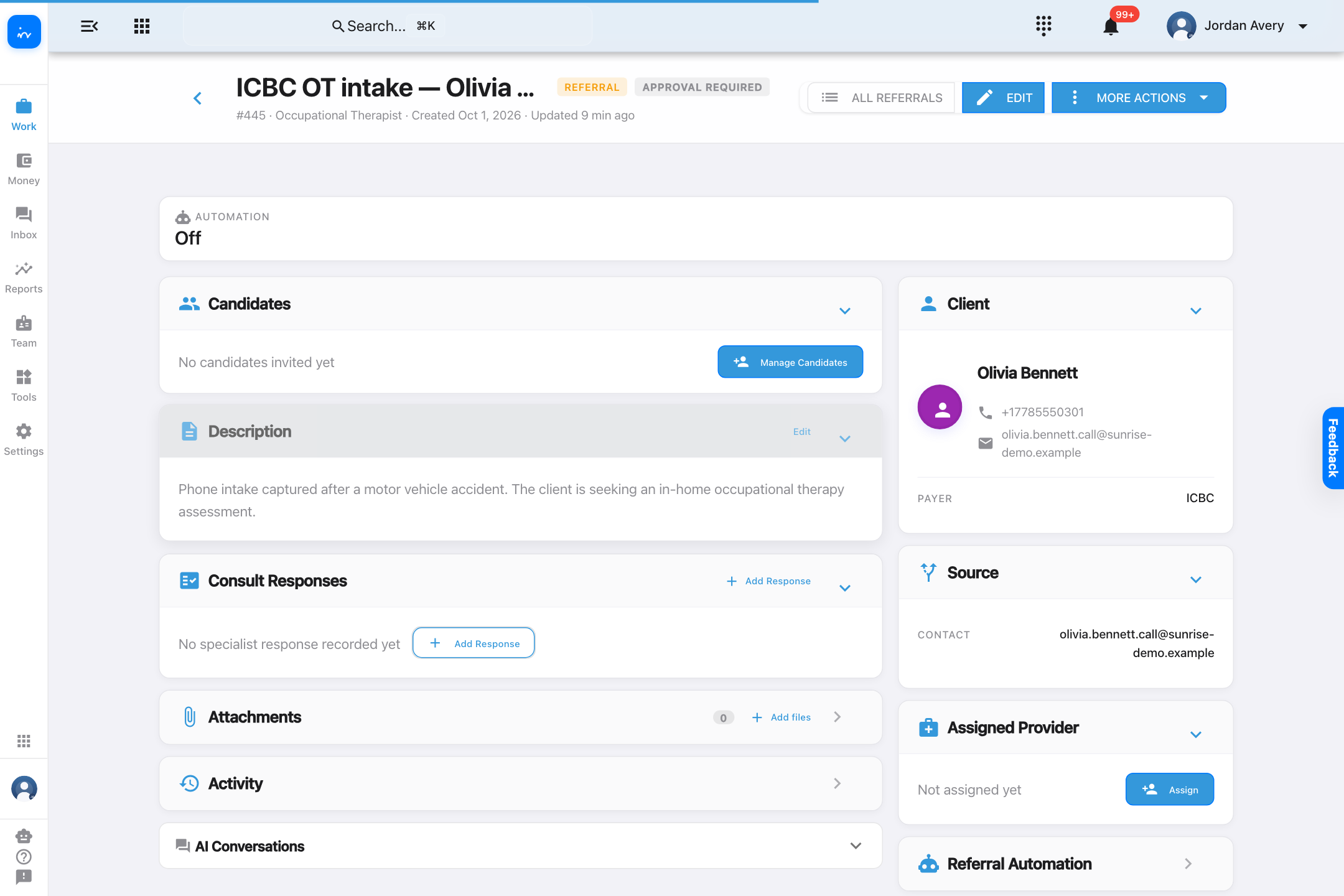
3 · CreateAn applied automation creates the client file and an unassigned referral.
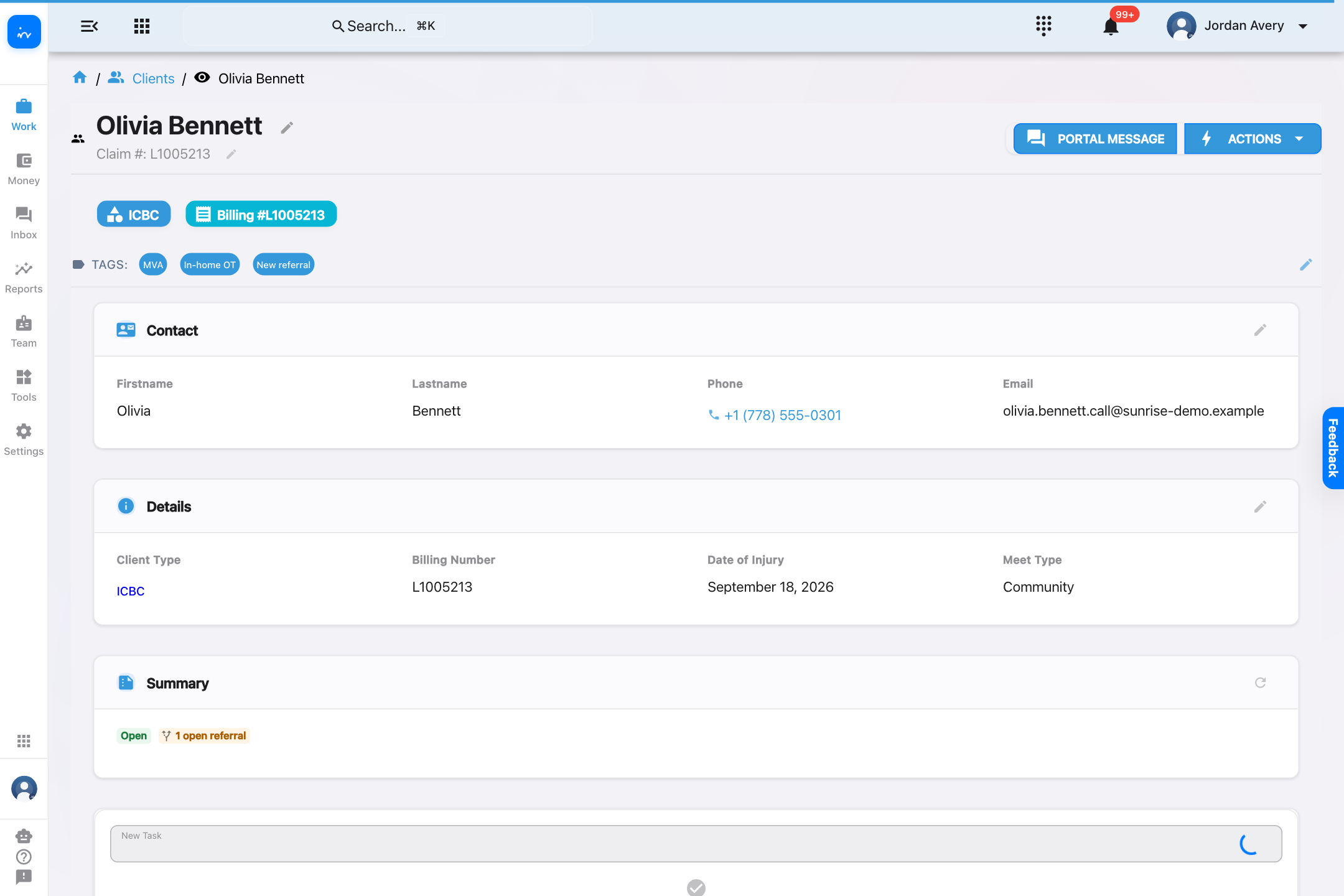
4 · ContinueStaff review the result, then choose assignment and booking steps.
InToday web appConversations · Inbound call
InToday web appCall · Transcript
InToday web appAI · Automation applied
InToday web appClient · Olivia Bennett
InToday web appReferral · ICBC OT intake
InToday web appConversations · SMS
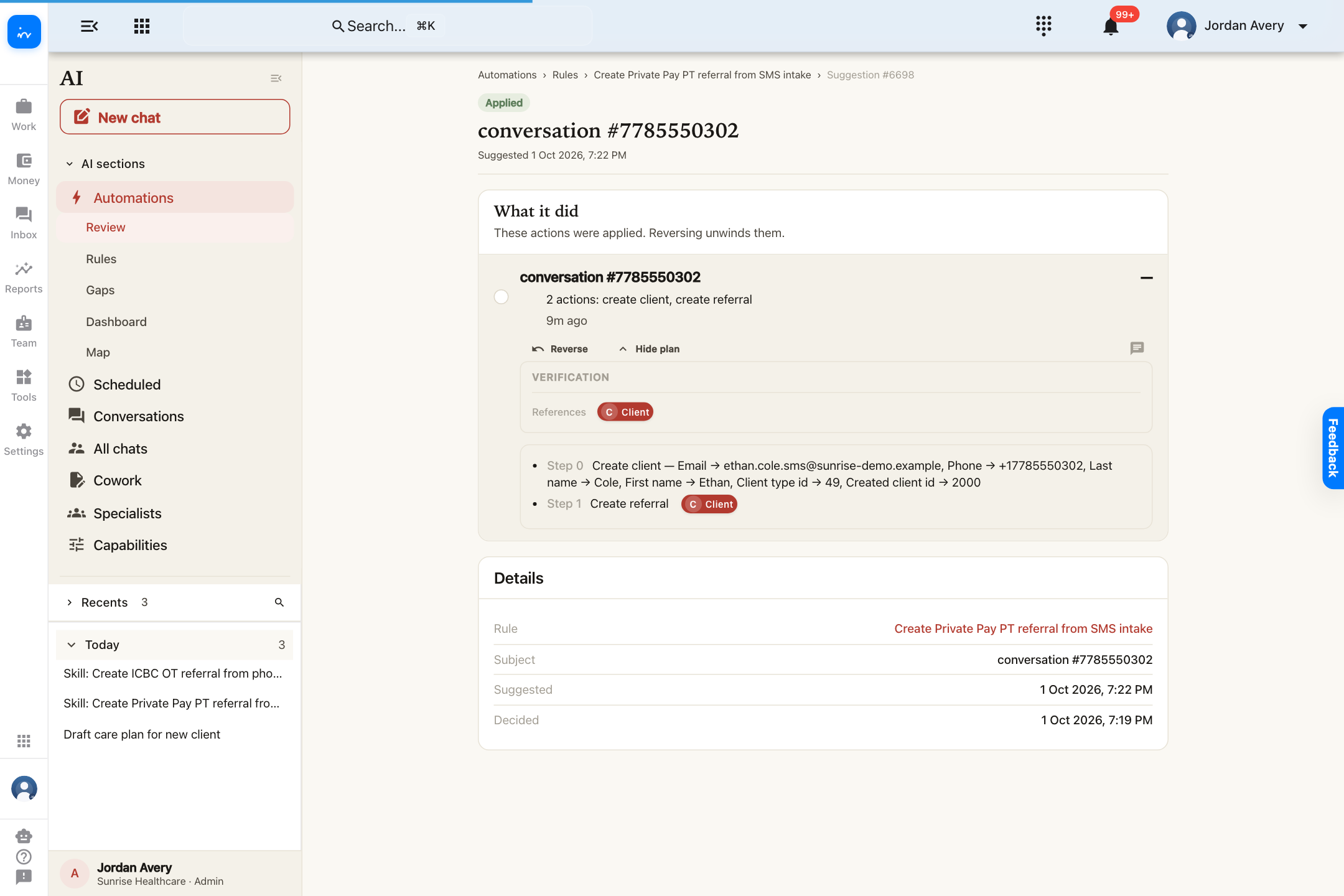
InToday web appAI · Automation applied
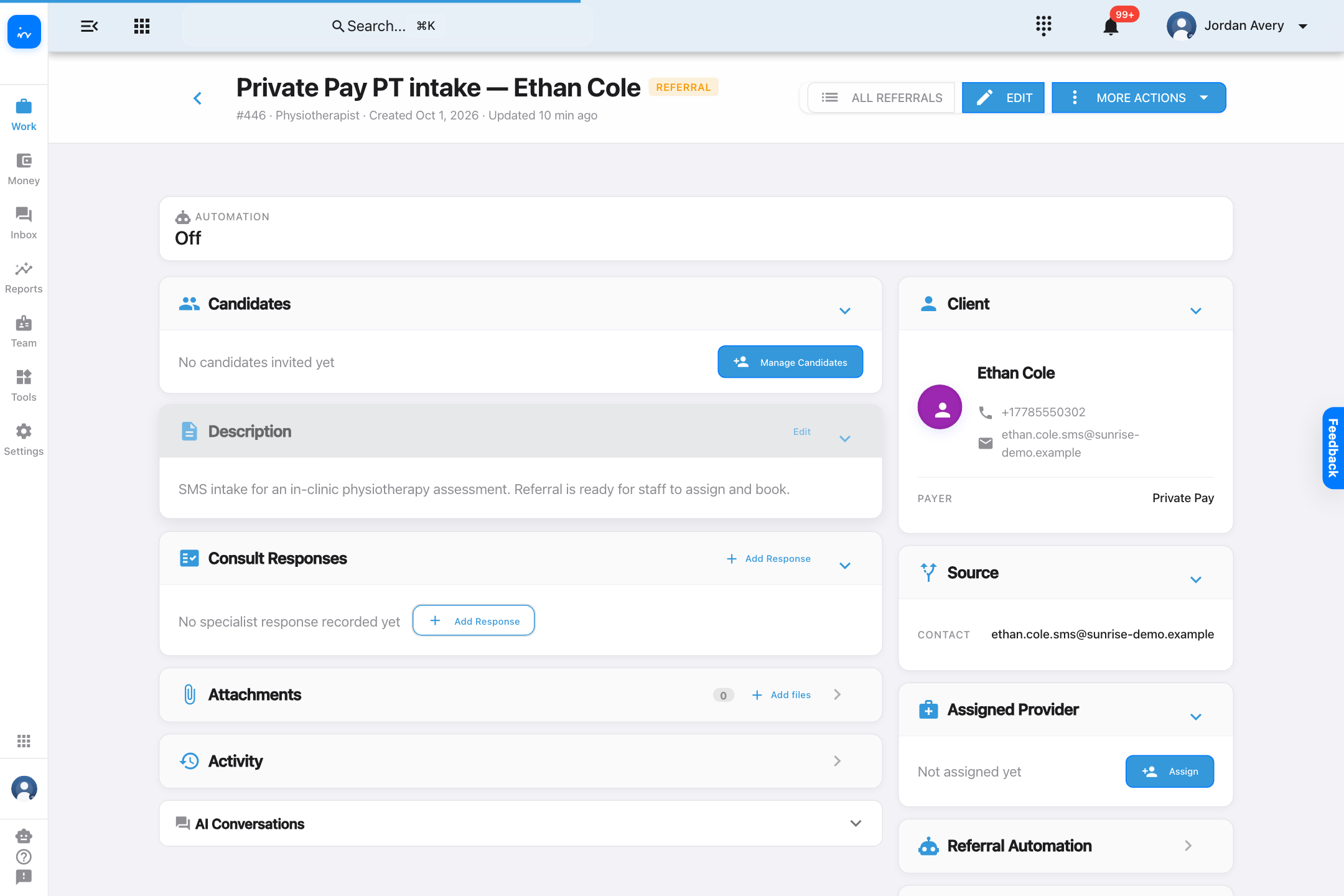
InToday web appReferral · Private Pay PT intake
✓ InToday Workflow Guide
What the automation does—and where staff stay in control
From conversation to a referral that is ready to continue
Original conversation stays visible
The call transcript or SMS thread remains available so staff can verify the information used to create each record.
Structured records are created
Name, contact details, payer, requested profession, service setting, and travel context become usable client and referral data.
Results remain reviewable
The applied automation shows what it created. Clinics can keep new workflows staged for review while they build confidence.
The next step is configurable
Referral assignment can be therapist-led, coordinator-led, or handled by configured automation.
Assignment flexibility. Clinics may let therapists choose from referral opportunities, have coordinators select and assign, or enable rule-based auto-assignment using configured availability and capacity. The clinic chooses the strategy, and it can be tailored to its workflow.
InToday Workflow GuidePhone and SMS intake boundaries
Complete intake workflow
Two conversational paths, two referrals ready for the team
✓The original interaction remains visible.
Staff can trace each result back to the call transcript or SMS exchange.
✓The automation’s work is reviewable.
Each applied result shows that a client file and referral were created.
✓Service and payer context carry forward.
ICBC OT and Private Pay PT become distinct, structured referrals.
→The clinic chooses what happens next.
Use therapist selection, coordinator assignment, or tailored rules based on availability and capacity.
Explore InToday
Bring phone, SMS, email, online booking, referrals, scheduling, client care, billing, and team workflows together in one platform.
This guide ends when each referral is ready for assignment and booking.
Visit ntdy.io →
InToday Workflow Guidentdy.io