✓ InToday Workflow Guide
Workflow overview
Email intake automation
See how two different email requests—an ICBC occupational therapy referral from an adjuster and a client’s private-pay physiotherapy inquiry—become structured client and referral records.
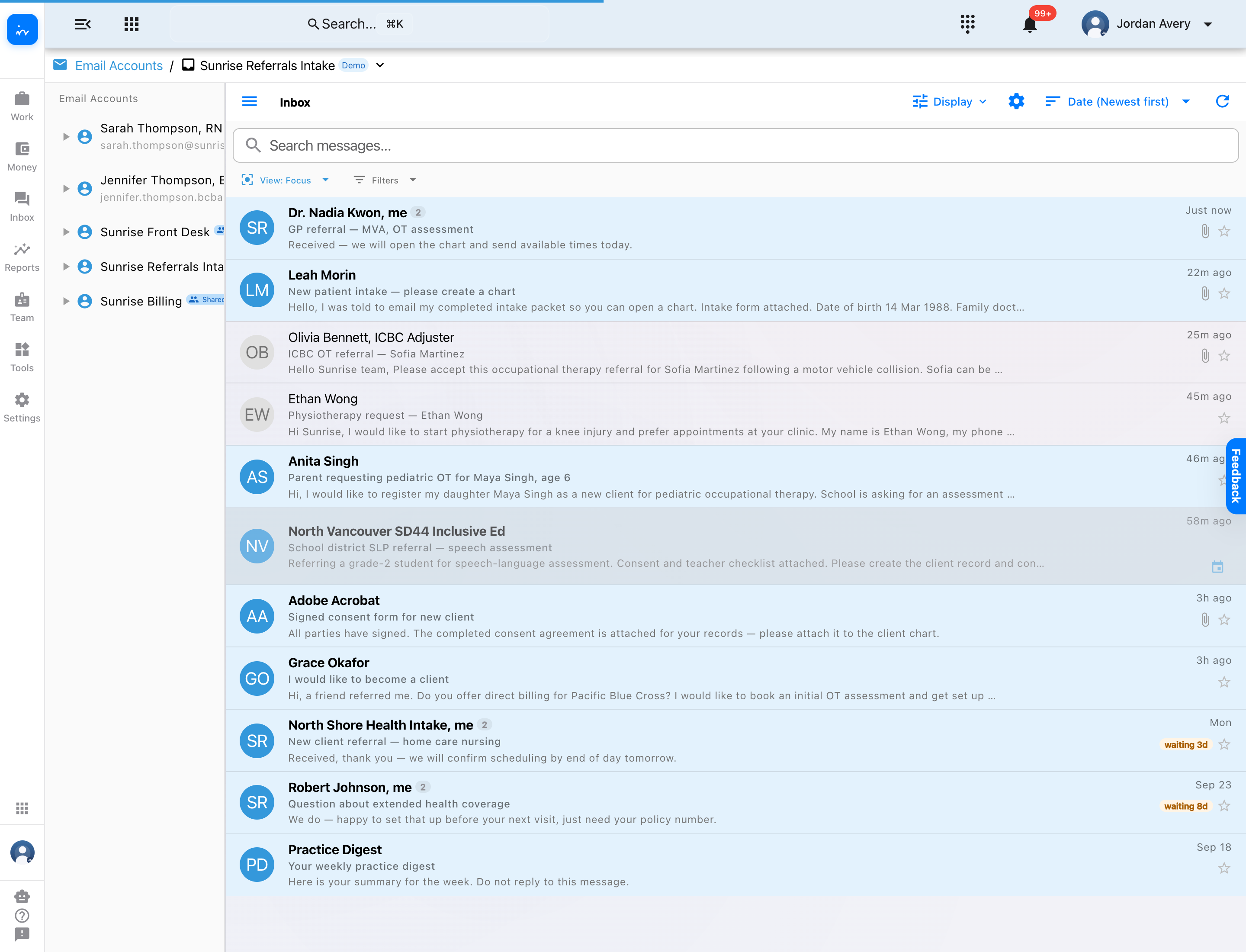
1 · ReceiveReferral and inquiry emails arrive in one shared intake inbox.
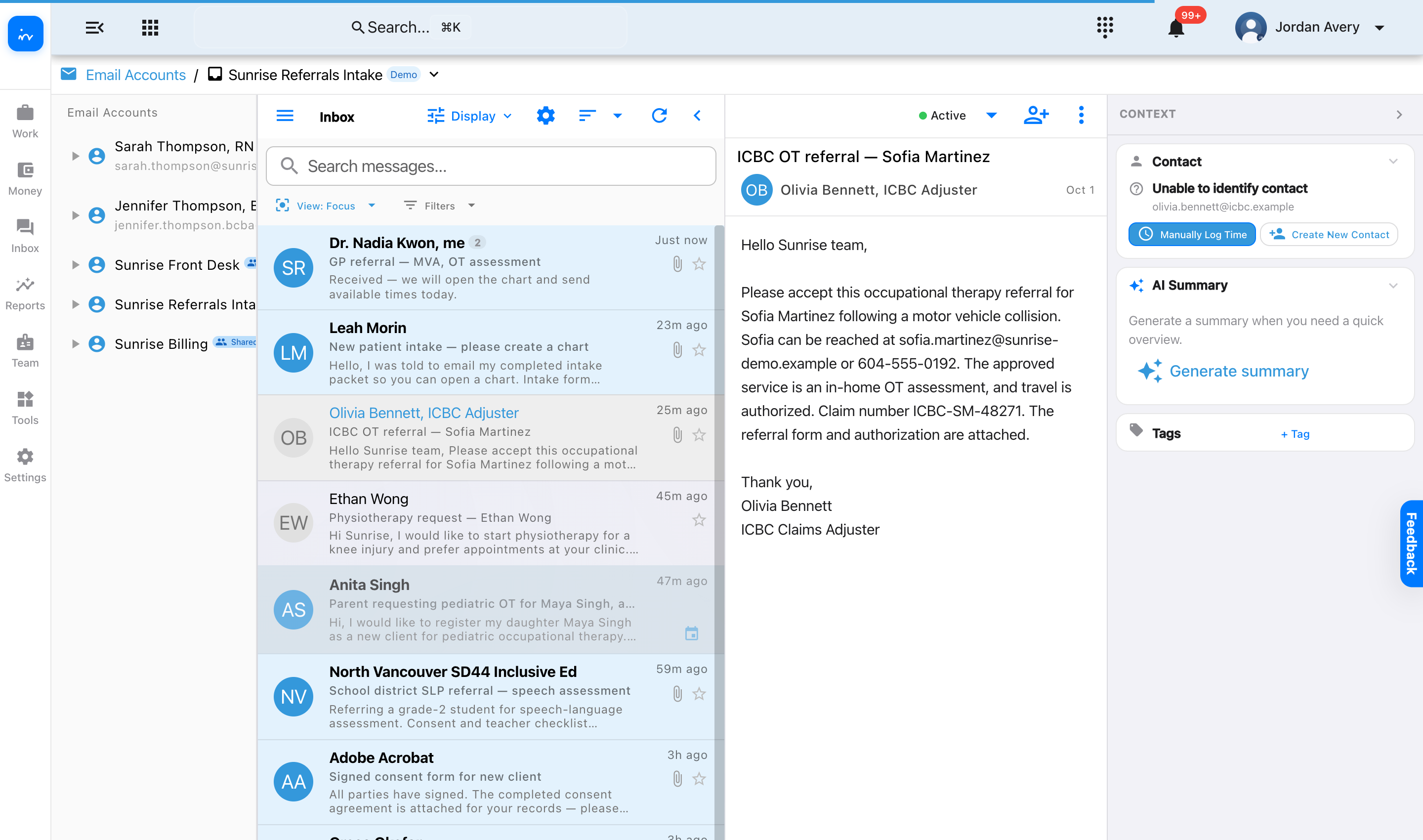
2 · InterpretAn email-specific automation extracts the person, service, and payer context.
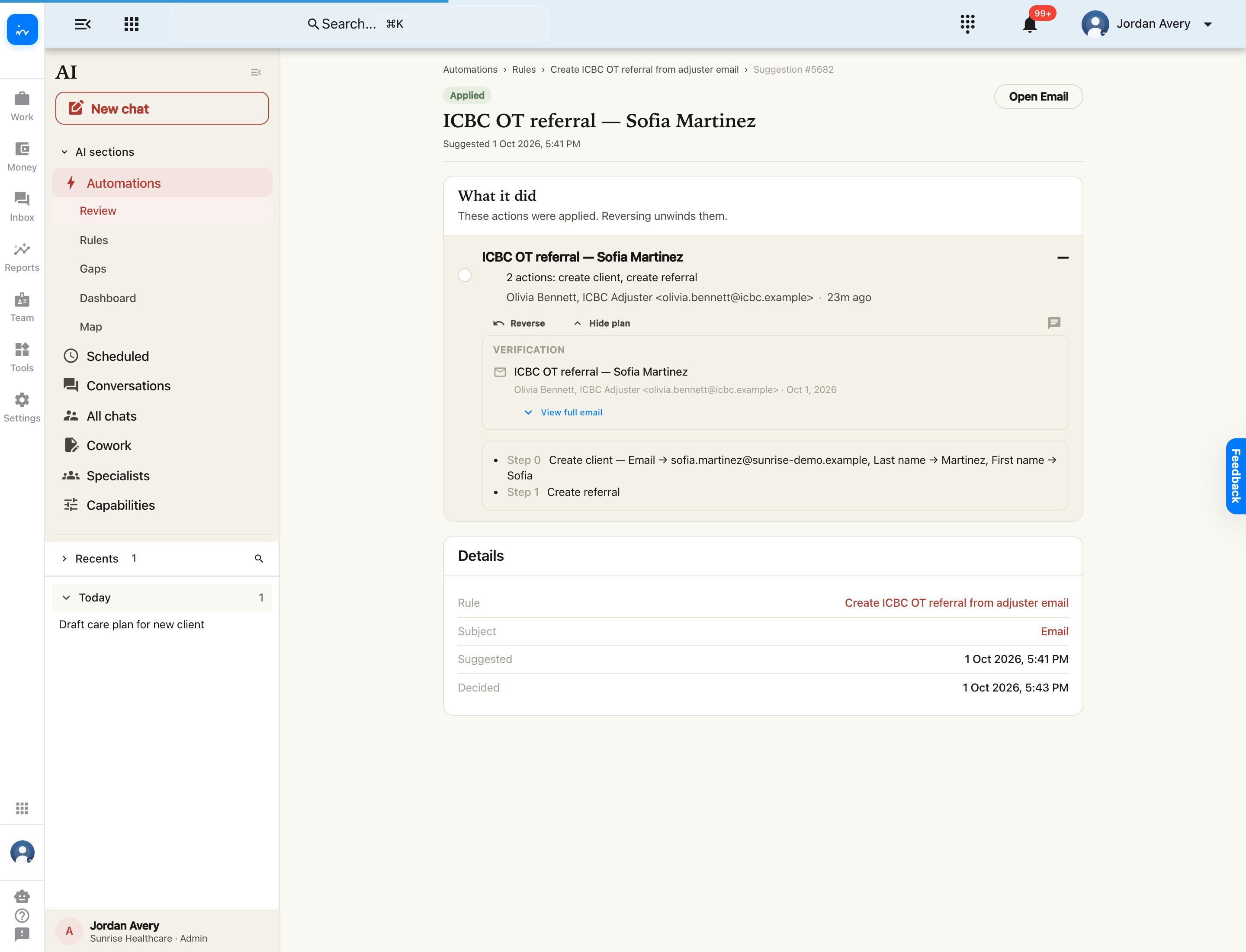
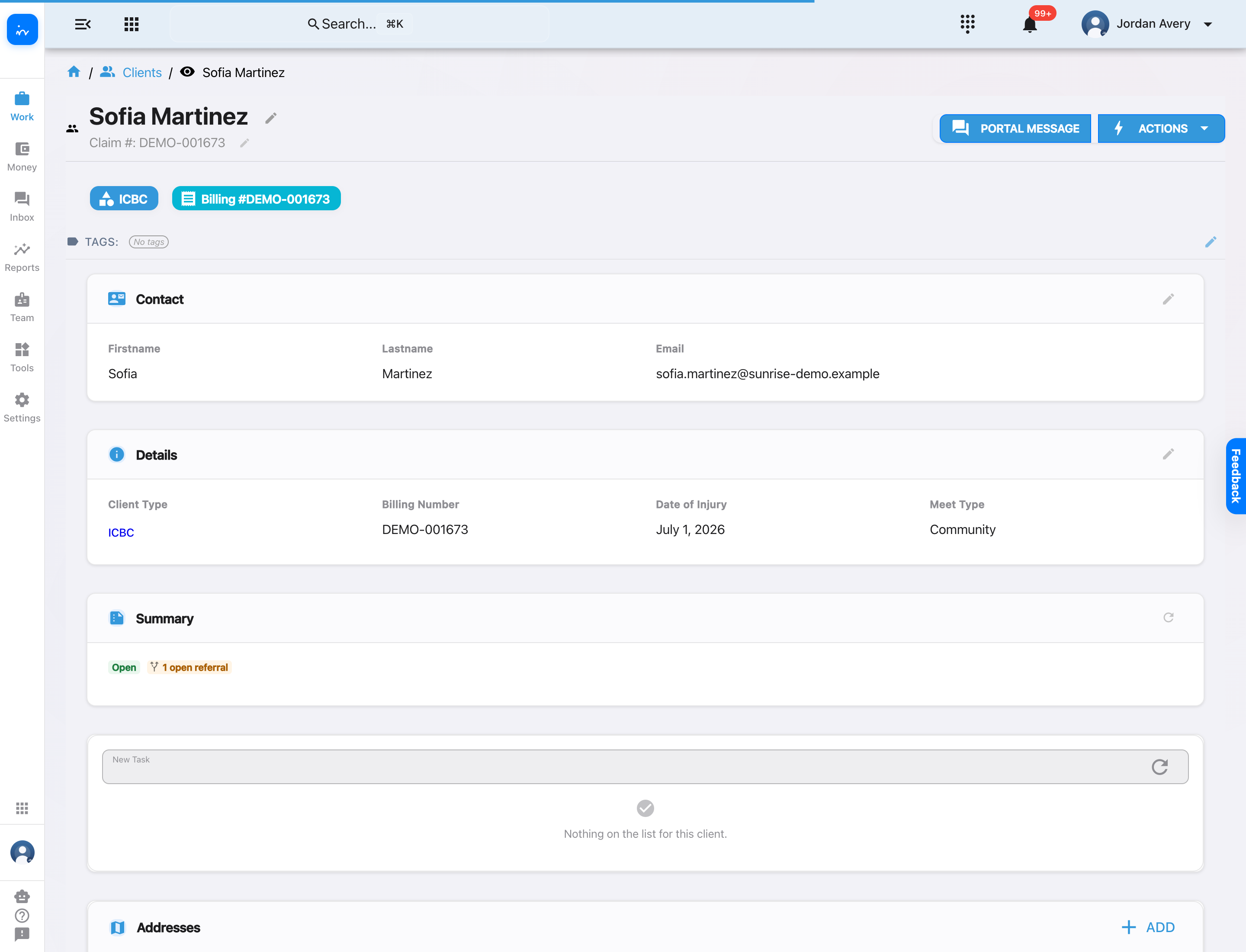
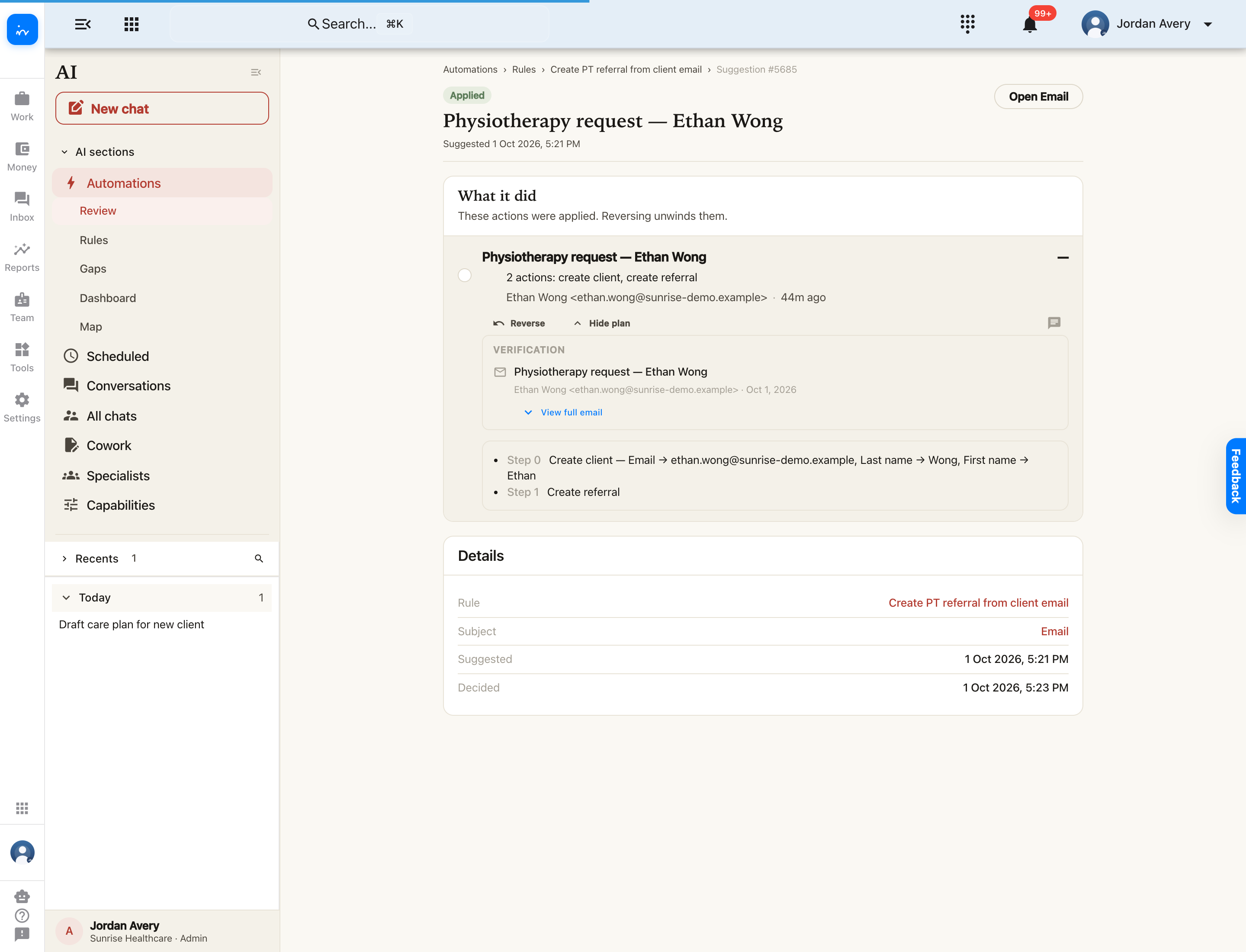
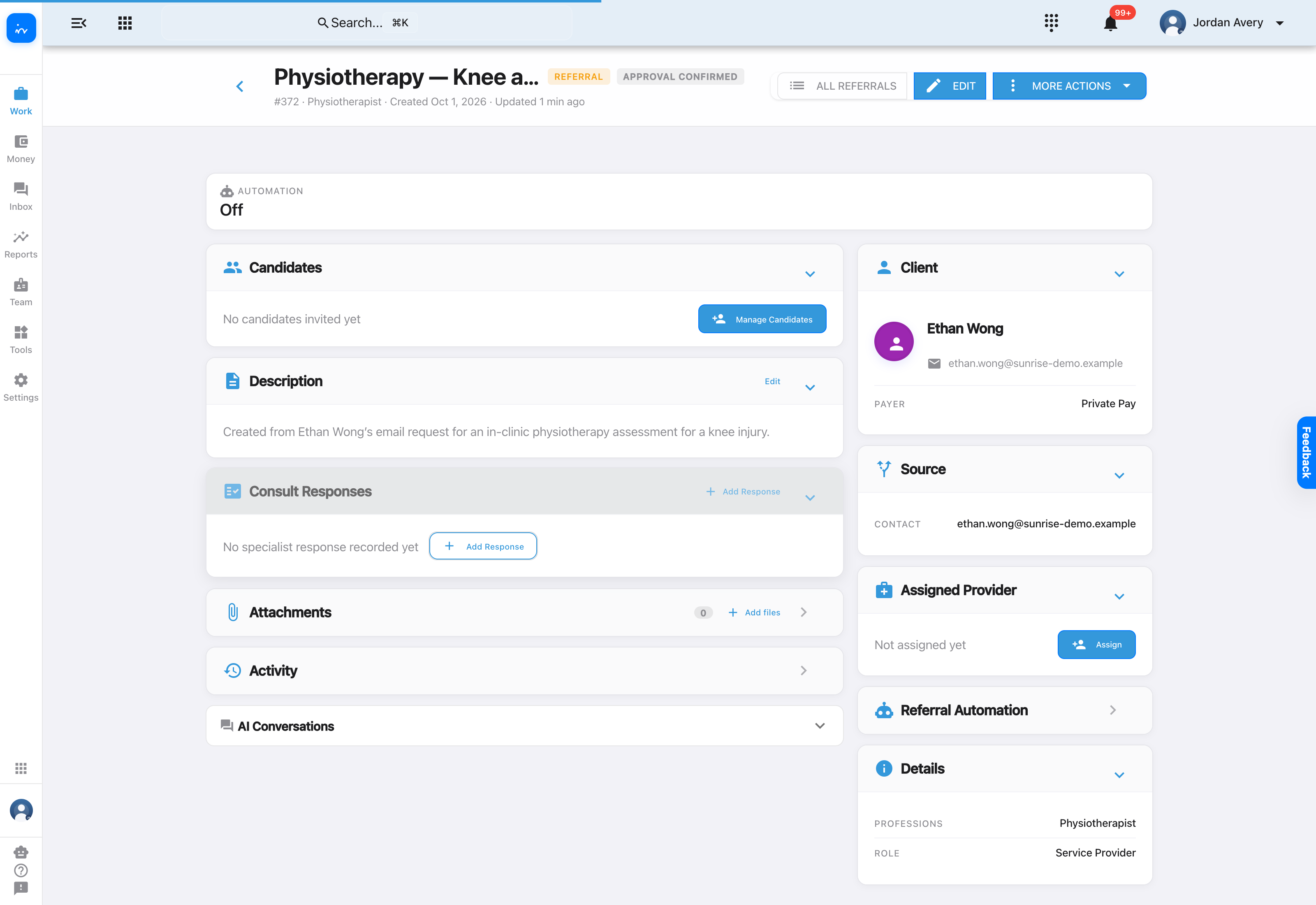
3 · CreateThe applied plan creates both the client record and the referral.
4 · ContinueStaff choose a manual or automated candidate and assignment strategy.
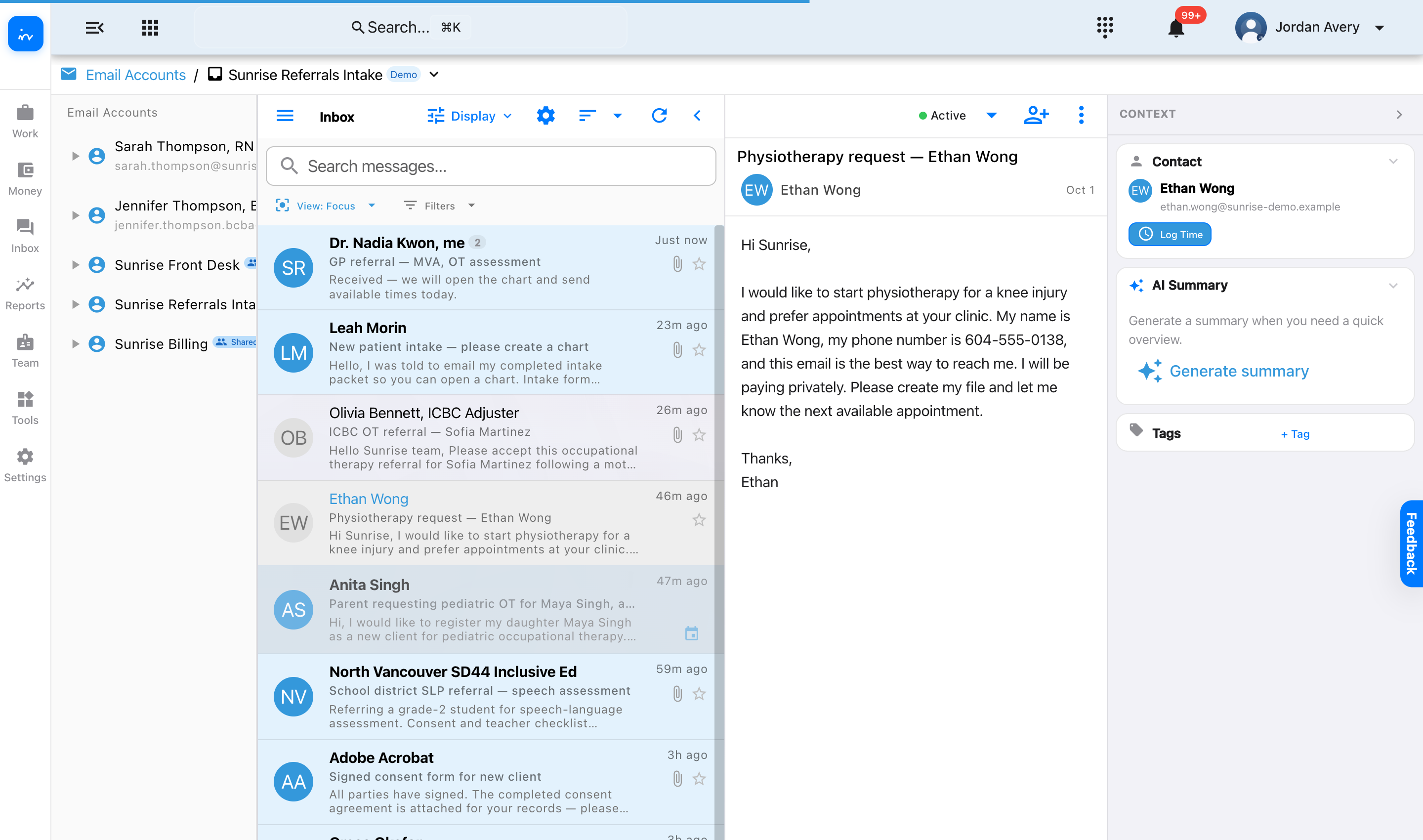
InToday web appInbox · Sunrise Referrals Intake
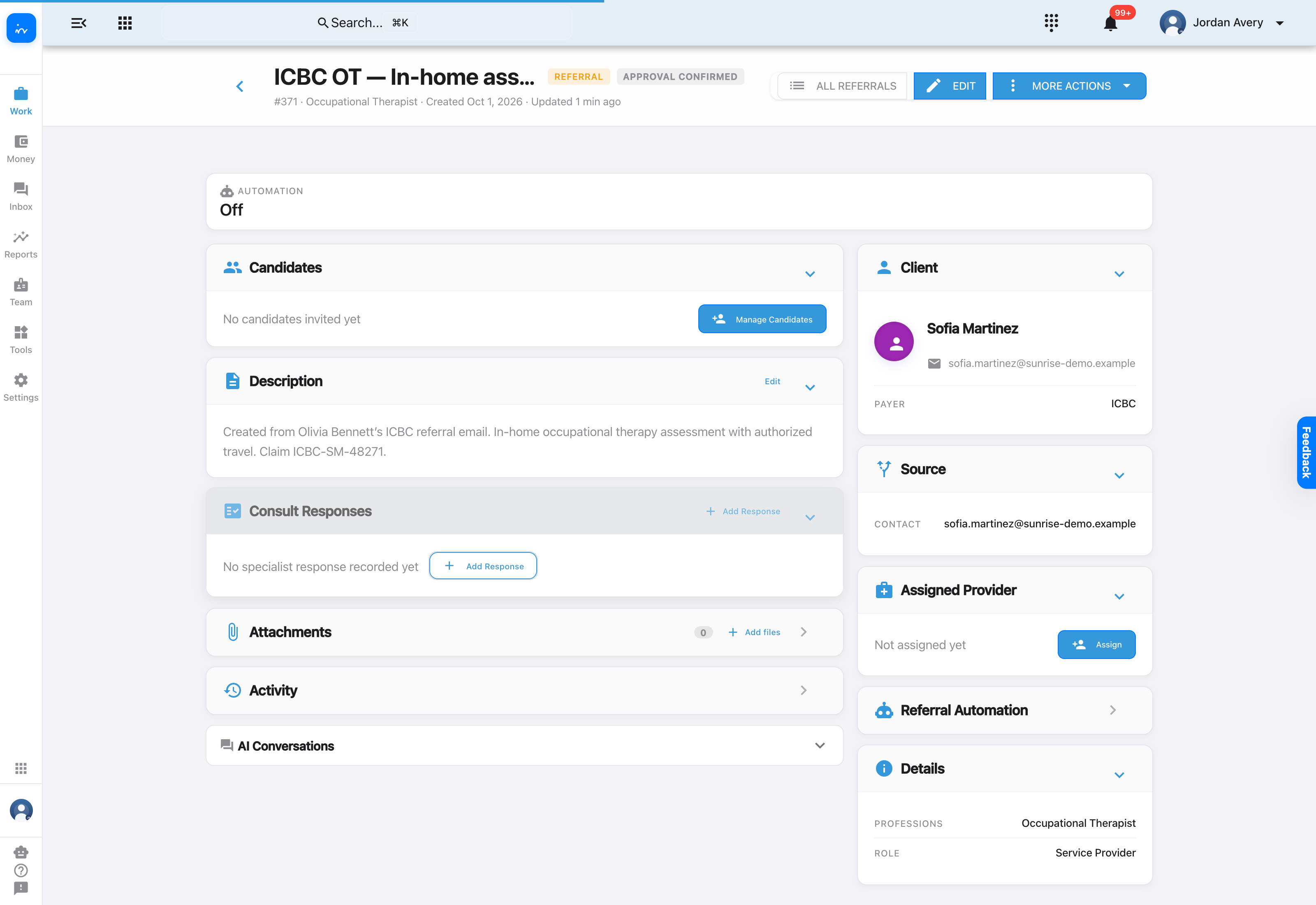
InToday web appEmail · ICBC OT referral
InToday web appAI · Automations · Applied
InToday web appClient · Sofia Martinez
InToday web appReferral · ICBC OT in-home assessment
InToday web appEmail · Physiotherapy request
InToday web appAI · Automations · Applied
InToday web appReferral · In-clinic physiotherapy
✓ InToday Workflow Guide
After the profile and referral are created
Choose how the referral continues
A tenant owner or authorized administrator can keep the referral staff-controlled, enable the built-in referral automation, or configure a clinic-specific automation for a unique operating model.
Manual candidate management
Staff stay in control of each decision.
- Invite selected candidates and compare their travel, fit, priority and capacity.
- Send another reminder to candidates who have not responded.
- Assign one of the providers who accepted.
Automated outreach
The referral can run a configured response cycle.
- Invite notifiable candidates immediately.
- Nudge non-responders using the clinic’s reminder cadence.
- Apply the chosen timeout action if nobody accepts by the final deadline.
Automated provider selection
Once an eligible provider accepts, the selected strategy can assign them and grant access to the client file.
- Best match with early assignment: favour the strongest match while preserving a response window.
- Highest priority score: choose the accepted candidate with the highest score.
- First to accept: prioritize speed for urgent referrals.
Clinic-specific automation
Owners and authorized admins can configure the prompt, rules and autonomy level to match the clinic’s workflow.
- Stage suggestions for review and approval while the workflow is being proven.
- Promote a trusted rule to auto-apply when the clinic is comfortable with its track record.
- Create a tailored strategy when the standard options do not fit the use case.
Assignment and calendar booking are different steps. Referral auto-assignment chooses an accepted provider; it does not itself place an appointment on that provider’s calendar. Calendar booking can remain manual or use a separate booking automation that respects the clinic’s availability, service and scheduling rules.
InToday Workflow GuideReferral automation strategies
Complete intake workflow
Two email paths, two referrals ready for the team
✓The original email remains visible.
Staff can trace each created record back to its source message.
✓The automation’s actions are reviewable.
Each applied plan shows the client and referral it created.
✓Payer and service context carry forward.
ICBC OT and private-pay PT become distinct, structured referrals.
→The clinic chooses how work continues.
Use manual candidate management, referral automation, or a tailored rule. Calendar booking remains a separate manual or automated workflow.
Explore InToday
Bring email intake, referrals, scheduling, client care, billing, and team workflows together in one platform.
Assignment flexibility: Clinics can let therapists choose from referral opportunities, have coordinators select and assign, or enable rule-based auto-assignment using configured availability and capacity. The clinic chooses the strategy, and it can be tailored.
This guide ends when each referral is ready; the scheduling guide continues the journey onto a practitioner’s calendar.
Visit ntdy.io →
InToday Workflow Guidentdy.io